How to Create Videos with Claude Code and Remotion
TL;DR
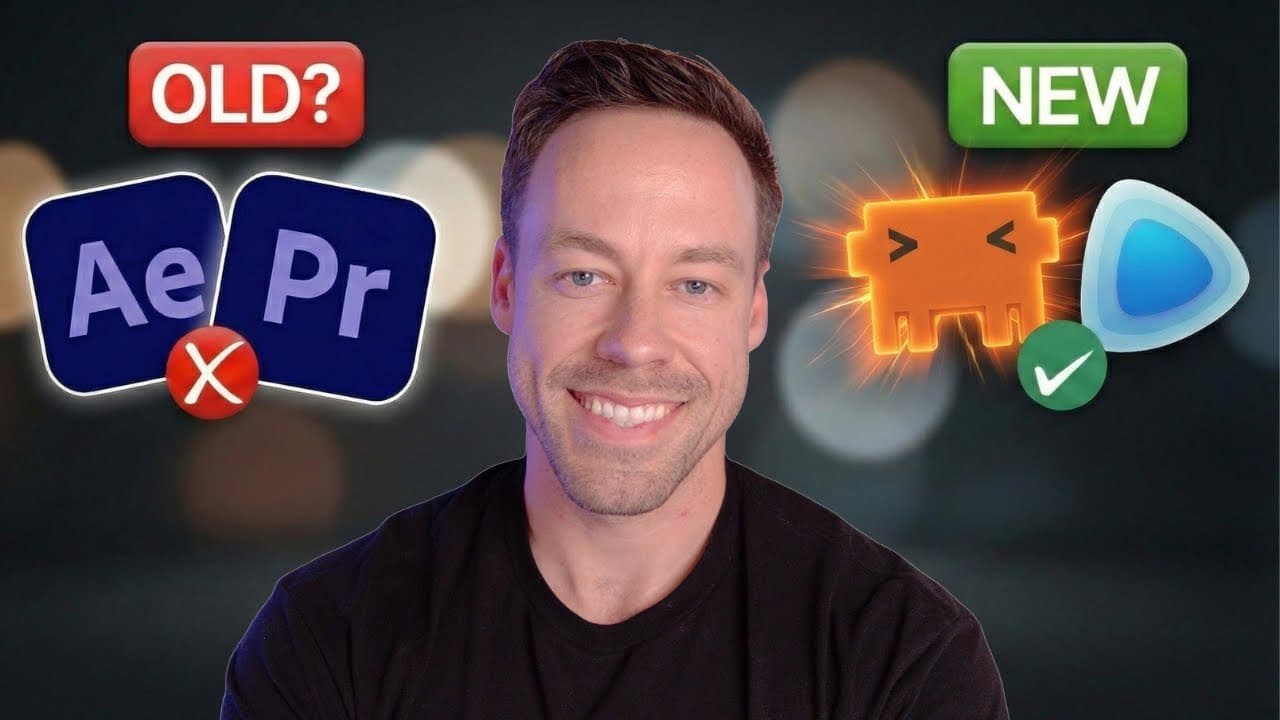
Install Remotion’s agent skills globally, create a blank video project, run the development server, and ask Claude Code to plan and build the video. Remotion represents scenes and frames as React components, enabling prompt-based revisions to specific scenes, text, animations, and assets without regenerating the entire project.
Transcript
Claude Code can now create videos, and they're actually pretty good. This week, Remotion dropped a set of skills that allow Claude Code to create videos just through prompting. Everything you see here was generated by these skills, and you're able to edit individual scenes, add assets, have Claude go out on the internet and find assets on your beha... Read More
Key Insights
- Remotion videos are built from React components that define the individual frames and scenes. Claude Code writes those components from natural-language instructions, while Remotion renders the frames and combines them into a playable video that can be previewed locally.
- Remotion’s agent skills are collections of instructions that teach compatible coding agents how to use Remotion’s APIs, animation patterns, and recommended practices. They reduce dependence on a single elaborate prompt and can be installed globally for reuse across projects.
- The setup process requires installing the Remotion skills, creating a new video project, selecting the blank template, installing dependencies, and starting the development server. The resulting local browser interface provides access to compositions, assets, scenes, frames, and a timeline.
- Prompt-based editing can target a specific scene, frame, visual element, or layout problem. In the NBA example, Claude Code corrected two overlapping text boxes in the third scene by rewriting the relevant code, with the update appearing automatically in the local editor.
- Plan mode improves the first draft by requiring Claude Code to define the video structure before implementation. For a 20-second repository explainer, it proposed five slides covering an introduction, the context problem, agent architecture, workflow pipeline, and a closing call to action.
- Assets can be supplied directly, collected from a referenced repository, or found on the web at the user’s request. When the first draft used plain GSD text instead of the desired logo, the presenter supplied a screenshot and requested its use as an edited asset.
- Claude Code can combine video creation with research and source analysis. A user can provide a webpage, repository, or codebase and ask the agent to identify the most important material, obtain suitable assets, and turn the findings into a short explainer.
- AI-assisted Remotion raises the production floor for people without motion graphics expertise. The presenter created a usable result in roughly 20 minutes that he estimated would otherwise have taken him 20 hours, while emphasizing that the technology does not yet replace professional editors.
- More videos from this channel:
- More from this channel: Chase AI
Install to Summarize YouTube Videos and Get Transcripts
Explore YouTube Video Summarizer or Get YouTube Transcript Extractor
Questions & Answers
Q: How do you create videos with Claude Code and Remotion?
Install the Remotion agent skills globally with the command provided in the description, then create a new project with the Remotion project generator. Choose the blank template, install the project dependencies, and run the development server. Start Claude Code inside the project, ask it to review the installed skills, and describe the duration, subject, structure, and visual outcome you want.
Q: How does Remotion generate a video from React code?
Remotion treats a video as a sequence of frames defined through React components. Claude Code writes the components that determine what appears in each scene and frame, including text, graphics, assets, and animation. Remotion renders those frames repeatedly at the chosen frame rate and combines them into the finished video, while a local browser editor provides an interactive preview and timeline.
Q: How do you install the Remotion skills for Claude Code?
Run the skill installation command shown in the description, which is npx add-skill remotion-dev/skills. The installer asks which supported coding agent should receive the skills and whether they should apply locally or globally. The presenter recommends global installation so the instructions are available across projects. These skills guide the agent on Remotion APIs, animation patterns, and effective implementation practices.
Q: How do you start a new Remotion video project?
Navigate in the terminal to the folder where the project should live, then run npx create-video@latest. Select the blank option when the generator displays its templates and accept the requested setup choices, including opening the project in an editor such as VS Code or Cursor. Next, install dependencies and run the development command so the local browser-based video editor becomes available.
Q: Why should you use plan mode before generating a Remotion video?
Plan mode lets Claude Code decide what information deserves space in the video before it begins implementation. It can outline the number of scenes, narrative order, assets, effects, and visual treatments for review. In the demonstration, Claude Code planned five slides for a 20-second explainer. Reviewing that structure helped improve the first attempt while preserving the ability to make granular edits later.
Q: How can you edit one scene in a Claude Code video?
Identify the scene and describe the exact problem or requested change in a prompt. The NBA demonstration referenced scene three and explained that the MVP race and MVP ladder text boxes overlapped. Claude Code rewrote the relevant code, and the change appeared automatically in the local editor. This scene-level process avoids rebuilding the entire video whenever one layout element needs correction.
Q: How can Claude Code add assets to a Remotion project?
Assets can come from several sources in the demonstrated workflow. Claude Code can inspect a supplied repository or webpage, search the web for suitable images when instructed, or use a file provided directly by the user. The presenter supplied a screenshot of the GSD logo and asked the agent to edit and substitute it for plain text that appeared in the first generated version.
Q: Will Claude Code and Remotion replace professional video editors?
The presenter’s conclusion is that the tools do not yet replace professional video editors, especially because the showcased release was only two days old and its first drafts were imperfect. Their immediate impact is to raise the production floor for people without motion graphics skills. The workflow can produce a useful starting point quickly, but human review, creative judgment, asset choices, and iterative refinement remain important.
Summary & Key Takeaways
-
Remotion’s agent skills teach Claude Code how to generate videos with appropriate APIs, animation patterns, and practices. After installing the skills and creating a blank project, users can run the development server and direct Claude Code to produce a complete video as React code, with a browser-based editor for previewing the result.
-
The demonstrated workflow begins in plan mode so Claude Code can outline the narrative, scenes, visual treatments, assets, and closing call to action before writing code. A 20-second repository explainer was divided into five slides, then generated in about five minutes as a usable first draft with motion graphics and a timeline.
-
Generated projects remain editable at the scene and frame levels. Users can request corrections to overlapping text, replace generated text with supplied images, ask Claude Code to find relevant web assets, and solicit design improvement ideas. The presenter concludes that the technology raises the creative floor but does not yet replace professional video editors.
Read in Other Languages (beta)
Share This Summary 📚
Summarize YouTube Videos and Get Video Transcripts with 1-Click
Try YouTube Summary with ChatGPT & Claude or YouTube Transcript Generator
Explore More Summaries from Chase AI 📚


Summarize YouTube Videos and Get Video Transcripts with 1-Click
Try YouTube Summary with ChatGPT & Claude or YouTube Transcript Generator