How to 100% Automate Long-Form YouTube Content with n8n (Free Template)
TL;DR
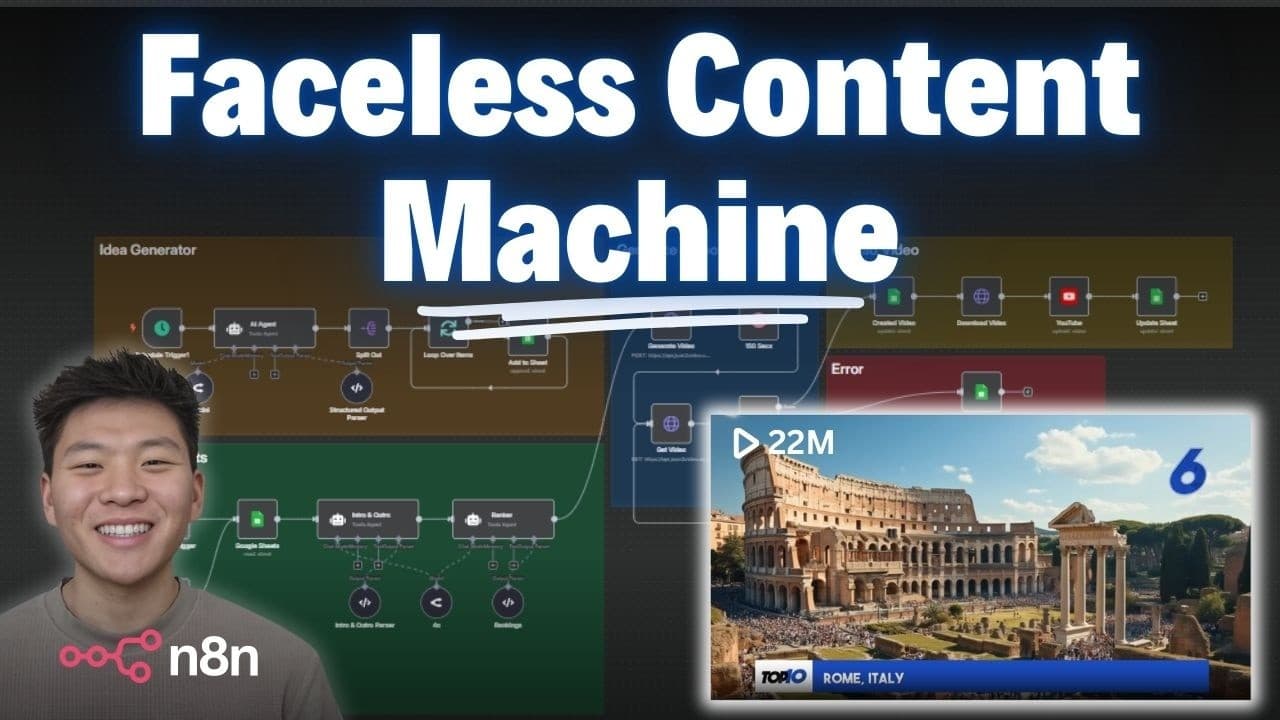
You can automate long-form YouTube content by importing the free workflow JSON into n8n, connecting the Google Sheets template, and adding credentials for OpenRouter, JSON2Video, and your YouTube channel. The workflow creates an intro, outro, top 10 ranking, image prompts, voiceover, title, and description before publishing the finished video. Read on to understand each component and how the workflow tracks completed ideas.
Transcript
Okay, so I'm going to go ahead and hit test workflow. And we're going to see that we're hitting a Google sheet with our ideas. And now we're hitting an intro and outro agent. So this one's basically creating an introduction and an outro. And then we're going to hit a ranker agent that's actually going to be taking the initial idea and it's going to... Read More
Key Insights
- n8n is a powerful automation tool that can streamline content creation workflows.
- JSON2Video is used to convert text into videos, handling both image generation and narration.
- ElevenLabs provides realistic AI voiceovers, enhancing the quality of automated videos.
- Google Sheets serves as the central hub for managing video ideas and tracking their status.
- The workflow includes generating video ideas, creating intros and outros, and ranking content.
- API calls are used to render videos, with status polling to ensure completion before uploading.
- YouTube integration allows for direct uploading of rendered videos, simplifying the publishing process.
- The system is designed to be hands-free, enabling creators to grow their channel with minimal effort.
Install to Summarize YouTube Videos and Get Transcripts
Explore YouTube Video Summarizer or Get YouTube Transcript Extractor
Questions & Answers
Q: How do you automate long-form YouTube content creation with n8n?
Import the provided workflow JSON into n8n, connect the Google Sheets template, and add credentials for OpenRouter, JSON2Video, and your YouTube channel. The workflow processes an idea, creates the video components, downloads the rendered result, and publishes it to YouTube.
Q: What does the n8n YouTube automation workflow create?
An intro and outro agent creates the opening and closing segments. A ranker agent turns the initial idea into a top 10 list and generates image prompts for every ranked item.
Q: What role does Google Sheets play in the workflow?
Google Sheets supplies the subjects used to create videos and records their creation status. The workflow only pulls a subject when its status is set to “to-do,” preventing already-created videos from being processed again.
Q: How does JSON2Video create the finished video?
JSON2Video turns the workflow’s text into images and renders the elements together with voiceover. The demonstrated workflow does not call another third-party image-generation API because JSON2Video handles the images as part of the rendering process.
Q: How long does JSON2Video take to render a video in this workflow?
The presenter says rendering takes a few minutes. After rendering finishes, the workflow downloads the generated video and proceeds to publish it on YouTube.
Q: How does the workflow publish videos to YouTube?
Once the generated video has been downloaded, the workflow publishes it to the connected YouTube channel. In the demonstration, the classic movie characters video was published as unlisted with a video URL, title, and description.
Q: What does an automatically generated top 10 video contain?
Each demonstrated video has a distinct intro and outro, a relevant voiceover, and a different AI-generated image for every ranking. It also displays titles or short descriptive blurbs at the bottom for the featured item.
Q: How can you get the free n8n workflow and Google Sheets template?
Join the presenter’s free school community through the link in the video description and search for “YouTube resources.” The associated post provides the workflow JSON and Google Sheets template, which you can import and connect to your own credentials and YouTube channel.
Summary & Key Takeaways
-
The video demonstrates how to automate the creation of long-form YouTube content using n8n, JSON2Video, and ElevenLabs. It explains the workflow, starting from idea generation in Google Sheets to rendering videos with AI-generated visuals and voiceovers. The process is designed to be efficient and hands-free, allowing creators to focus on channel growth.
-
Key components of the automation include generating video ideas, creating engaging intros and outros, and ranking content. JSON2Video handles video rendering, while ElevenLabs provides realistic voiceovers. The workflow also includes uploading completed videos to YouTube, streamlining the entire content creation process.
-
The system leverages APIs for seamless integration and automation, with polling mechanisms to ensure video rendering is complete before uploading. The approach is ideal for creators looking to automate their content production, providing a scalable solution for growing YouTube channels with minimal manual intervention.
Read in Other Languages (beta)
Share This Summary 📚
Summarize YouTube Videos and Get Video Transcripts with 1-Click
Try YouTube Summary with ChatGPT & Claude or YouTube Transcript Generator
Explore More Summaries from Nate Herk | AI Automation 📚






Summarize YouTube Videos and Get Video Transcripts with 1-Click
Try YouTube Summary with ChatGPT & Claude or YouTube Transcript Generator