How to Record Claude Skills From Your Workflow
TL;DR
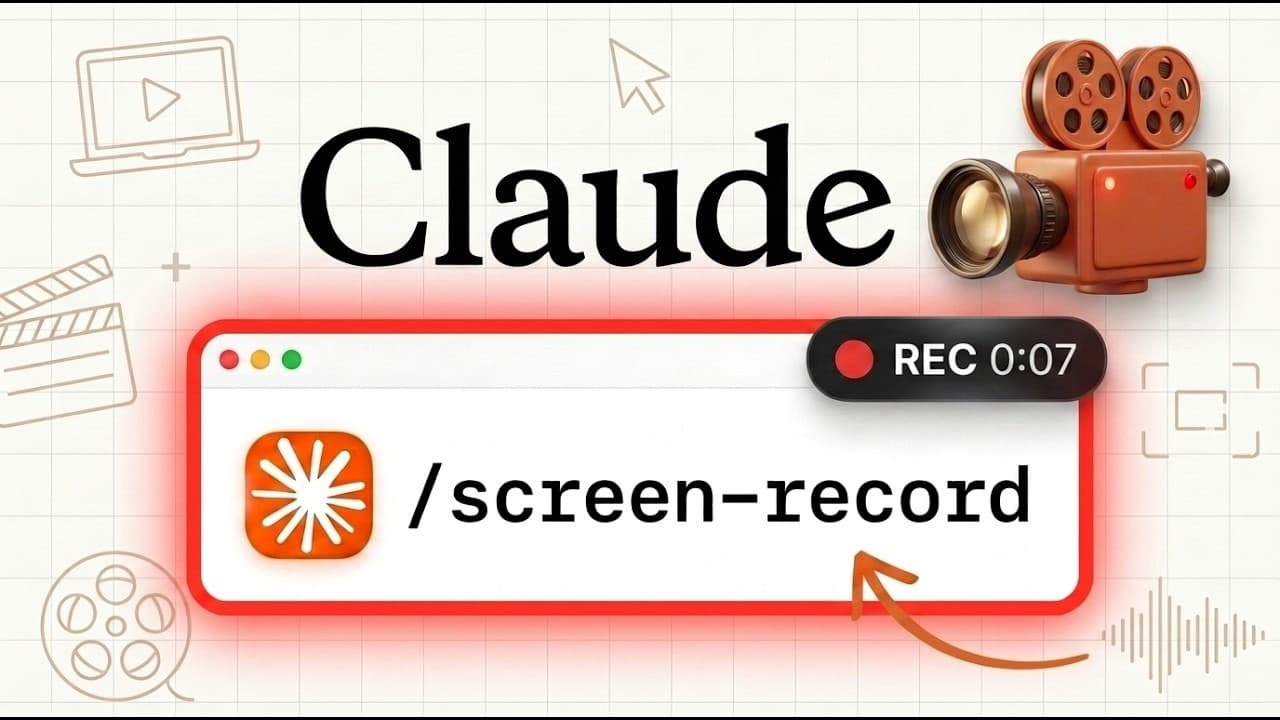
Use Claude Cowork’s Record a Skill feature when a task lacks a reliable connector and requires browser interaction. It captures screen activity, clicks, typing, and narration, then converts the demonstrated workflow into an editable skill file, but direct connectors or Zapier MCP may be more dependable for supported applications.
Transcript
Anthropic's just dropped one of the most interesting features that I've ever seen for Claude. And this might completely change the way that we use it. This feature is a new way to build out Claude's skills. So, instead of needing to write skills, we can now have Claude record our screen, watch what we're doing, and we could physically talk through ... Read More
Key Insights
- Claude Cowork’s Record a Skill feature captures the screen, clicks, typing, and voice narration, then sends that material to Claude to create a repeatable skill. This lets users demonstrate a workflow much like they would teach an employee instead of describing every interface action in a written prompt.
- The feature is available inside Claude Cowork through the desktop app. After Cowork is enabled, the Record a Skill option appears under the plus button, where users can start screen recording and enable a microphone to explain decisions while demonstrating each step.
- Recorded workflows can expose sensitive information because the capture includes visible screen content, clicks, typing, and spoken narration. The interface warns users not to type passwords or secrets or display private information and conversations during a recording session.
- The tested workflow converts comments from long-form YouTube videos into entries in a YouTube comment tracker spreadsheet. It filters the content type, copies comments, wraps spreadsheet text, and judges whether each comment suggests a worthwhile video based on the creator’s content and successful topics.
- Claude processed 73 observed steps and used screenshots plus a transcription to reconstruct the demonstrated workflow. The resulting skill described where information belonged, which filters to apply, what tools to use, how to judge ideas, how to report results, and how to handle edge cases.
- Claude inferred an important limitation that was not stated directly: the automation should not reply to, like, or delete YouTube comments. This shows that the generated skill can distinguish the demonstrated data collection task from unrelated actions available in the same interface.
- Native connectors are presented as the preferred option when an application already supports them because they are expected to be more reliable than screen-based navigation. Recorded skills are better suited to browser workflows that require manual clicking, page navigation, copying, pasting, or filling forms without a connector.
- Zapier MCP provides an alternative when Claude lacks a native connection to an application. The presenter says it connects to more than 9,000 applications and prefers it for supported actions in tools such as Skool and Beehiiv instead of depending on browser use to reproduce interface steps.
- More videos from this channel:
- More from this channel: Brock Mesarich | AI for Non Techies
Install to Summarize YouTube Videos and Get Transcripts
Explore YouTube Video Summarizer or Get YouTube Transcript Extractor
Questions & Answers
Q: How does Claude Cowork record a workflow as a skill?
Claude Cowork records the user’s visible screen, clicks, typing, and voice narration while the user performs a task. After recording ends, Claude processes screenshots and a transcript of the explanation, identifies the steps and decision logic, and generates a reusable skill file. That file can describe tools, interface actions, data destinations, evaluation criteria, reporting requirements, and edge cases.
Q: When should you use Claude’s Record a Skill feature?
Record a Skill is most useful when a workflow has no suitable connector and requires browser or computer interaction. Examples include navigating a website, selecting filters, clicking interface controls, copying information, filling forms, and transferring data between pages. Demonstrating those actions while explaining the reasoning can provide clearer instructions than expecting Claude to infer every step from a written prompt.
Q: When should you use a connector instead of a recorded skill?
A connector should generally be considered first when the target application already supports one. The presenter expects connectors to be more reliable because they let Claude work across applications through an MCP server instead of reproducing manual screen navigation. A recorded skill becomes more valuable when no connector exists and the task must be completed through browser-use capabilities and visible interface actions.
Q: What information does Claude capture while recording a skill?
The recording captures the user’s screen, clicks, typing, and voice. Claude also creates screenshots throughout the workflow and transcribes the spoken explanation before generating the skill. Because visible and typed information is included, users should avoid passwords, secrets, sensitive information, and private conversations during the demonstration. The recording should contain only material appropriate for processing by Claude.
Q: How was the YouTube comment workflow demonstrated?
The demonstration opened YouTube Studio, filtered the content type to long-form videos, reviewed viewer comments, and copied selected comments into a tracking spreadsheet. Each entry was placed in column A with text wrapping enabled. The workflow then assessed whether the comment could support a video idea, using the creator’s existing videos and previously successful topics as decision context.
Q: What did the generated skill file contain?
The generated skill file described the purpose of the workflow, the tools required, and the sequence for collecting and logging comments. It specified filters, spreadsheet placement, and a detailed standard for choosing yes or no on potential video ideas. It also included a report-back procedure, edge cases, a visual representation of the spreadsheet columns, and restrictions on modifying comments.
Q: What did Claude infer beyond the spoken instructions?
Claude inferred that the workflow should never reply to, like, or delete the YouTube comments, even though the presenter had not explicitly stated that restriction during the demonstration. The generated skill therefore separated comment collection and analysis from unrelated engagement actions. This inference was included alongside the explicit instructions for filtering videos, copying comments, updating the spreadsheet, and evaluating ideas.
Q: How can Zapier MCP replace browser-based recorded skills?
Zapier MCP can provide Claude with actions across more than 9,000 applications, including services that lack native connections inside Claude. The presenter gives Skool and Beehiiv as examples of tools accessed this way and prefers Zapier MCP when the required application actions are available. This avoids relying on browser use to locate controls and reproduce manual navigation from a recording.
Summary & Key Takeaways
-
Claude Cowork can create a reusable skill by recording a user’s screen, clicks, typing, and spoken instructions. After the demonstration ends, Claude processes screenshots and a transcript, identifies the workflow, and produces a detailed skill file containing required tools, navigation steps, decision rules, reporting instructions, and relevant edge cases for future execution.
-
The demonstration turns YouTube comments into a video idea pipeline. The recorded process filters YouTube Studio for long-form videos, copies selected comments into a tracking spreadsheet, wraps the pasted text, and evaluates whether each comment deserves a video. Claude also infers that it should not reply to, like, or delete comments.
-
The presenter recommends choosing automation methods according to available integrations. Native connectors should generally come first because they can work more reliably across supported applications. Zapier MCP is another option for unsupported services. Recorded skills are most valuable when a workflow lacks a connector and depends on browser actions such as clicking, navigation, and form entry.
Read in Other Languages (beta)
Share This Summary 📚
Summarize YouTube Videos and Get Video Transcripts with 1-Click
Try YouTube Summary with ChatGPT & Claude or YouTube Transcript Generator
Explore More Summaries from Brock Mesarich | AI for Non Techies 📚


Summarize YouTube Videos and Get Video Transcripts with 1-Click
Try YouTube Summary with ChatGPT & Claude or YouTube Transcript Generator