How to Build Voice AI Agents in HighLevel
TL;DR
Start with HighLevel’s Ask AI feature or an agent template to create a working baseline quickly, then refine its prompt, voice, knowledge base, routing, business hours, and handoff instructions. Connect the agent to workflows so calls can trigger lead qualification, appointment booking, tags, pipeline updates, messages, tasks, and API actions.
Transcript
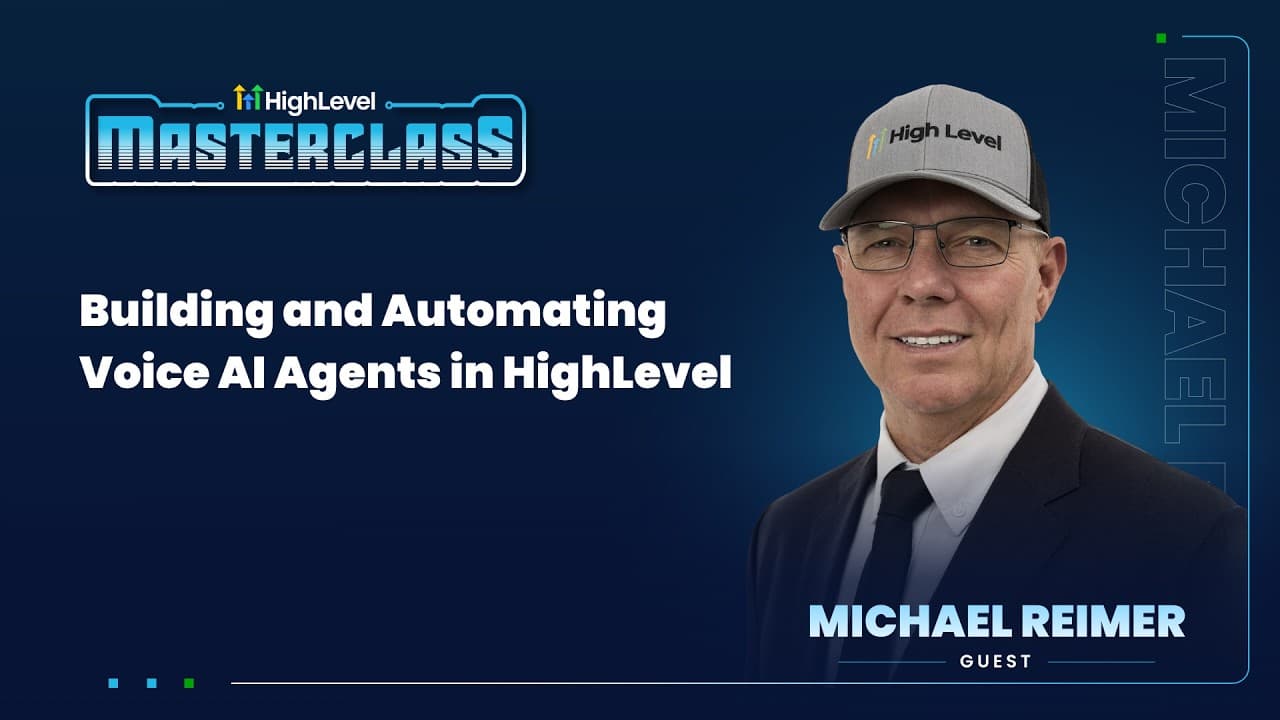
Hey folks, it is the season of summer here at Highle. If you are just jumping into all things High Level, you might notice you see a lot of summer stuff, summer branding everywhere. And that's because we're in the middle of summer of AI, which means we're focused quite a bit on AI tools. And if you don't know Michael Rymer, Michael was one of our k... Read More
Key Insights
- HighLevel’s Ask AI feature can create a baseline voice agent from a short instruction, analyze previous account data, update the knowledge base, and make the agent ready for initial calls in less than five minutes, according to the demonstration.
- The generated agent is a starting point rather than a finished deployment. The presenter estimates that Ask AI can complete about 95% of the setup, after which the operator should review, test, and adjust the configuration for the business.
- HighLevel offers three principal creation paths in the demonstrated interface: selecting an agent from the marketplace, creating a custom agent from blank, or using the recently released flow-based builder to develop a flowchart-style calling sequence.
- The marketplace is designed to accelerate implementation through free and paid templates. An operator can select an agent tailored to a particular niche, download it, and use it as a rapid foundation instead of constructing every component manually.
- Voice selection is a subjective business decision because the most suitable voice depends on the operator, client, and use case. HighLevel presents hundreds of choices across providers, including ElevenLabs, OpenAI, and Cartesia, with filtering for languages and other preferences.
- Knowledge bases support voice agents by supplying business information that can be used during calls. HighLevel’s Ask AI onboarding process can update this source material automatically, while a custom setup allows the operator to define and refine the relevant knowledge sources.
- Voice AI can address several call-handling needs, including missed calls, lead qualification, inbound frequently asked questions, appointment booking, and reactivation campaigns. These applications focus on reducing lost leads and shortening delays between an inquiry and follow-up.
- Call automation extends beyond the conversation itself. HighLevel workflows can connect call outcomes to tags, pipeline stages, SMS and email follow-up, task creation, appointment processes, and API connections, supporting an end-to-end call-handling and follow-up process.
Install to Summarize YouTube Videos and Get Transcripts
Explore YouTube Video Summarizer or Get YouTube Transcript Extractor
Questions & Answers
Q: How do you create a Voice AI agent in HighLevel?
Open the AI Agent section in a HighLevel sub-account and select Voice AI. From there, choose a marketplace template, create a custom agent from blank, or use the flow-based builder. For a faster starting point, Ask AI can use a short instruction to analyze previous data, update the knowledge base, and prepare a baseline agent for testing.
Q: How does HighLevel Ask AI help build a voice agent?
Ask AI turns a short instruction, such as a request to set up a voice agent with the onboarding widget, into an initial configuration. According to the demonstration, it analyzes previous data, updates the knowledge base, and can prepare an agent for calls in less than five minutes. The resulting setup should still be reviewed and refined before broader use.
Q: What should be configured in a HighLevel Voice AI agent?
A HighLevel voice agent should be configured with a clear prompt, appropriate knowledge sources, a suitable voice and language, business hours, call-routing rules, and specific handoff instructions. These elements determine what the agent knows, how it communicates, when it operates, where calls go, and when a human should take over.
Q: What can a HighLevel Voice AI agent do for a business?
A HighLevel Voice AI agent can support lead qualification, missed-call responses, appointment booking, inbound frequently asked questions, and reactivation campaigns. These uses address common problems described in the source, including missed calls, lost leads, and delayed follow-up. The agent can also connect call results to automated business processes for continued action.
Q: How do voice calls trigger automations in HighLevel?
Call activity can connect to HighLevel workflows that continue the process after or during a conversation. Those workflows can apply tags, change pipeline stages, send SMS and email follow-ups, create tasks, support appointment processes, and make API connections. This links automated call handling with the business’s broader lead-management and follow-up system.
Q: Should you use a template or build a custom voice agent?
A marketplace template is useful when speed and a niche-specific starting point matter, because HighLevel offers both free and paid agent templates. A custom agent is appropriate when the business needs direct control over its prompt and configuration. The flow-based builder provides another option for designing a structured, flowchart-style calling sequence.
Q: How do you choose a voice provider in HighLevel?
Choose a provider and voice according to the business, client, language, and intended caller experience. The presenter describes voice choice as subjective, similar to choosing music. HighLevel includes hundreds of available voices across providers such as ElevenLabs, OpenAI, and Cartesia, so operators should listen to options and select the best contextual fit.
Q: Why is a knowledge base important for a Voice AI agent?
A knowledge base gives the voice agent relevant business information to draw upon during conversations, making it part of the setup for AI agents in HighLevel. Ask AI can update the knowledge base while generating a baseline agent. Operators should then review the included material so the agent’s information matches the business and intended call scenarios.
Summary & Key Takeaways
-
HighLevel provides several paths for creating a voice agent, including Ask AI, marketplace templates, a custom agent, and a flow-based builder. Ask AI can analyze previous data, update the knowledge base, and produce a usable starting point that the operator can test and refine for the business’s requirements.
-
A custom voice agent is configured through HighLevel’s redesigned interface. Important choices include the prompt, knowledge sources, voice provider, language, business hours, call routing, and human handoff instructions. The platform offers hundreds of voices across providers such as ElevenLabs, OpenAI, and Cartesia, making voice selection dependent on client needs.
-
Voice agents become more useful when calls connect directly to business automations. HighLevel can support qualification, missed-call responses, frequently asked questions, appointment booking, and reactivation campaigns, while workflows can apply tags, update pipeline stages, send SMS and email follow-ups, create tasks, and connect with APIs after each conversation.
Read in Other Languages (beta)
Share This Summary 📚
Summarize YouTube Videos and Get Video Transcripts with 1-Click
Try YouTube Summary with ChatGPT & Claude or YouTube Transcript Generator
Explore More Summaries from HighLevel 📚



Summarize YouTube Videos and Get Video Transcripts with 1-Click
Try YouTube Summary with ChatGPT & Claude or YouTube Transcript Generator