How to Connect Claude to HighLevel Using MCP
TL;DR
Connect Claude to HighLevel by adding the dedicated Anthropic MCP endpoint as a custom connector, completing OAuth, selecting sub-accounts, and approving only the required scopes. The integration provides access to 625 operations across 40 domains through a compact five-tool facade, while respecting role-based access control and sub-account permissions. Existing universal MCP connections remain supported.
Transcript
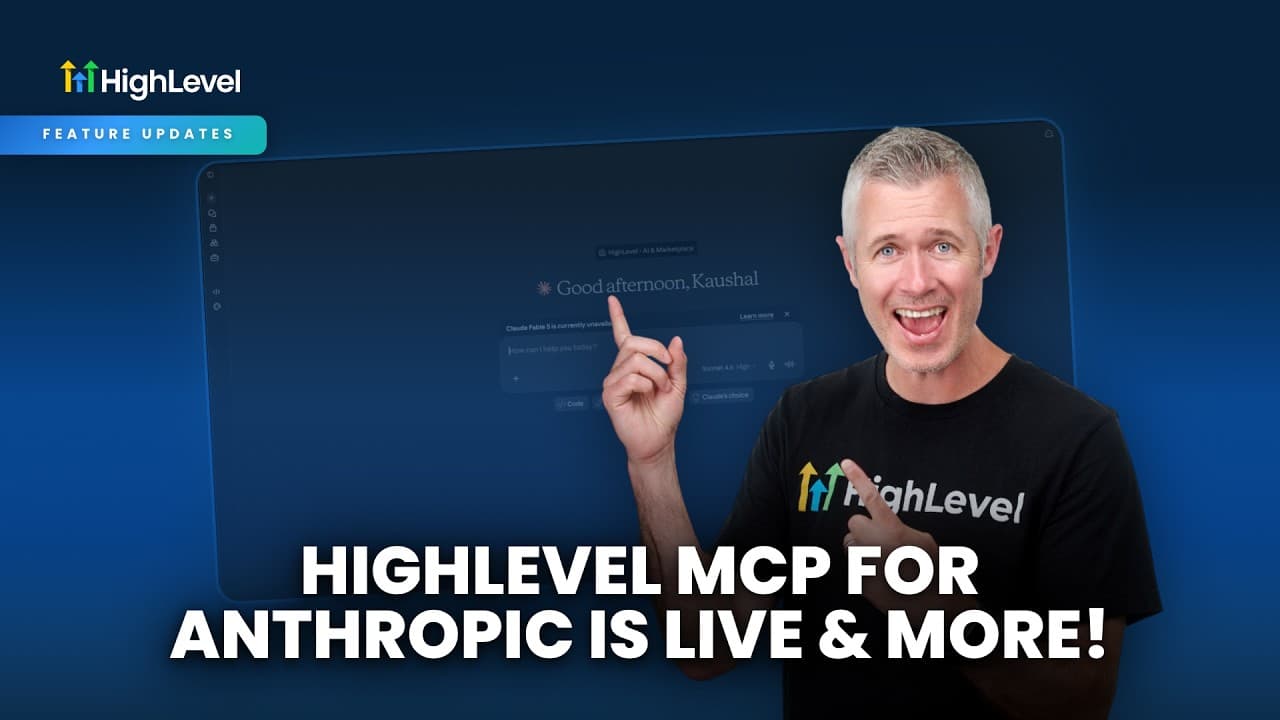
Hey, happy Monday everybody. Sean coming at you from High Level. So, I'm super excited um because we are re-releasing with a lot bigger expanded scope our anthropic MCP. So, now first up here uh let me kind of jump into the release notes here so we can kind of go over this together. We'll pull up this little cute graphic here that the team made and... Read More
Key Insights
- The Anthropic MCP endpoint is a dedicated OAuth-based connection that gives supported Claude clients controlled access to HighLevel operations. Users configure it as a custom connector, authenticate through the connection flow, select relevant sub-accounts, and approve the exact scopes shown on the consent screen.
- The integration covers 625 operations across 40 domains, with 571 operations identified as active. This expanded catalog goes beyond the legacy endpoint and spans HighLevel's broader operation set while continuing to apply role-based access control and sub-account permissions.
- The five-tool facade replaces the need to expose hundreds of individual tools directly to an AI client. Agents can use compact capabilities for tasks such as searching operations, retrieving operation details, and executing selected operations, making the available catalog easier to navigate.
- Access scopes are fully controlled by the user during OAuth consent. A user can approve only the functions an integration needs, limiting a Claude connection to actions such as reading contacts instead of granting unrestricted access to every available HighLevel operation.
- Per-client OAuth isolation allows different AI clients or models to receive different permissions. One client could be limited to reading contacts, while another could be authorized to manage payments and edit contacts, avoiding a single shared permission set for every integration.
- The original universal MCP endpoint remains fully supported, so the expanded Anthropic endpoint does not remove existing integrations. HighLevel presents the Anthropic label as a security and connection distinction rather than a permanent restriction on which AI ecosystems can use MCP.
- The setup demonstration shows a custom connector being added, authorized, and used from Claude to fetch contacts from LeadConnector. After the agent identifies the relevant operation and parameters, it retrieves 20 contacts, illustrating a basic end-to-end MCP request.
- Support for OpenAI, Cursor, Windsurf, and VS Code is described as upcoming. HighLevel's stated goal is broad MCP interoperability, allowing customers who build their own tools to include HighLevel in their workflows without being forced to choose only one AI platform.
Install to Summarize YouTube Videos and Get Transcripts
Explore YouTube Video Summarizer or Get YouTube Transcript Extractor
Questions & Answers
Q: How do you connect Claude to HighLevel using MCP?
Add the dedicated Anthropic MCP endpoint as a custom connector in the supported Claude client. Start the connection flow, authenticate through the dedicated OAuth application, select the HighLevel sub-accounts the connector should use, and approve the required scopes on the consent screen. After connecting, Claude can discover and execute authorized HighLevel operations, such as fetching contacts from LeadConnector.
Q: What access does the HighLevel Anthropic MCP endpoint provide?
The endpoint covers 625 operations across 40 domains, with 571 operations described as active. Its dedicated OAuth application grants access from the widest available operation catalog, but actual permissions remain subject to the scopes approved by the user, role-based access control, and sub-account permissions. The expanded coverage goes beyond what the legacy MCP endpoint exposes through its limited-scope flows.
Q: How does HighLevel's five-tool MCP architecture work?
The five-tool facade gives AI agents a compact interface instead of exposing hundreds of individual tools at once. Through that interface, an agent can search the operation catalog, retrieve descriptions of relevant operations, determine the necessary parameters, and execute an authorized action. The approach makes a large catalog easier for agents to discover and use while reducing the complexity of agent creation and expansion.
Q: How are permissions controlled in the Anthropic MCP integration?
Permissions are controlled through a dedicated OAuth consent flow. Users choose the sub-accounts and approve exactly which scopes the integration may access. The authorized operations also respect role-based access control and sub-account permissions. This means a connector can be restricted to a narrow purpose, such as reading contacts, instead of automatically receiving permission to use the full operation catalog.
Q: Can different AI clients receive different HighLevel permissions?
Yes. Per-client OAuth isolation allows each AI client or model to have its own approved access scopes. For example, an Anthropic connection could receive permission only to read contacts, while another client could be permitted to manage payments and edit contacts. This separation avoids using one open MCP authorization in which every connected integration receives the same scope.
Q: Does the new Anthropic endpoint replace HighLevel's universal MCP endpoint?
No. The original universal MCP endpoint remains fully supported, so existing MCP connections do not disappear when the dedicated Anthropic endpoint is introduced. The Anthropic label identifies the current dedicated OAuth and security configuration, not a permanent exclusivity policy. HighLevel states that broader client support is planned while maintaining backward compatibility for existing users.
Q: What can Claude do after the HighLevel MCP connector is configured?
Claude can discover and execute any HighLevel operation allowed by the user's approved scopes and account permissions. In the demonstration, the user asks Claude to fetch contacts from LeadConnector. The agent finds the appropriate operation, works out the required parameters, and returns 20 contacts. Other actions depend on the scopes, role-based access, and sub-account access granted during authorization.
Q: Which additional MCP clients does HighLevel plan to support?
HighLevel identifies OpenAI, Cursor, Windsurf, and VS Code as upcoming clients for its expanded MCP approach. The Anthropic endpoint is the initial dedicated release, while broader support is expected later. HighLevel's stated objective is to interoperate with multiple MCP clients so users can include HighLevel in their own tool flows without being limited to a single AI provider.
Summary & Key Takeaways
-
HighLevel has released an expanded Anthropic-specific MCP endpoint that connects supported Claude clients to LeadConnector accounts. Setup involves adding the endpoint as a custom connector, completing the OAuth connection flow, choosing sub-accounts, and approving access scopes. The original universal endpoint remains supported, preserving compatibility for existing MCP integrations.
-
The dedicated endpoint covers 625 operations across 40 domains, with 571 operations described as active. Instead of presenting hundreds of separate tools directly, it uses a five-tool facade that lets agents search for, inspect, and execute available operations. This compact structure is intended to simplify discovery, agent creation, and execution.
-
Security and control are organized around a dedicated OAuth application, per-client OAuth isolation, role-based access control, sub-account permissions, and user-approved scopes. HighLevel plans support for OpenAI, Cursor, Windsurf, and VS Code. Separate client scopes can allow one model to read contacts while another manages payments or edits contacts.
Read in Other Languages (beta)
Share This Summary 📚
Summarize YouTube Videos and Get Video Transcripts with 1-Click
Try YouTube Summary with ChatGPT & Claude or YouTube Transcript Generator
Explore More Summaries from HighLevel 📚



Summarize YouTube Videos and Get Video Transcripts with 1-Click
Try YouTube Summary with ChatGPT & Claude or YouTube Transcript Generator