How to Prompt Claude Opus 5.5 for Better Results
TL;DR
Start with the default medium effort and test its impact on tasks. Remove generic thinking prompts, require Claude to check all relevant sources, and separate user requests from pasted content. Use explicit updates and design directions to manage progress and outcomes more predictably.
Transcript
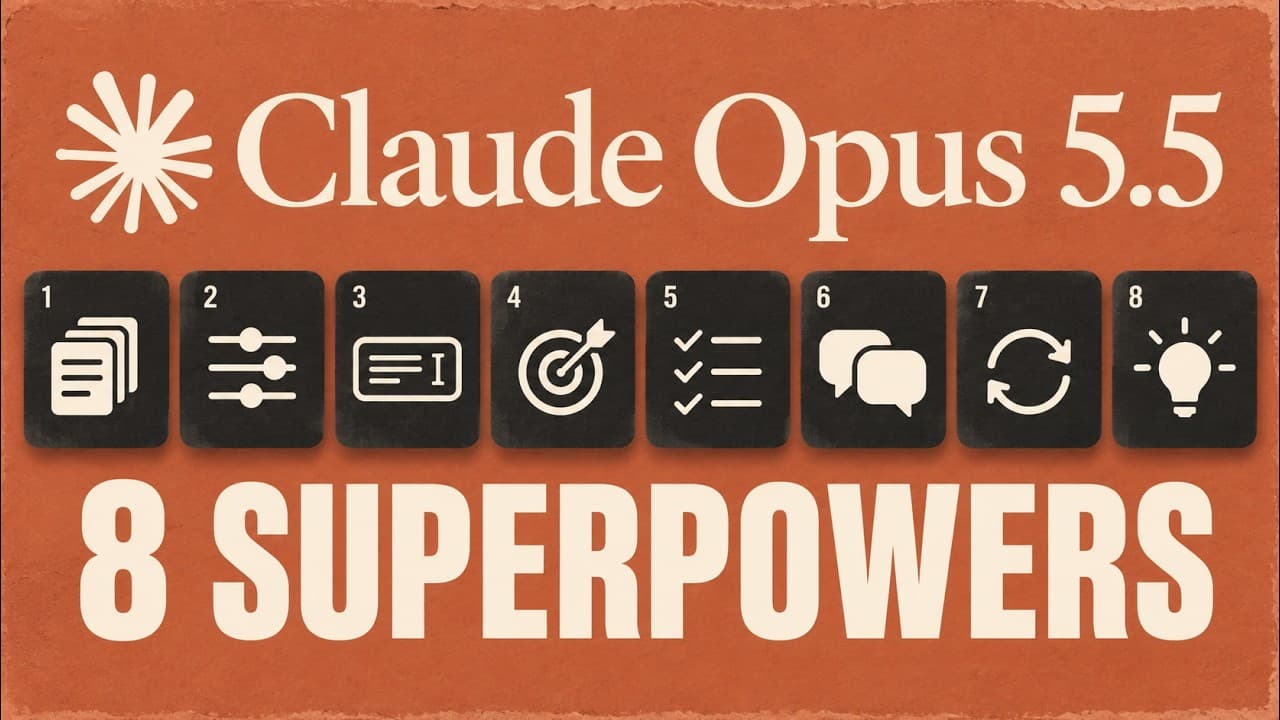
Enthropic just dropped this guide on how to use Opus 5.5. And if you want to get the most out of it, I'm going to speedrun eight tips covering the key takeaways, what's different, what to change, and practical examples you can use. And a few of these I had absolutely no idea about. This should not only help you get better results with this model, b... Read More
Key Insights
- The new Opus 5.5 default effort level is medium, not high, and should be tested against tasks.
- Thinking instructions may be unnecessary because Opus 5.5 already decides the level of thinking.
- Context is important; Claude benefits from looking through all relevant sources before acting.
- When pasting material, clearly separate the request from the source so Claude reads the right part.
- Claude may produce progress updates that are not visible in your app; plan when to request updates.
- A finished reply is not a finished task; list outputs and blockers to guide completion.
- Give Claude a clear design direction with concrete specifics to avoid generic results.
- Opus 5.5 reads visual material better; use close-ups or image tools to inspect details.
Install to Summarize YouTube Videos and Get Transcripts
Explore YouTube Video Summarizer or Get YouTube Transcript Extractor
Questions & Answers
Q: How to adjust the default effort level for Claude Opus 5.5 and why
The guide recommends starting at medium effort rather than carrying over the previous higher setting. Test differing effort levels on the same task to compare usefulness, accuracy, and timing. This helps save tokens and prevents unnecessary using of higher models when the benefits do not justify the cost. The change is task dependent.
Q: What to remove from prompts to improve Claude responses
Remove generic thinking prompts like think carefully before answering because Opus 5.5 already decides how much to think. In tests, eliminating these signals led to quicker replies with no clear decline in quality. Tailor prompts to concrete targets, such as comparing two proposals against requirements and explaining the trade-offs.
Q: Why should Claude check multiple sources before acting
Opus 5.5 can act quickly, so asking Claude to look through emails, documents, spreadsheets, and records ensures it has relevant context. This reduces errors when information changes after a brief like a deadline update. Access must be to reliable sources, and the instruction should emphasize the need to search before drafting.
Q: How to handle pasted material when prompting Claude
When pasting content, clearly separate your request from the copied material. Start with a task like summarize this email, then paste the email content separately. This boundary helps Claude distinguish what to read and what to do with it, reducing misinterpretation and improving response relevance.
Q: How to ensure Claude provides useful progress updates
Ask Claude to give updates at useful moments such as after initial review, during drafting, and when ready to deliver. This creates visibility without turning every step into a formal approval. If an app hides updates, adjust the app to display progress rather than forcing constant chatter.
Q: What to do if a task seems to stall with Opus 5.5
A finished reply does not equal finished work. List the expected outputs and missing items, and have the app check for completion. If a background task is running, wait for its result before declaring the job done. Provide clear blockers and required approvals to avoid dead ends.
Q: How to give Claude a concrete design direction
Avoid generic prompts like make it less generic. Instead specify a background, headline style, button shape, spacing, and references or images. Concrete design details guide Claude toward a specific visual direction and reduce ambiguity, improving the quality of the output for design tasks.
Q: How to improve Claude reading of small details in visuals
Opus 5.5 can read visual material more accurately when you provide sharp originals and close-ups. If tools are available, let Claude crop or inspect the exact label or part of the image that matters. This reduces guesswork and improves precision in details.
Summary & Key Takeaways
-
Prompting Opus 5.5 benefits from setting the default effort to medium and testing across tasks to measure value before increasing effort. Removing instruction to think carefully can speed replies without reducing quality, while asking Claude to review multiple sources improves accuracy. Clear boundaries help when pasting content.
-
Managing Claude updates requires planning when to ask for progress and when to consider a task complete. Explicitly listing expected outputs and blockers prevents stalled work. Separating requests from source material reduces confusion and improves response relevance.
-
Giving Claude specific design direction helps move beyond generic outputs toward concrete visuals and structure. Providing concrete examples for background, headlines, and spacing makes responses more usable. Small details such as readable labels on charts benefit from targeted prompts and available image tools to inspect details.
Read in Other Languages (beta)
Share This Summary 📚
Summarize YouTube Videos and Get Video Transcripts with 1-Click
Try YouTube Summary with ChatGPT & Claude or YouTube Transcript Generator
Explore More Summaries from Brock Mesarich | AI for Non Techies 📚




Summarize YouTube Videos and Get Video Transcripts with 1-Click
Try YouTube Summary with ChatGPT & Claude or YouTube Transcript Generator