4-20 mA signal measurement with Arduino
TL;DR
Learn how to process 4-20 mA signals with Arduino and display values on an OLED.
Transcript
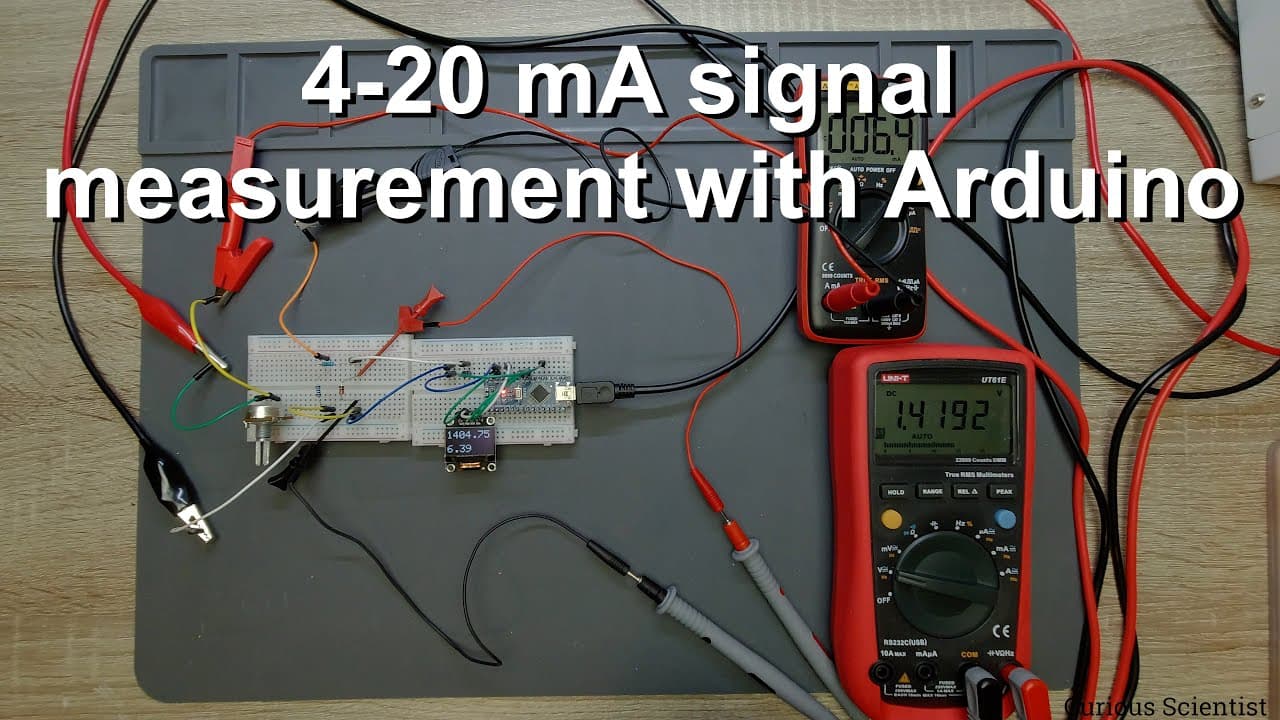
welcome everyone in this video i'm going to show you how to work with 4 to 20 milliamperes signals and how to process these signals with an arduino nano and how to uh display these values on a small oled display so everything which is needed can be found on my table and i will uh start with a little bit of history of this thing so what is happening... Read More
Key Insights
- 📡 The 4 to 20 mA current signaling standard is essential for reliable sensor data transmission in industrial applications.
- ⚡ Properly selecting and measuring resistors ensures accurate conversions from current to voltage, crucial for precise readings.
- 🌍 The Arduino Nano is capable of processing these signals, demonstrating the versatility of microcontrollers in real-world applications.
- 🔠 The use of a Zener diode can prevent damage to sensitive components by capping voltage input levels.
- 🦻 Understanding the role of potentiometers in simulating sensor outputs aids in testing and calibration scenarios.
- ❓ Averaging multiple analog readings can enhance measurement stability, resulting in more accurate output values.
- ✋ External high-resolution ADCs can significantly improve the precision of measurements in sensitive applications.
Install to Summarize YouTube Videos and Get Transcripts
Explore YouTube Video Summarizer or Get YouTube Transcript Extractor
Questions & Answers
Q: What is the significance of the 4 to 20 mA standard in industrial applications?
The 4 to 20 mA standard is commonly used for transmitting analog signals from sensors to controllers, allowing for long-distance signal transmission while maintaining accuracy. The range helps in distinguishing failures, as 0 mA usually indicates an error. A minimum of 4 mA ensures the signal is present and functioning correctly, while 20 mA represents the maximum capacity of the sensor.
Q: How does the Arduino Nano measure the converted voltage from current?
The Arduino Nano uses its analog input pins to measure voltage levels. The current from the 4 to 20 mA source is converted into a voltage using a resistor, following Ohm's law (V = IR). The resulting voltage is then read by the Arduino's analog pin, which interprets this value to reflect the corresponding current.
Q: What role do resistors play in the measurement process?
Resistors are vital for converting the current from the sensor into a measurable voltage. For instance, a 220-ohm resistor converts 4 mA into 880 mV and 20 mA into 4.4 V. The choice of resistor affects the range of voltage signals produced, impacting the accuracy of the readings.
Q: Why is using a Zener diode beneficial in this setup?
The Zener diode protects the Arduino's analog input from voltage spikes that could occur from overcurrent situations. It clamps the voltage at a specified level, ensuring that the Arduino's input does not exceed its maximum rating, thus preventing potential damage.
Q: How can the displayed values be further improved in accuracy?
To improve accuracy, it's crucial to measure the actual voltage on the Arduino's power supply rails and use that value in the calculations. Additionally, selecting more precise resistors can enhance the fidelity of the current-to-voltage conversion, and using higher-resolution ADCs like the ADS1115 can capture finer details in the measurements.
Q: What are some practical applications of the 4 to 20 mA signaling method?
The 4 to 20 mA signaling method is widely used in industrial automation for various sensor types, such as temperature, pressure, and flow sensors. This standardized method ensures reliable long-distance communication of process variables to control systems, making it essential in fields like manufacturing, HVAC, and environmental monitoring.
Summary & Key Takeaways
-
The video demonstrates how to work with 4-20 mA signals in industrial applications using sensors. This current signaling system converts the readings into voltages that can be processed by an Arduino Nano.
-
It explains the setup and circuitry involved, including the use of a potentiometer, resistors, and a Zener diode to protect the Arduino's input.
-
Finally, the video presents a simple code example to read current values and display them on an OLED screen, emphasizing the importance of accurate resistor values and measurements.
Read in Other Languages (beta)
Share This Summary 📚
Summarize YouTube Videos and Get Video Transcripts with 1-Click
Try YouTube Summary with ChatGPT & Claude or YouTube Transcript Generator
Explore More Summaries from Curious Scientist 📚




![Building a Peltier cooler-based cooling box - First iteration, improvements [Part 2/6] thumbnail](/_next/image?url=https%3A%2F%2Fi.ytimg.com%2Fvi%2F0YlNw0EGnzI%2Fhqdefault.jpg&w=750&q=75)

Summarize YouTube Videos and Get Video Transcripts with 1-Click
Try YouTube Summary with ChatGPT & Claude or YouTube Transcript Generator