How Can a Dual Gigabit Ethernet Carrier Board Enhance Raspberry Pi CM4?
TL;DR
The dual gigabit Ethernet carrier board for Raspberry Pi CM4 transforms it into a powerful router setup, priced at $45 for the board and $149 for the full kit. Pre-installed with OpenWRT, it offers extensive networking capabilities, including firewall management, Docker support, and advanced analytics, making it an ideal solution for compact and efficient network operations.
Transcript
hey guys what's going on it's don here from nova spur tech and welcome back to the channel and today i got a really cool product to show you guys which is this dual nic carrier board for the raspberry pi cm4 so let's get started now i want to thank seed studio for sending this over to me i've actually been waiting for this for months they've been o... Read More
Key Insights
- 👀 The dual NIC carrier board is an ideal choice for those looking to build a compact and powerful router solution using Raspberry Pi CM4.
- 💪 Despite pricing inconsistencies on the manufacturer's website, the value proposition remains strong, particularly for users needing advanced network capabilities.
- 😑 OpenWRT's pre-installed environment provides a wealth of tools for networking management, including security features and application support via Docker.
- ✊ The carrier board supports several features for seamless integration, such as multiple USB ports, power options, and connectivity slots for additional modules.
- 👤 Users can control and monitor network activity extensively, with analytics and firewall settings available at their fingertips.
- 🥵 The solid aluminum case not only provides protection but also serves as an efficient heat sink, aiding in the longevity and performance of the setup.
- 👤 The potential for further exploration with other operating systems offers users the opportunity to customize their experience and enhance the functionality of the device.
Install to Summarize YouTube Videos and Get Transcripts
Explore YouTube Video Summarizer or Get YouTube Transcript Extractor
Questions & Answers
Q: What features does the dual NIC carrier board offer?
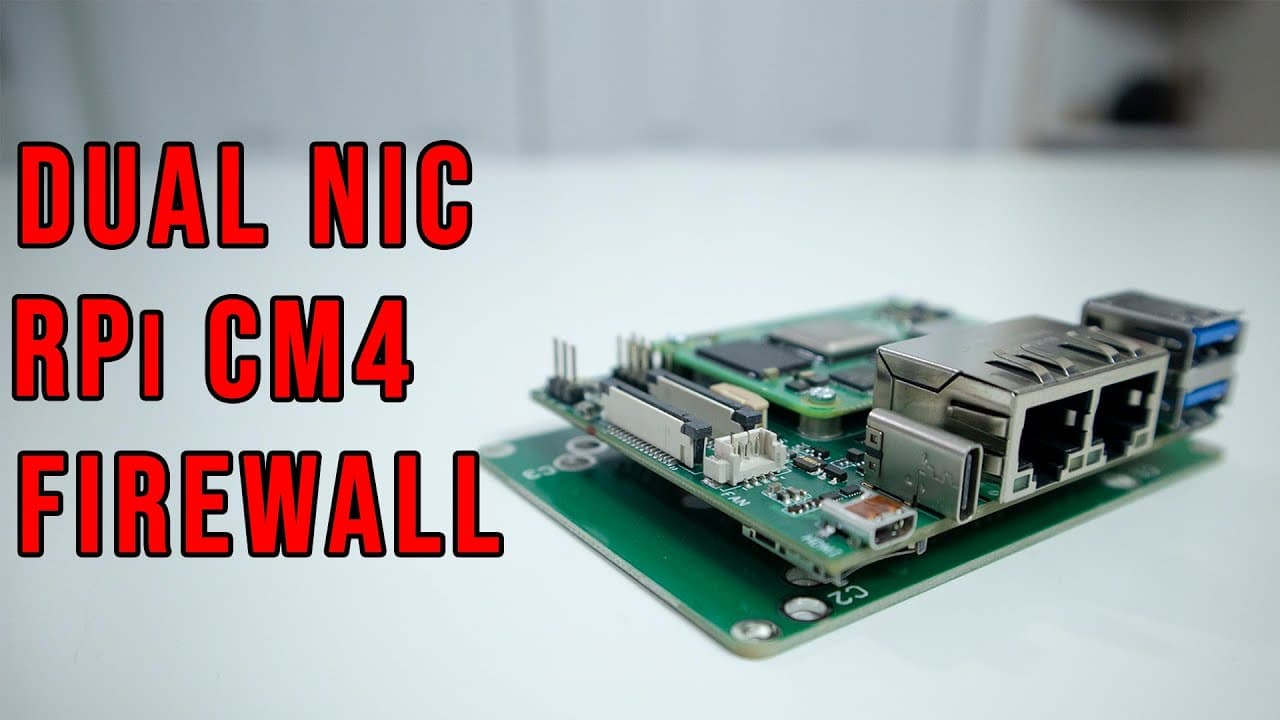
The dual NIC carrier board for the Raspberry Pi CM4 includes dual NIC interfaces for LAN and WAN, USB 3.0 ports, a USB-C power port, a micro HDMI output, CSI input/output connections, and compatibility with Wi-Fi antennas if the Wi-Fi version of the board is used. It also has a micro SD card slot and a 4-pin fan connector.
Q: How is the pricing structured for this carrier board?
The carrier board costs $45 individually, but a kit that includes the 4GB, 32GB eMMC Raspberry Pi CM4 can be purchased for $108. The full package that includes everything is priced at $149, which raises some questions about the pricing strategy, as buying components separately can sometimes prove less expensive.
Q: What operating system comes pre-loaded with the carrier board?
The carrier board comes pre-loaded with OpenWRT, recognized for its robustness in managing network settings. The speaker highlights that upon login, users can configure various settings, manage connections, set up firewalls, and access detailed analytics, making it a powerful tool for home network management.
Q: Can users extend the capabilities of this setup?
Yes, users can enhance their setup significantly with OpenWRT's capabilities. They can run Docker containers to turn the device into a mini server, manage guest Wi-Fi, set up VPNs, and even utilize an SD card for additional storage alongside the eMMC version. The flexibility makes it far more functional than a traditional router.
Q: How does this dual NIC board compare to traditional home routers?
The speaker praises the dual NIC carrier board for its updating features and extensibility compared to conventional routers. It supports various applications that can be installed, making it suitable for advanced networking needs, leading the speaker to consider it a worthy replacement for their current router setup.
Q: What are some potential use cases for the carrier board?
Users can set this carrier board up as a home router, utilize it as a firewall server, or convert it into a NAS by attaching an external storage option. It could also serve other roles, such as running services dynamically through Docker containers or VPN management, thus making it a versatile choice for tech enthusiasts.
Summary & Key Takeaways
-
The video reviews a dual NIC carrier board designed for the Raspberry Pi CM4, highlighting its compact form factor and suitability for building an efficient router setup.
-
With a price of $45 for the carrier board alone or $149 for the full kit, the speaker notes inconsistencies in pricing but emphasizes the value offered by the product.
-
The operating system OpenWRT comes pre-installed, which offers a wide range of functionalities such as firewall settings, Docker capabilities, and network management.
Read in Other Languages (beta)
Share This Summary 📚
Summarize YouTube Videos and Get Video Transcripts with 1-Click
Try YouTube Summary with ChatGPT & Claude or YouTube Transcript Generator
Explore More Summaries from Novaspirit Tech 📚






Summarize YouTube Videos and Get Video Transcripts with 1-Click
Try YouTube Summary with ChatGPT & Claude or YouTube Transcript Generator