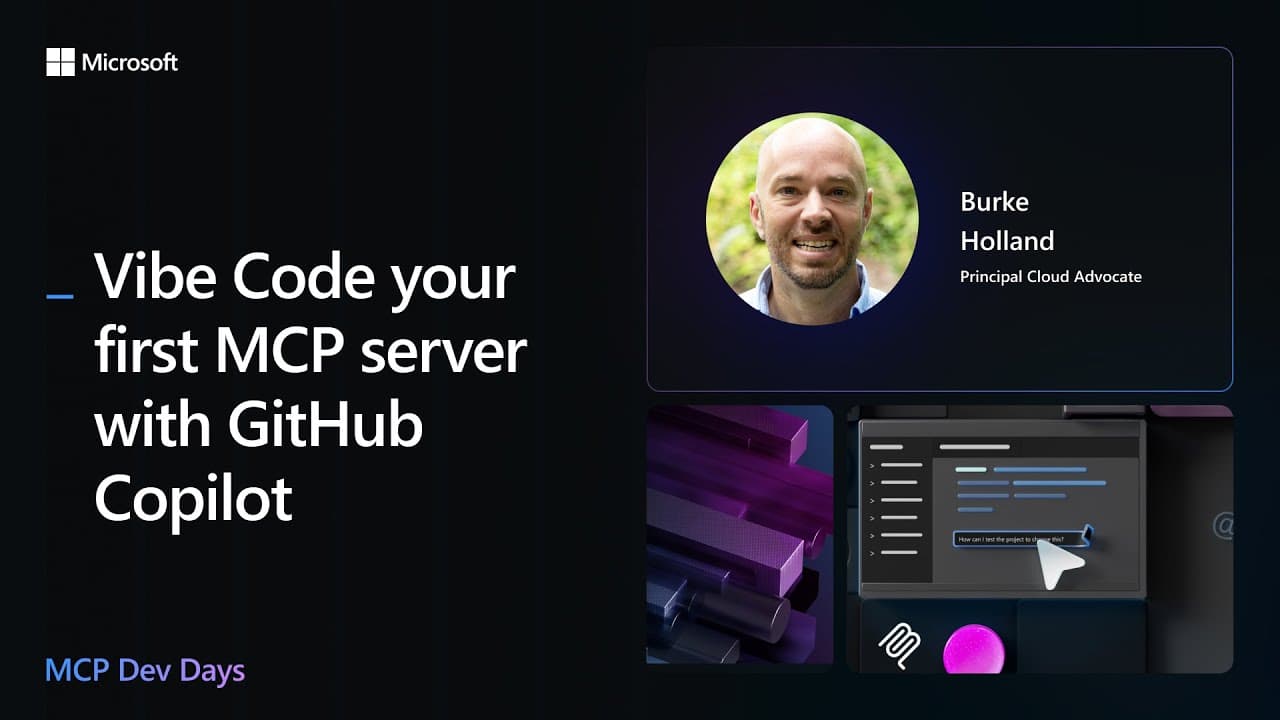
How to vibe code an MCP server with Copilot
TL;DR
Copilot helps vibe code an MCP server from scratch in VS Code using Context7 and beast mode. The session initializes a Node TypeScript project, installs dependencies, and iteratively builds and tests a simple MCP server that can run tools like adding two numbers and controlling a Lifx light. It demonstrates debugging and using model context to guide development.
Transcript
Hey, what's up everybody? Welcome to day two of MCPD Dev Days. My name is VK as Mark said. Thank you Mark and Katie. Y'all are awesome. All right, what are we gonna do here? We are going to attempt to vibe code in the MCP server. And what do I have? 24 minutes. That's not enough time. I'm going to need like an additional 20 minutes here. All right.... Read More
Key Insights
- Beast mode is a custom chat mode in VS Code that enables internet access and iterative guidance during coding sessions.
- Context 7 is used to fetch official MCP docs and help define the server's behavior and protocol specifics.
- The process starts from zero, creates a new directory, initializes a Node TypeScript project, and installs dependencies.
- An MCP server is built to expose tools that can perform simple tasks like arithmetic operations.
- The workflow includes generating and running the server, then verifying functionality by issuing commands to the MCP server.
- The session demonstrates how to switch from theoretical planning to practical implementation, using step by step prompts.
- Code generation is guided by a to do list and prompts that adapt as the model progresses through setup and testing.
- LIFX light control is used as a practical example of extending MCP server capabilities to physical devices.
- More videos from this channel:
- More from this channel: Microsoft Developer
Install to Summarize YouTube Videos and Get Transcripts
Explore YouTube Video Summarizer or Get YouTube Transcript Extractor
Questions & Answers
Q: How to start building an MCP server from scratch using Copilot
Starting from zero requires creating a new project, installing TypeScript dependencies, and configuring the build. The video shows using Context 7 to pull MCP docs, then instructing the model to generate a simple MCP server that can run tools. This establishes a verifiable baseline before adding advanced features.
Q: What is Context 7 and how is it used
Context 7 provides up to date MCP documentation which the model calls to ensure accurate definitions and correct API usage. In the demo, the prompt explicitly tells the model to use Context 7 and fetch the official MCP docs, guiding the server implementation with reliable source material rather than assumptions.
Q: What is beast mode in this session
Beast mode is a custom chat mode in Visual Studio Code used in the session to allow the model to perform internet based research and apply findings directly to the codebase. It enables recursive page navigation and doc crawling to adapt the MCP server design as new requirements emerge.
Q: What simple MCP server features are demonstrated first
The initial MCP server exposes a simple tool that adds two numbers and returns a greeting by name. This gives a concrete, testable capability to verify the server interface and the communication protocol, establishing a baseline before integrating more complex endpoints like external APIs.
Q: How does the session verify the MCP server works
Verification is performed by running the MCP server through a node based command, then pointing the server to the built dist index.js. The user then issues commands via the chat interface to exercise the exposed tools, confirming that the server responds and executes the expected operations.
Q: How is Lifx integration introduced
Lifx integration is introduced as a practical example of extending the MCP server to control hardware. The session crawls Lifx docs, adapts the MCP server to expose Lifx endpoints, and demonstrates turning a light red, illustrating how AI guided servers can interface with external devices.
Q: What debugging approach is shown
Debugging in VS Code is demonstrated by configuring a node debug setup with a path to the MCP server, enabling breakpoints and watch expressions. This highlights a real world workflow where developers test and refine the server while the model assists with code generation and issue resolution.
Q: What is the overall takeaway of the session
The session shows that building an MCP server can be iterative and practical, starting from zero, using Context 7 for documentation, and employing beast mode for live internet powered guidance. It culminates in a runnable server capable of basic arithmetic and external device control, illustrating scalable AI assisted development.
Summary & Key Takeaways
-
A hands on session shows how to start an MCP server from zero using VS Code and Copilot, with Context 7 guiding the process.
-
The workflow uses a custom beast mode chat in VS Code to allow internet access for researching MCP docs and APIs.
-
The result is a runnable MCP server that demonstrates basic commands and hardware interaction through Lifx lights.
Read in Other Languages (beta)
Share This Summary 📚
Summarize YouTube Videos and Get Video Transcripts with 1-Click
Try YouTube Summary with ChatGPT & Claude or YouTube Transcript Generator
Explore More Summaries from Microsoft Developer 📚
![What are Environment variables? [10 of 20] | Bash for Beginners thumbnail](/_next/image?url=https%3A%2F%2Fi.ytimg.com%2Fvi%2FaKghi0hI1OA%2Fhqdefault.jpg&w=750&q=75)
![Setting up our Bash Environment [3 of 20] | Bash for Beginners thumbnail](/_next/image?url=https%3A%2F%2Fi.ytimg.com%2Fvi%2FdfYTrhQuSdA%2Fhqdefault.jpg&w=750&q=75)
Summarize YouTube Videos and Get Video Transcripts with 1-Click
Try YouTube Summary with ChatGPT & Claude or YouTube Transcript Generator