How to Replace Paid Apps With 7 Free Google AI Tools
TL;DR
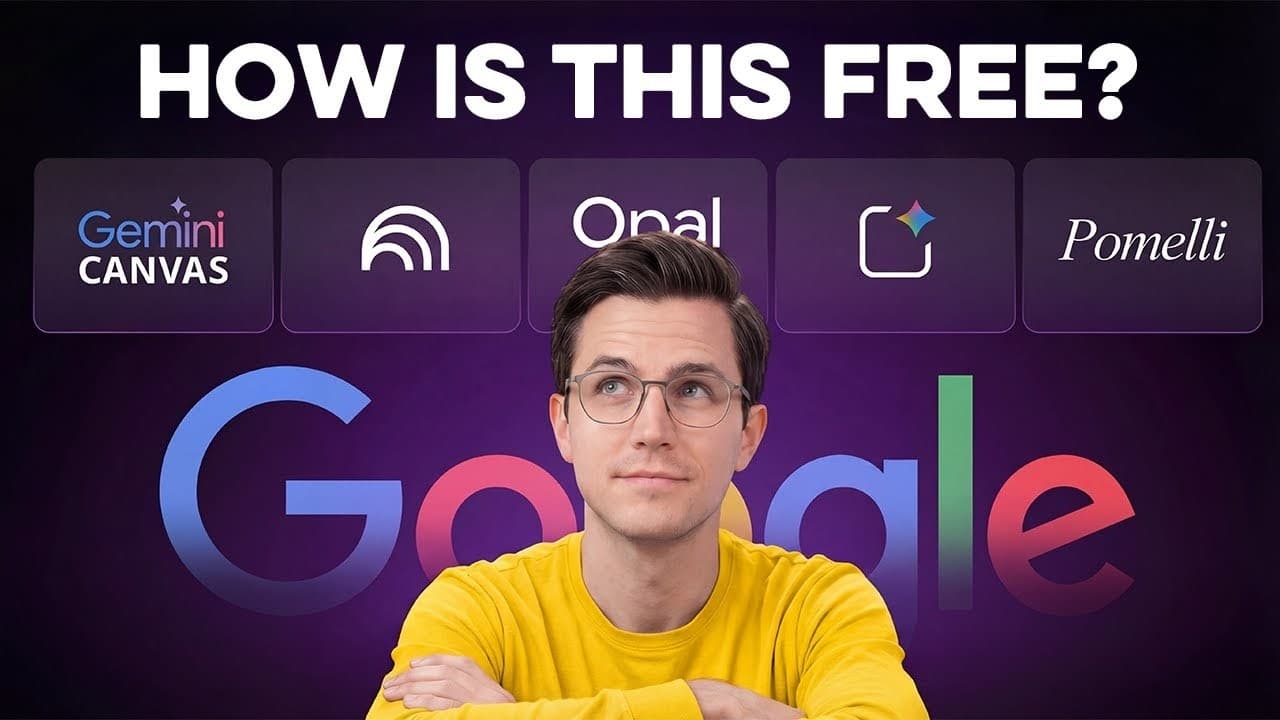
Google’s free AI tools can build web apps, automate internal workflows, convert research into explainer videos, create branded campaigns, transform documents into presentations, and generate commercial-style images. Most accept plain-English instructions, while several support immediate revisions, making them practical substitutes for development, automation, design, presentation, and content-production tools that can cost $20 to $50 per month.
Transcript
I spent the last month testing every free AI tool Google has released, expecting them to be mediocre at best. But what I found was shocking. Seven of these tools are not only completely free, but they are actually outperforming paid alternatives that cost $ 20 to $50 per [music] month. So in this video, I'm walking you through all seven and showing... Read More
Key Insights
- AI Studio Build is a free tool that converts plain-English requests into functional web applications. It plans the structure, writes the code, and builds the interface in real time, while follow-up instructions can revise design elements without requiring the user to edit code manually.
- Opal is designed for internal workflow applications rather than public-facing web apps. It translates a natural-language description into a visible node-based workflow containing triggers, actions, and outputs, helping users understand how information moves through an automated process.
- Opal can standardize repetitive AI-assisted operations such as client onboarding, lead qualification, and content brainstorming. In the demonstration, it created a workflow with an input node, an AI processing node, and a results step that generated 10 YouTube titles from one topic.
- NotebookLM Video Overview transforms uploaded source materials into an explainer video. Users can provide custom instructions before generation, including which section to emphasize and what tone to use, allowing the generated presentation to focus on specific information across several documents.
- Pomelli analyzes a website to identify its colors, fonts, messaging, visual structure, and brand voice. It then generates cohesive social media campaigns and supports custom campaign prompts, although the source says access is currently limited to the United States, Canada, Australia, and New Zealand.
- Gemini Canvas converts text-heavy documents into visual presentations. It identifies important sections, reorganizes the material into slides, adds images and graphics, accepts conversational revision requests, and exports the finished presentation directly to Google Slides for later editing.
- Nano Banana Pro is Google’s image-generation model available through Gemini’s Create Images tool and AI Studio. A detailed prompt can specify the subject, environment, lighting, and photographic style, producing images with realistic textures, reflections, and composed product-mockup scenes.
- Google’s seven featured tools cover web development, internal automation, research videos, branded marketing, presentations, image generation, and multi-speaker audio. The seventh tool is identified as Multi-Speaker Audio Generation, accessed through the Speech interface inside Google AI Studio.
- More videos from this channel:
- More from this channel: Parker Prompts
Install to Summarize YouTube Videos and Get Transcripts
Explore YouTube Video Summarizer or Get YouTube Transcript Extractor
Questions & Answers
Q: How can AI Studio Build create a web app without coding?
AI Studio Build accepts a plain-English description of the desired application and uses Gemini to plan its structure, write the code, and construct the interface in real time. The demonstrated prompt produced an event registration page with attendee fields, ticket pricing options, and a payment form. Users can then request changes conversationally, including new colors, logos, or other interface adjustments.
Q: What is the difference between AI Studio Build and Opal?
AI Studio Build creates deployable web applications intended for public use, such as landing pages and client portals. Opal focuses on internal workflow applications that improve an organization’s operations. It represents inputs, AI processing, actions, and outputs as connected visual nodes, making it useful when information must be collected consistently and processed immediately by AI.
Q: How do you create an automated workflow with Opal?
Open Opal, select the option to create a new project, and describe the required workflow in the text box using plain English. Opal automatically builds the associated node structure. In the demonstration, a request for 10 viral YouTube titles produced an input node for the topic, an AI brainstorming node, and an output step that displayed the resulting title variations.
Q: How does NotebookLM turn research into an explainer video?
NotebookLM uses the files uploaded to a notebook as its source material. Under the Studio tab, the Video Overview option reads the documents, interprets their shared context, and creates a scripted explainer. Before generation, users can open the settings, select the custom option, and specify a focus, such as budget planning, long-term ROI, or a professional but engaging tone.
Q: What can Pomelli create from a business website?
Pomelli scans a website and builds a brand profile based on its visual structure, colors, fonts, page copy, messaging, and voice. After the user reviews that profile, it can generate several branded campaigns with ready-to-use social posts and different formats. A custom prompt can also request a particular campaign, such as a one-day course flash sale.
Q: How can Gemini Canvas convert a document into slides?
Select Canvas from the Tools menu in Gemini, upload a text-heavy document, and request a presentation with visuals. Gemini analyzes the document, identifies its main sections, plans a logical slide structure, and generates images and graphics. Users can request changes to individual slides, add elements such as comparison charts, and export the result directly to Google Slides.
Q: How do you generate product images with Nano Banana Pro?
Open a new Gemini chat, select Tools, and choose Create Images. Enter a prompt that clearly describes the product, setting, surrounding objects, lighting, and visual style. The demonstration requested a minimalist matte-black water bottle on a white desk beside a laptop and notebook, using professional lighting and a commercial photography style, and received the generated result after about 10 to 20 seconds.
Q: What tasks do Google’s seven free AI tools cover?
The seven tools collectively address several content and operations tasks. AI Studio Build creates web apps, Opal creates internal workflows, NotebookLM produces video overviews from research, Pomelli generates branded social campaigns, Gemini Canvas turns documents into presentations, Nano Banana Pro generates images, and Multi-Speaker Audio Generation provides an audio tool through Google AI Studio’s Speech interface.
Summary & Key Takeaways
-
AI Studio Build turns plain-English descriptions into functional web interfaces by planning the structure, writing code, and displaying the result in real time. Users can request revisions conversationally, such as changing a button color or adding a logo, making it suitable for landing pages, client portals, and other deployable web applications.
-
Opal creates internal workflow applications from natural-language requests. It visually connects input, AI processing, and output nodes, while allowing users to inspect or customize the generated logic. The demonstrated workflow accepted a topic and produced 10 YouTube title variations, illustrating how Opal can standardize data collection and AI-assisted operational tasks.
-
NotebookLM, Pomelli, Gemini Canvas, Nano Banana Pro, and AI Studio’s Multi-Speaker Audio Generation cover research communication, branded marketing, presentations, images, and speech. NotebookLM creates video overviews from uploaded sources, Pomelli generates campaigns based on website branding, Canvas converts documents into slides, and Nano Banana Pro produces images from detailed prompts.
Read in Other Languages (beta)
Share This Summary 📚
Summarize YouTube Videos and Get Video Transcripts with 1-Click
Try YouTube Summary with ChatGPT & Claude or YouTube Transcript Generator
Explore More Summaries from Parker Prompts 📚





Summarize YouTube Videos and Get Video Transcripts with 1-Click
Try YouTube Summary with ChatGPT & Claude or YouTube Transcript Generator