How to Make AI Motion Graphics with Sharp Text
TL;DR
Generate text as high-resolution still images first, approve the key frames, and then animate between those images so lettering remains sharp and backgrounds stay consistent. Claude Opus 5 can direct this workflow through a Higgsfield connector, supporting simple stat cards, three-frame logo reveals, chained interface demonstrations, and reference-driven product ads without opening a traditional design tool.
Transcript
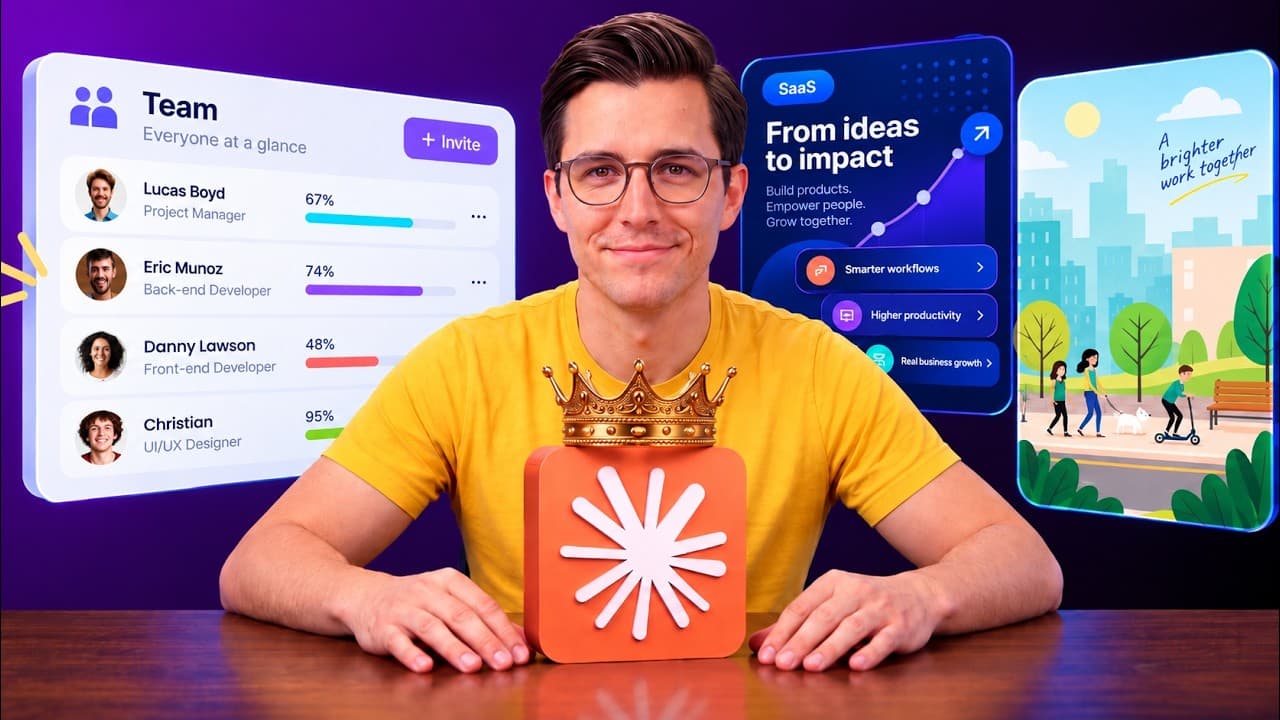
Making motion graphics the normal way means hours in After Effects setting up layers, key frames, and endless little tweaks. But with Claude Opus 5, you can make results like these straight out of the chat. There's one technique you need first, though, because every video model out there messes up text the second it tries to animate a word. So, in ... Read More
Key Insights
- Readable animated text is created most reliably as part of a still image before video generation. The approved still locks in sharp lettering, while the video model handles the transition between prepared frames instead of attempting to invent and animate the words simultaneously.
- Visual consistency depends on specifying everything that must remain unchanged before describing the intended movement. Holding color, lighting, grain, and composition constant reduces background shifts, which would otherwise appear as flicker once separate images are animated together.
- Image and video aspect ratios must match throughout the workflow. Building a still in one shape and animating it with another can produce cropping or black bars, so the chosen format should be applied as a model setting at both stages.
- Two images are sufficient when graphic elements only need to appear in place. The demonstrated stat cards move from an empty background to a completed design through either a fade or a spring with slight overshoot, each lasting 5 seconds without sound.
- A third image provides an intermediate target when an element must travel or transform across the frame. In the logo example, an isolated letter guides the transition from empty black to the complete wordmark during a 6-second animation.
- Chained interface states can make a generated UI demonstration look like one continuous interaction. Four prepared images represent the inactive panel, master activation, dependent toggle activation, and saved confirmation, allowing each state to be checked before the 8-second animation is produced.
- Interface sound strengthens the relationship between visible actions and their consequences. The example uses a cursor whoosh, toggle clicks, a deeper button press, and a check-mark pop, with each sound timed to the corresponding movement or state change.
- Fast product advertising works by combining a product sheet with a storyboard as references. The sheet defines the product's appearance, the board defines shot order, and neither is used as the opening frame, preventing the model from animating the reference grid itself.
- More videos from this channel:
- More from this channel: Parker Prompts
Install to Summarize YouTube Videos and Get Transcripts
Explore YouTube Video Summarizer or Get YouTube Transcript Extractor
Questions & Answers
Q: How can AI motion graphics keep animated text sharp?
Create the text inside a high-resolution still image before asking the video model to animate anything. Approve an empty background first, reuse it as a reference when adding the words, and then animate between the empty and completed images. This approach lets the image model produce readable lettering while the video model concentrates on movement and preserves the approved final design.
Q: How do you connect Higgsfield to Claude for motion graphics?
Open Higgsfield through the provided link and visit its MCP page. Keep the Claude tab selected, turn on the MCP toggle, and copy the displayed connector URL. In Claude, open Customize, enter Connectors, add a new connector named Higgsfield, paste the URL, connect, and sign in. Later chats will have the available models ready and will use the connected Higgsfield credits.
Q: Which image and video settings were used for the stat cards?
The stat cards used GPT Image 2 with 4K resolution and high quality because the designs contained text that viewers needed to read. For animation, the creator selected Cance 2.5 at 1080p because it was the newest available version. The output used a 16:9 shape, with matching image and video aspect ratios, and each card ran for 5 seconds without sound.
Q: How do prompts prevent flicker between generated key frames?
Each prompt begins by listing every property that must remain exactly the same, including color, lighting, grain, and the established background. Only after those constraints does the prompt describe the one element that should change. Reusing the approved background or previous frame as a reference further anchors the scene, preventing small visual shifts from becoming noticeable flicker during animation.
Q: When should an AI motion graphic use an intermediate frame?
Use an intermediate frame when an object needs to move, resize, or transform across the screen instead of simply appearing where it belongs. The logo demonstration uses empty black as the start, the letter R as a middle target, and the completed wordmark as the end. This guides the letter to fade in, shrink into position, and receive the remaining letters over 6 seconds.
Q: How can AI generate a convincing interface demonstration?
Prepare separate stills for each important interface state and inspect them before animation. The example begins with every control off and Save disabled, then activates the master toggle, turns on the remaining rows while moving the cursor, and finishes with Save becoming a green check. Precise constraints keep cursor placement correct and toggle circles round throughout the 8-second sequence.
Q: Why should sound be added to an AI-generated UI animation?
Sound helps each visible interface action feel connected to a specific input. The demonstrated UI sequence adds a whoosh as the cursor moves, clicks when toggles change, a deeper click when Save is pressed, and a pop when the confirmation check appears. Timing those sounds to the exact visual events makes the animation feel like a functioning interface instead of a moving picture.
Q: How do product sheets and storyboards guide an AI product ad?
The product sheet establishes the product's design and materials, while the storyboard establishes the sequence of shots. Both are supplied as references, but neither is assigned as the start frame because a storyboard grid used that way could be animated as multiple sliding panels. In the 18-second Halo advertisement, the references support consistent product appearance, continuous camera movement, and planned pauses for readable branding.
Summary & Key Takeaways
-
The workflow begins by connecting Higgsfield to Claude through the MCP page and Claude's connector settings. Claude then plans each motion graphic, while Higgsfield supplies image and video models. Usage runs against the creator's Higgsfield credits, so the selected plan must cover the models and settings used.
-
Sharp text comes from generating approved still images before creating video. Each prompt first identifies the colors, lighting, grain, and other elements that must remain unchanged, then names the single intended change. Matching aspect ratios and reusing earlier frames as references help prevent cropping, black bars, background shifts, and animation flicker.
-
The demonstrated projects increase in complexity from two-frame stat cards to a three-frame logo reveal, a four-state interface sequence, and an 18-second product advertisement. Intermediate images guide movement, synchronized interface sounds improve perceived realism, and product sheets plus storyboards preserve visual identity and shot order during fast camera motion.
Read in Other Languages (beta)
Share This Summary 📚
Summarize YouTube Videos and Get Video Transcripts with 1-Click
Try YouTube Summary with ChatGPT & Claude or YouTube Transcript Generator
Explore More Summaries from Parker Prompts 📚




Summarize YouTube Videos and Get Video Transcripts with 1-Click
Try YouTube Summary with ChatGPT & Claude or YouTube Transcript Generator