How to Build an AI Social Media Manager with Claude
TL;DR
Build an AI social media manager by combining Claude Code skills, brand examples, automated quality checks, parallel sub-agents, and an approval-based weekly scheduling workflow. The proposed system can research a topic, draft posts, generate visuals, present a plan for human editing, and schedule approved content across multiple social platforms from a single instruction.
Transcript
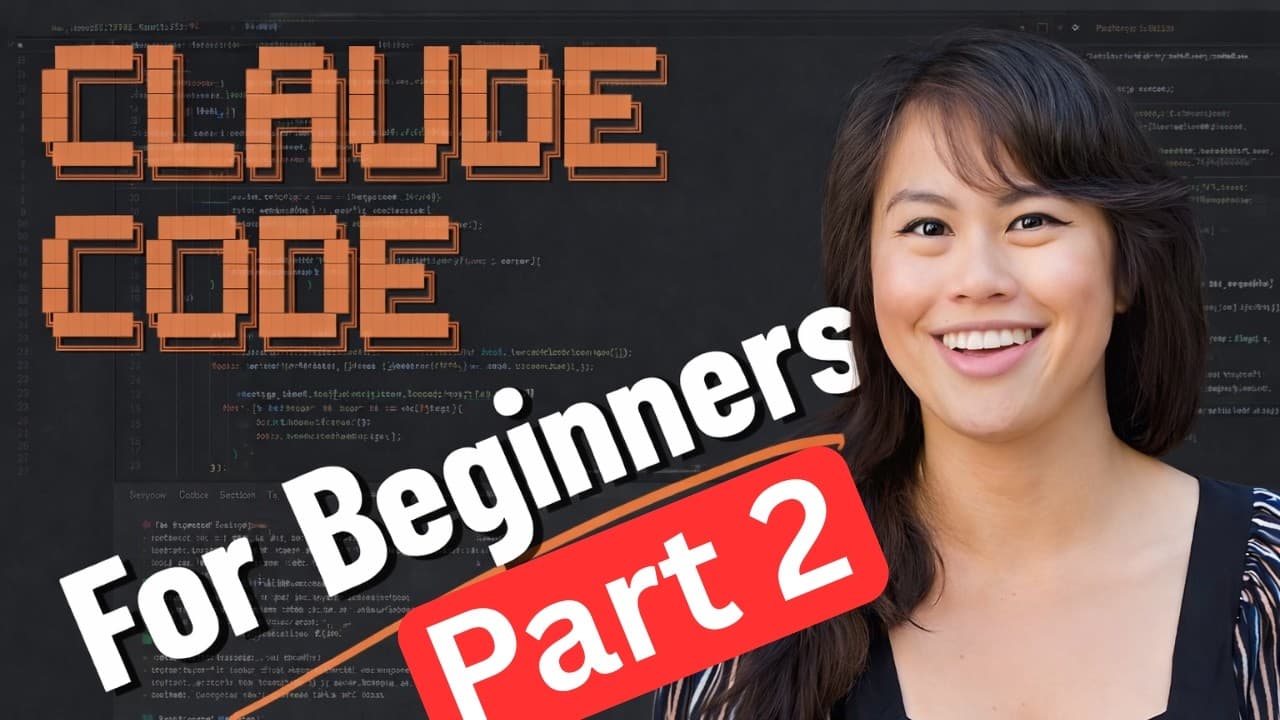
So, welcome to my ultimate Claude Code free course where we will be building an AI marketing officer completely from scratch. I will walk you through installing Claude Code for the first time, creating two custom skills, hooking up hooks to check for quality in all of your content, hooking up your brand voice and samples, and then building out a mu... Read More
Key Insights
- Claude Code is used to build an AI marketing workflow that can research a topic, draft a week of content, generate visuals, request human approval, and schedule approved posts across social platforms from one initial instruction.
- Visual Studio Code is recommended because its editor makes generated plans and files easier to inspect, revise, and discuss than terminal-only output. The setup uses the official Claude Code extension, which appears after installation as an icon in the editor.
- Project-specific permissions can reduce repeated prompts for relatively safe commands without applying the same configuration to every Claude Code project. The presenter permits many non-destructive operations automatically but emphasizes understanding what the system is doing before granting broader access.
- Plan mode is the presenter’s preferred environment for discussing and refining complex work because it prevents accidental changes. The presenter spends about 90% of the time refining plans, then switches to automatic editing only after becoming confident in the proposed implementation.
- The first custom skill converts a topic or YouTube video into a social post, produces a visual, and publishes the content. It establishes the basic content pipeline before brand instructions, quality controls, and multi-platform orchestration are added.
- Brand voice is shaped by giving Claude instructions and samples that represent the desired brand. These materials improve the initial skill by providing concrete references for language, style, and visual choices rather than relying on an unspecified generic voice.
- Quality gates are implemented with hooks that inspect content before publication. Checks can detect and replace unwanted punctuation, reject keywords the brand avoids, or assess whether generated visuals follow the required color schemes.
- Parallel sub-agents are assigned separate social platforms so publishing tasks can run asynchronously. A second skill then plans a full week, presents it for review, waits for approval, and schedules the approved content on a calendar.
Install to Summarize YouTube Videos and Get Transcripts
Explore YouTube Video Summarizer or Get YouTube Transcript Extractor
Questions & Answers
Q: How do you build an AI social media manager with Claude Code?
Start by installing Visual Studio Code and the official Claude Code extension, logging into Claude, and opening a dedicated project folder. Create one skill that converts a topic or YouTube video into a post, generates a visual, and publishes it. Then add brand samples, hook-based quality checks, platform-specific sub-agents, and a second skill that plans and schedules a reviewed week of content.
Q: How do you install Claude Code in Visual Studio Code?
Download Visual Studio Code, open it, and select the Extensions area from the left sidebar. Search for Claude and choose the official Claude Code extension, described in the transcript as the first result with over 4 million downloads. After installation, select the Claude Code icon, then follow the login prompt. If no prompt appears, enter the login command and complete authentication.
Q: How should Claude Code permissions be configured safely?
Configure frequently needed, relatively safe commands so Claude Code does not request approval for every directory check or similar action. The demonstrated setup applies those permissions only to the current project, preventing the configuration from automatically affecting other projects. The presenter focuses on non-destructive commands and recommends granting broader write permissions only when you understand the actions Claude Code will perform.
Q: When should you use plan mode in Claude Code?
Use plan mode while discussing, challenging, and refining the intended work, especially when operating in a complex existing codebase. Plan mode prevents Claude from changing files while the approach is still being developed. The presenter reports spending about 90% of the time in this mode, then switching to automatic editing after the plan is satisfactory and unlikely to break existing work.
Q: How can Claude Code match a creator's brand voice?
Provide brand voice instructions and samples that accurately represent the desired writing. These references are added after the initial post-generation skill is working, allowing the system to improve its output using concrete examples. The same brand configuration can cover language preferences, unwanted associations, and visual requirements such as color schemes, which later quality checks can enforce before publication.
Q: What are quality gates in a Claude Code content workflow?
Quality gates are automated checks implemented with hooks before content is published. A simple hook can find unwanted punctuation and remove or replace it. Additional checks can identify keywords the brand does not want associated with its content or verify requirements for generated visuals, including color schemes. These checks help make quality control a repeatable part of the publishing pipeline.
Q: How do sub-agents support multi-platform social publishing?
Sub-agents divide the publishing workflow by assigning each social platform to its own agent. Those agents can handle their platform-specific tasks asynchronously, which makes the multi-platform pipeline more efficient than processing every destination as one serial task. The transcript specifically describes using parallel sub-agents for publishing and mentions simultaneous posting to Twitter and LinkedIn in the description.
Q: How does the weekly AI content planning workflow operate?
A second custom skill creates a full week of content and presents the proposed plan before anything is scheduled. The creator can inspect the material in the editor, make changes, provide feedback, and add a personal voice. The system waits for approval, then schedules the approved content on a calendar across social platforms. This workflow is designed for batch production within a few hours each week.
Summary & Key Takeaways
-
The workflow begins by installing Visual Studio Code and its official Claude Code extension, logging into Claude, and opening a dedicated project folder. Project-specific permissions can reduce repeated approval prompts for relatively safe, non-destructive commands while limiting the configuration changes to the social media manager project.
-
The first custom skill turns a topic or YouTube video into a social post, creates a corresponding visual, and publishes the result. Brand voice instructions and representative samples are then added so generated content better reflects the creator’s preferred language, style, visual identity, and subject associations.
-
The expanded system uses hooks as quality gates, parallel sub-agents for platform-specific publishing, and a second skill for weekly planning. It presents the content plan for human review and editing, waits for approval, schedules approved material, and records useful project lessons in a CLAUDE.md file for future sessions.
Read in Other Languages (beta)
Share This Summary 📚
Summarize YouTube Videos and Get Video Transcripts with 1-Click
Try YouTube Summary with ChatGPT & Claude or YouTube Transcript Generator
Explore More Summaries from Sabrina Ramonov 🍄 📚



Summarize YouTube Videos and Get Video Transcripts with 1-Click
Try YouTube Summary with ChatGPT & Claude or YouTube Transcript Generator