How to Build AI Agent Workflows with n8n AI
TL;DR
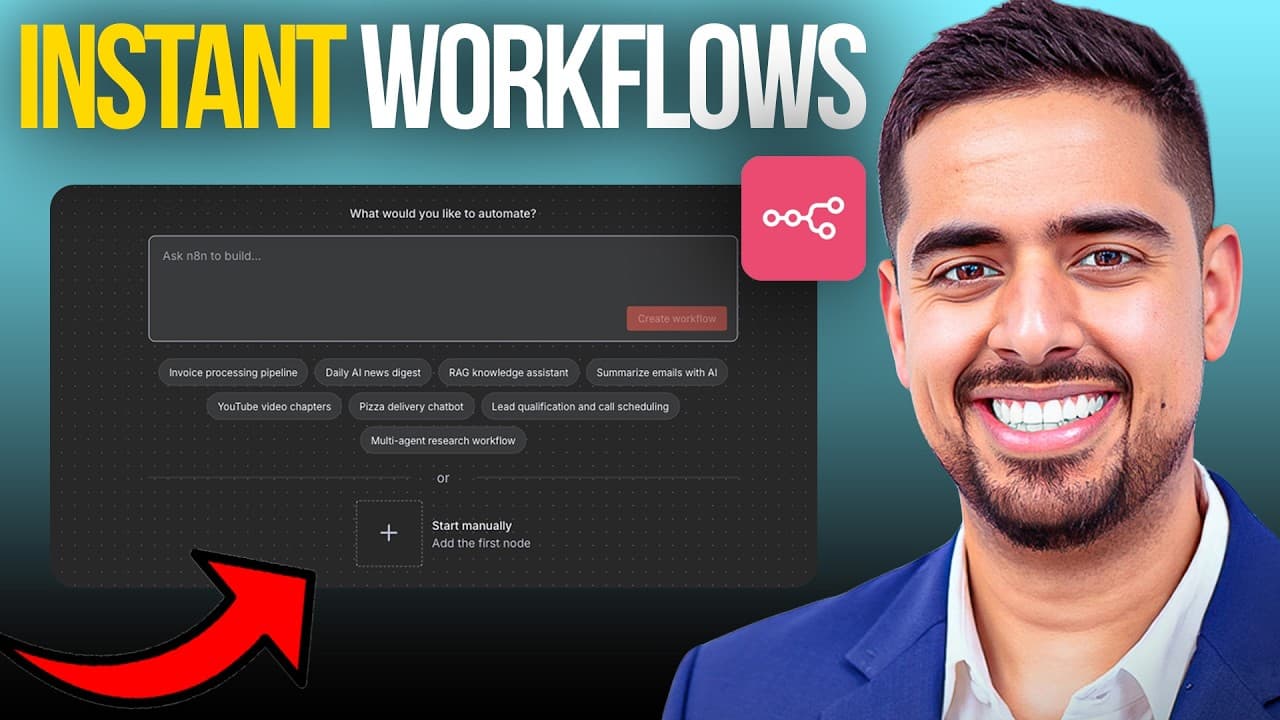
n8n’s native AI Assistant Builder converts a plain-English description into a connected automation, then explains the workflow and identifies the credentials and parameters still requiring configuration. Effective prompts should specify the desired outcome, named tools, data flow, and decision logic. Builders can refine nodes through the sidebar assistant, generate mock JSON data, and test the workflow before using production inputs.
Transcript
N just dropped a new feature that's going to change the way we build automations pretty much forever. And it's called the AI assistant builder. For months on this channel, I've tried to cheat code my way to building workflows and AI agent armies the hard way. From writing wild four to six page prompts and cloud projects, defeating endless JSONs of ... Read More
Key Insights
- • The AI Assistant Builder is a native n8n feature that transforms a typed or dictated natural-language prompt into a structured workflow. It creates nodes, connects them, updates their parameters, and provides a written account of what it built and how the automation operates.
- • Effective workflow prompts are explicit about the intended outcome, the services involved, and the desired sequence of operations. Naming tools such as Outlook, HubSpot, Calendly, OpenAI, or Perplexity gives the builder clearer architectural requirements and improves the usefulness of its initial workflow draft.
- • Built-in sample prompts provide practical guidance for users who are less experienced with prompt engineering. Examples specify concrete inputs, interfaces, processing steps, segment sizes, embeddings, and storage destinations, allowing users to study the structure before adapting it to their own automation.
- • The sidebar assistant is a workflow copilot that records the build dialogue and explains nodes or concepts on request. It does not remove the need to understand n8n fundamentals, but it gives beginners contextual help while they inspect, configure, and revise the generated automation.
- • Generated red-state nodes commonly indicate missing credentials or required parameters rather than a broken workflow structure. Connecting the relevant service account, selecting an available model, and completing node-specific settings can clear these warnings and prepare each integration for testing.
- • Dynamic data placeholders require manual attention during the beta. The builder may insert dummy references where production expressions belong, so users should run or pin representative input data, inspect the available fields, and map the correct values through each downstream node.
- • Mock data is useful for testing workflows before real events are available. The sidebar assistant can generate JSON resembling a Calendly webhook for a new booking, which can be copied into the trigger node, saved, pinned, and used during a workflow execution.
- • The demonstrated lead qualification workflow combines a Calendly trigger, AI extraction, Perplexity company research, a 1-to-10 quality score, conditional routing, GoHighLevel storage, and Outlook notifications. The generated structure was produced from one ambitious prompt in roughly 40 seconds during the demonstration.
Install to Summarize YouTube Videos and Get Transcripts
Explore YouTube Video Summarizer or Get YouTube Transcript Extractor
Questions & Answers
Q: How do you build an AI agent workflow with n8n’s AI Assistant Builder?
Open the prompt-to-workflow interface and describe the automation in natural language. State the desired outcome, identify the applications involved, and outline the major processing and routing steps. The builder searches its node database, plans the architecture, creates and connects nodes, and configures initial parameters. After generation, add credentials, replace placeholder data references, inspect the prompts, and test the workflow with representative inputs.
Q: What should an effective n8n workflow prompt include?
An effective prompt should identify the automation’s goal, the tools that must participate, the information moving between them, and any decision rules that affect routing. For example, the demonstrated request named Calendly, GoHighLevel, OpenAI, Perplexity, and Outlook while also describing company research and lead qualification. This level of specificity gives the builder enough context to propose relevant nodes, connections, prompts, and conditions.
Q: Does n8n’s AI Assistant Builder create a production-ready workflow automatically?
The builder creates a connected and substantially configured starting workflow, but the result still needs human review before production use. Users generally must connect service credentials, select models, confirm application-specific parameters, replace dummy dynamic-data references, and test the workflow. The assistant helps by listing these remaining requirements and explaining the generated sequence, reducing uncertainty about what must be completed after the initial build.
Q: How do you fix red-state nodes in an AI-generated n8n workflow?
A red-state node often needs credentials or a required configuration value. Open the node, connect the appropriate account or API credential, select any required model, and review its parameters. The demonstration showed the error state disappearing after credentials were selected for relevant services. Users should still examine each node individually because placeholder fields or application-specific settings may also require correction before execution.
Q: How can you test an n8n workflow without a real webhook event?
Ask the sidebar assistant to generate mock data that resembles the expected webhook payload and request JSON format for convenient copying. Paste the result into the trigger node’s mock-data area, then save and pin it. Executing the workflow with that pinned payload allows data to move through downstream nodes, making it possible to inspect fields, replace placeholders, and identify configuration problems before a real booking arrives.
Q: How does the demonstrated n8n lead qualification workflow operate?
A new Calendly booking triggers the workflow, after which AI extracts relevant contact and company information. Perplexity performs deeper company research, and the workflow scores lead quality on a scale from 1 to 10. Conditional logic determines whether the prospect qualifies. Qualified leads are stored in GoHighLevel, and Outlook sends an email notification containing the research summary, subject to the required credentials and configuration being added.
Q: Can beginners use n8n’s AI Assistant Builder without understanding n8n?
Beginners can use the builder to create an initial automation and receive contextual explanations, but they still need to learn n8n’s foundations. The sidebar assistant can explain individual nodes, describe the workflow sequence, answer configuration questions, and generate testing assets. Built-in prompt examples also provide guidance. However, users remain responsible for credentials, dynamic field mapping, testing, and understanding whether the generated logic matches their intended process.
Q: What are the main advantages of n8n’s native AI workflow builder over earlier methods?
The native builder avoids several problems associated with large prompts, copied workflow JSON, and external MCP server setups. It uses n8n’s node database, creates connected nodes directly, configures initial parameters, and explains what was built. It also supports iterative questions and mock-data generation through the sidebar. These capabilities reduce broken-node issues, copying and pasting, initial setup friction, and uncertainty about the remaining configuration work.
Summary & Key Takeaways
-
n8n’s AI Assistant Builder creates workflows from natural-language prompts without requiring giant JSON files, external MCP servers, or extensive copying and pasting. The builder searches n8n’s current node database, plans the automation, creates and connects the nodes, configures parameters, and summarizes both the resulting architecture and the remaining setup tasks.
-
A lead qualification demonstration connects a Calendly booking to AI-powered company research, conditional qualification, GoHighLevel storage, and an Outlook notification. OpenAI and Perplexity handle information extraction and research, while the generated workflow assigns a lead score from 1 to 10 and routes only qualified prospects to the subsequent actions.
-
Generated workflows still require human configuration and testing before production use. Users must add credentials, choose models, replace placeholder expressions with dynamic fields, inspect generated prompts, and verify application-specific parameters. The sidebar assistant supports this process by explaining nodes, answering questions, and creating realistic mock JSON data for pinned test executions.
Read in Other Languages (beta)
Share This Summary 📚
Summarize YouTube Videos and Get Video Transcripts with 1-Click
Try YouTube Summary with ChatGPT & Claude or YouTube Transcript Generator
Explore More Summaries from Mark Kashef 📚





Summarize YouTube Videos and Get Video Transcripts with 1-Click
Try YouTube Summary with ChatGPT & Claude or YouTube Transcript Generator