How to Automate Payment Reminders with n8n
TL;DR
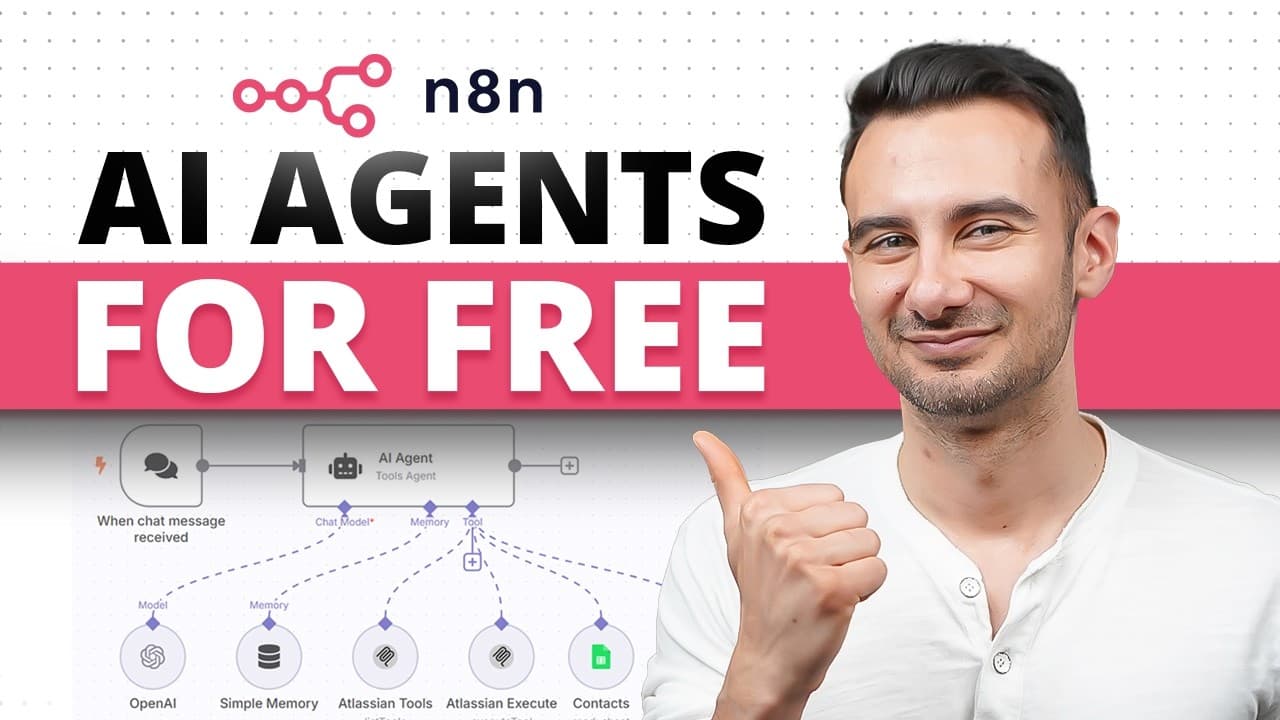
Build a free AI agent by running n8n locally with Docker, connecting a Gemini model, adding simple memory, and configuring tools for invoices and email. The demonstrated agent retrieves overdue QuickBooks invoices and prepares personalized payment reminders, while clear tool names, structured prompts, testing, and a Discord approval step help keep its actions reliable and controlled.
Transcript
Hey, did you know you could create an AI agent completely for free and you don't even need to know how to code? I'm David and at David's Donut Den, sometimes we have customers who order donuts for events, but they don't pay us on time, so I got to chase some people down. Instead of me keeping track of that, let's build an AI agent to take care ... Read More
Key Insights
- An AI agent is a digital process with reasoning, tool access, and memory. It can interpret a goal, choose useful actions, interact with connected services, and preserve context instead of merely following a rigid list of instructions like a conventional workflow or chatbot.
- Self-hosted n8n is free to run locally through Docker Desktop. The setup creates an n8n_data volume, starts n8n with a supplied Docker command, and exposes a local browser address where the user creates an account and accesses the workflow dashboard.
- An n8n workflow is assembled from connected nodes. The first node is a trigger that defines how execution begins, while later nodes provide processing, memory, models, or external actions such as retrieving invoices and sending email messages.
- The chat model supplies the agent's reasoning capability. The tutorial connects n8n to Gemini using an API key from Google AI Studio and selects the demonstrated Gemini model because the stated free allowance is 15 requests per minute and 1,000 requests per day.
- Simple memory stores conversational context for the agent. The example uses a manually defined session identifier and retains the last five messages, giving the model access to recent interactions while keeping the beginner workflow straightforward.
- Tools allow the agent to take actions in external services. The example adds QuickBooks Online to retrieve invoices, filters for overdue records through a model-defined parameter, and uses the invoice information as the source for customer payment reminders.
- Email delivery is configured through Gmail SMTP with smtp.gmail.com and a Google app password rather than the normal Gmail password. The model determines the recipient, subject, and plain-text message, while the sender address comes from the authenticated email account.
- Human approval is an added control before outbound actions occur. The described workflow uses Discord for a human-in-the-loop review step, allowing a person to inspect the proposed result before a payment reminder is allowed to go out.
Install to Summarize YouTube Videos and Get Transcripts
Explore YouTube Video Summarizer or Get YouTube Transcript Extractor
Questions & Answers
Q: How do you build a free AI agent with n8n?
Install Docker Desktop, create the n8n_data Docker volume, and start the supplied n8n container command. Open the resulting local address in a browser and create an n8n account. Then build a workflow with a chat trigger, a Gemini chat model, simple memory, and the required tools. The example connects QuickBooks Online for overdue invoices and email for customer reminders.
Q: What makes an AI agent different from a chatbot?
An AI agent combines reasoning, tool access, and memory. Instead of requiring every action to be specified explicitly, it can receive a goal and determine how to achieve it. Its tools let it perform actions such as emailing someone or posting online, while memory helps it preserve context across steps and tasks and respond based on previous interactions.
Q: How can n8n be run locally for free?
The tutorial runs n8n locally with Docker Desktop. After installing Docker Desktop and restarting if necessary, Windows users may need to enable Windows Subsystem for Linux. A command creates a persistent volume named n8n_data, and a second supplied command starts the n8n container. The local n8n address can then be opened in a browser to reach the dashboard.
Q: How do you connect Gemini to an n8n AI agent?
Delete the default OpenAI model, add Gemini as the chat model, and create a new credential in n8n. Visit Google AI Studio, generate an API key in a new or existing project, copy it, and paste it into the credential form. Save the credential, confirm that the connection test succeeds, and select the Gemini model demonstrated in the tutorial.
Q: How does memory work in the beginner n8n agent?
Memory gives the agent access to previous steps and messages instead of treating each interaction as entirely separate. The tutorial adds the Simple Memory node, changes the session identifier setting from the connected chat trigger to a manually defined value, and stores the last five messages. The chosen identifier itself is not important because the example uses one shared place for memory.
Q: How does the agent find overdue QuickBooks invoices?
The QuickBooks Online tool provides access to invoice records after the appropriate credentials are configured. In its node settings, the resource is set to invoices and the operation is set to retrieve many invoices. A filter limits the results to overdue invoices, and that filter is marked so the model can define the parameter from the agent's instructions rather than requiring a fixed handwritten value.
Q: How do you send Gmail payment reminders from self-hosted n8n?
Add the Send Email tool and create a credential using the Gmail address as the user and smtp.gmail.com as the host. The password must be a Google app password created through the Google security settings, not the ordinary Gmail password. The authenticated address supplies the sender, while the model can determine the recipient, subject, and plain-text message from invoice information.
Q: How can you keep an n8n AI agent under human control?
Use clear tool names, structured instructions, testing, and execution inspection so the agent understands its available actions and its behavior remains visible. The described workflow also adds a human-in-the-loop approval step through Discord. This gives a person final review authority before an outbound payment reminder is sent, instead of allowing every model-generated message to leave automatically.
Summary & Key Takeaways
-
An AI agent is presented as a digital process that behaves more like a teammate than a basic chatbot. Its defining characteristics are reasoning, access to tools, and memory. These capabilities let it interpret goals, perform actions through connected services, retain context, and check whether its work satisfies the intended outcome.
-
The tutorial installs n8n locally through Docker Desktop to avoid relying on the hosted trial. After creating persistent n8n data and launching the container, the user opens the local interface, creates an account, explores templates, and learns that workflows consist of connected nodes beginning with a trigger that determines when execution starts.
-
The example agent connects Gemini as its reasoning model, simple memory for recent messages, QuickBooks Online for overdue invoice retrieval, and Gmail SMTP for sending payment reminders. The workflow is strengthened through descriptive tool names, model-defined parameters, structured prompting, testing, execution inspection, and a Discord-based human approval step before messages are sent.
Read in Other Languages (beta)
Share This Summary 📚
Summarize YouTube Videos and Get Video Transcripts with 1-Click
Try YouTube Summary with ChatGPT & Claude or YouTube Transcript Generator
Explore More Summaries from Kevin Stratvert 📚


Summarize YouTube Videos and Get Video Transcripts with 1-Click
Try YouTube Summary with ChatGPT & Claude or YouTube Transcript Generator