What Are the Best GTK Dark Themes for Ubuntu?
TL;DR
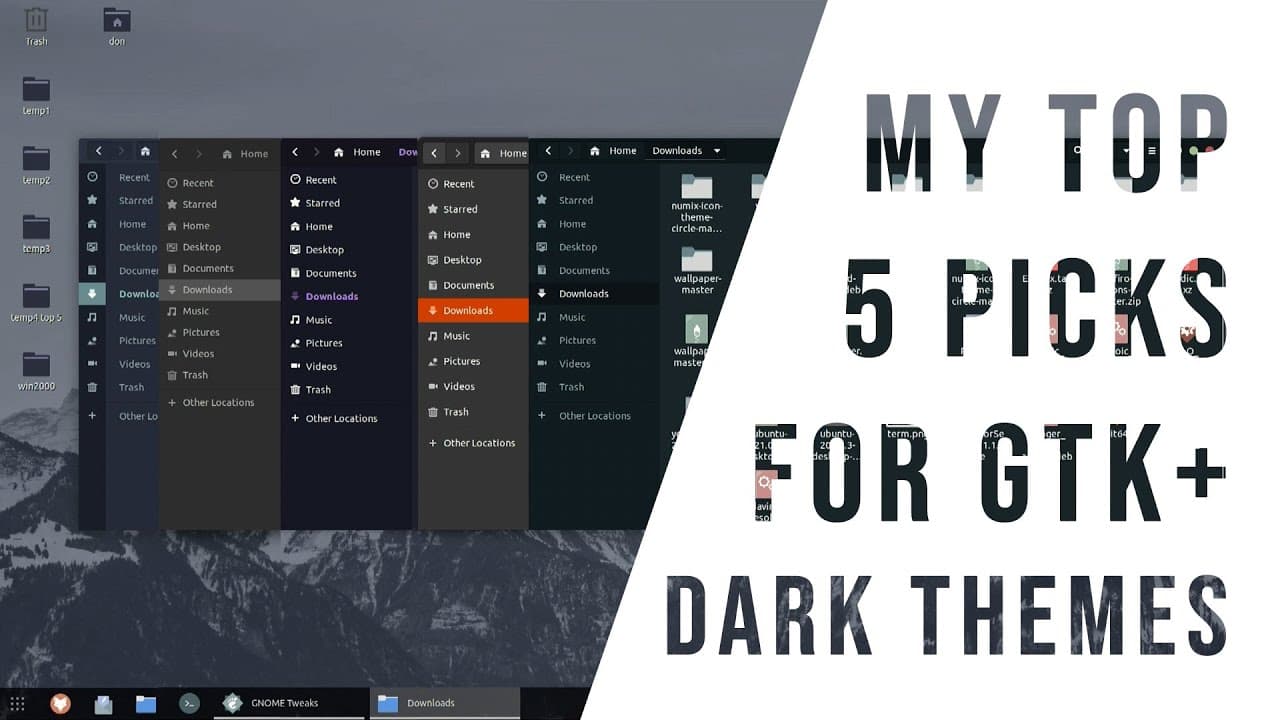
The best GTK dark themes for Ubuntu include Yaru, Nordic, Juno, Dracula, and Equilux. Yaru is built-in and user-friendly, while Nordic is particularly easy to install via command line. Each theme offers unique aesthetics, and pairing them with compatible icon sets like Tele and Zafario can enhance the overall interface experience.
Transcript
hey guys what is going on it's don here from nova spur tech and welcome back to the channel and today i'm going to be showing you my top five picks for gtk dark themes so let's get started so what we're going to be using today is ubuntu linux it's going to be on 20.04 i believe and you've probably seen my desktop many times and i've actually been t... Read More
Key Insights
- 🙂 Dark themes can significantly enhance visual comfort and reduce glare, making them ideal for users in low-light environments.
- 🕶️ The built-in Yaru dark theme of Ubuntu is considered a solid starting point for users new to dark themes.
- 🫥 The Nordic theme is highlighted as one of the easiest to install and use, with an intuitive command-line installation option.
- 😫 Combining dark themes with appropriate icon sets like Tele or Zafario vastly improves the aesthetic and functional quality of the user interface.
- 👻 The color palette of themes such as Juno and Dracula provides diverse visual options, allowing users to pick according to their personal taste.
- 👤 Themes can significantly affect the user experience in Linux, making customization a popular practice among users.
- 🍧 Having a well-coordinated wallpaper along with the dark theme enhances the visual appeal of the desktop.
Install to Summarize YouTube Videos and Get Transcripts
Explore YouTube Video Summarizer or Get YouTube Transcript Extractor
Questions & Answers
Q: What are the advantages of using dark themes on laptops?
Dark themes on laptops are beneficial as they reduce eye strain in low-light conditions and often save battery life due to lower screen usage of brighter colors. For users who work late or frequently use their laptops in dim environments, dark themes can make screen content easier to view and minimize glare, enhancing overall usability.
Q: How can I install the Nordic theme on Ubuntu?
To install the Nordic theme on Ubuntu, you can use the terminal to run the command "sudo apt install nordic-theme." This command simplifies the installation process as you do not need to navigate through web pages to download it. Additionally, you have the option to customize your theme further by choosing compatible icon sets for an enhanced visual experience.
Q: What icon sets does the creator recommend for dark themes?
The creator recommends two primary icon sets to pair with the dark themes: the Tele icon set and the Zafario icon set. These icon sets are designed to complement dark themes by providing a visually pleasing contrast, enhancing the overall appearance of the desktop environment and maintaining usability across different applications.
Q: Can the Dracula theme be used with specific applications?
Yes, the Dracula theme has a dedicated website that offers themes for popular applications such as Visual Studio Code and Notepad++. Users can easily theme these applications with a consistent purple aesthetic, reinforcing the cohesive design look that the Dracula theme provides across their entire system, making it visually appealing.
Summary & Key Takeaways
-
The video showcases five popular GTK dark themes suitable for Ubuntu, XFCE, and other compatible desktops, starting with the built-in Yaru dark theme from Ubuntu itself.
-
Each theme is evaluated based on appearance and compatibility, with recommendations on icon sets that complement the dark themes, such as Tele and Zafario.
-
The creator emphasizes personal preferences for dark themes on laptops to conserve battery life and reduce glare in low-light environments.
Read in Other Languages (beta)
Share This Summary 📚
Summarize YouTube Videos and Get Video Transcripts with 1-Click
Try YouTube Summary with ChatGPT & Claude or YouTube Transcript Generator
Explore More Summaries from Novaspirit Tech 📚






Summarize YouTube Videos and Get Video Transcripts with 1-Click
Try YouTube Summary with ChatGPT & Claude or YouTube Transcript Generator