How to Master Essential Claude Skills for Automation
TL;DR
Meta skills in Claude are crucial for automating tasks across various fields. These skills are reusable instructions that enhance Claude's capabilities, making it more efficient for complex tasks. The video discusses eight meta skills, demonstrates their use, and provides installation guidance, offering valuable insights into maximizing Claude's potential.
Transcript
I believe skills is the single most important feature to learn and use in cloud right now. It's how you go from prompting a chatbot to actually automating real work. I've been building many skills over the last months, but the eight I use most aren't for specific workflows. They're what I call meta skills. Skills that upgrade clot to perform better... Read More
Key Insights
- Meta skills are reusable instruction sets that improve Claude's performance across diverse tasks.
- The Process Interviewer skill helps plan and build skills by asking in-depth questions to understand the task.
- The Prompt Master skill optimizes unstructured prompts into structured, effective ones.
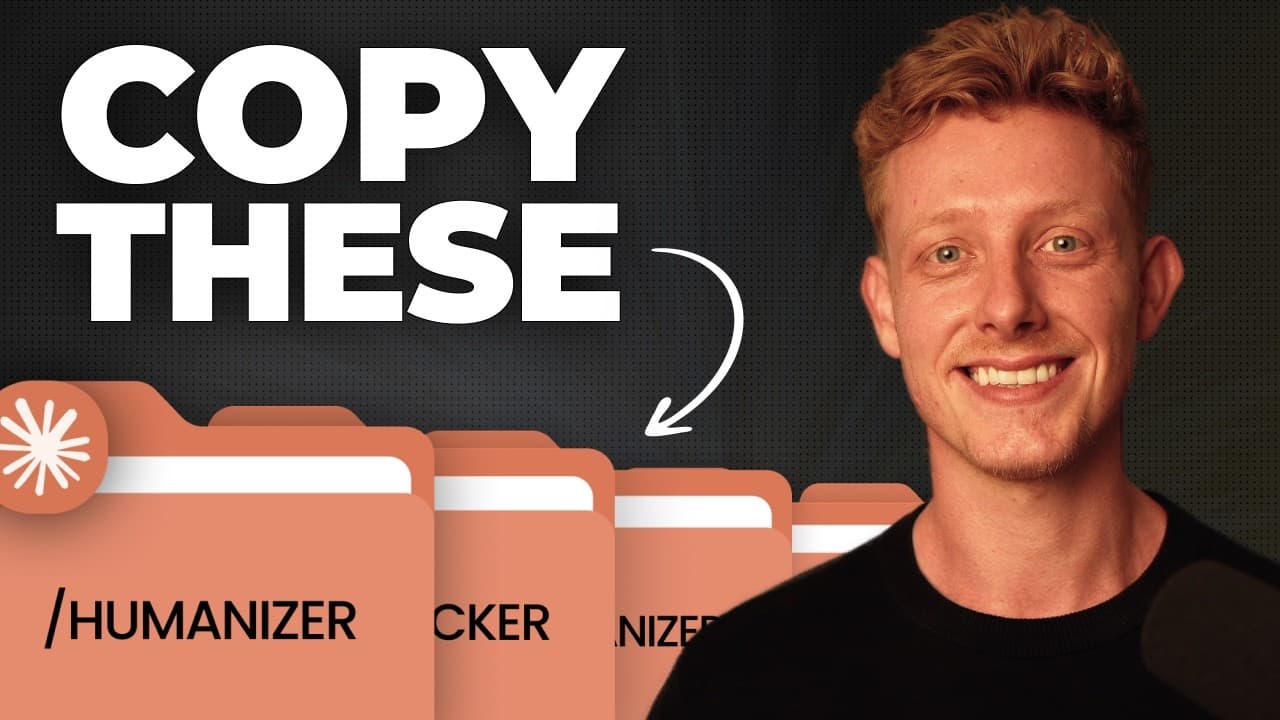
- The Humanizer skill removes AI-generated writing signs, making outputs sound more human.
- The Fact Checker skill verifies the factual accuracy of AI-generated content.
- The Find Skills skill helps discover other people's skills from the skills.sh ecosystem.
- The Front-End Slide skill creates high-quality HTML presentations from scratch or PPT files.
- The Decision Toolkit skill aids in systematic decision-making through structured analysis.
Install to Summarize YouTube Videos and Get Transcripts
Explore YouTube Video Summarizer or Get YouTube Transcript Extractor
Questions & Answers
Q: How to use the Process Interviewer skill effectively?
The Process Interviewer skill helps in planning complex tasks by asking detailed questions to clarify the task requirements. It ensures Claude has complete context before building skills, preventing inefficiencies. By answering these questions, users can articulate fuzzy processes, leading to a comprehensive skill brief that guides Claude in executing tasks effectively.
Q: What is the benefit of using the Prompt Master skill?
The Prompt Master skill optimizes prompts by structuring them according to best practices, improving the quality of AI outputs. It is particularly useful for complex tasks, where unstructured brain dumps are common. By transforming these into structured prompts, users can achieve more accurate and efficient results from Claude, enhancing productivity.
Q: Why is the Humanizer skill important for AI-generated content?
The Humanizer skill is crucial for making AI-generated content sound more natural and human-like. It identifies and corrects AI writing patterns, ensuring the text is relatable and engaging for human readers. This is essential for any AI-generated content intended for public consumption, such as emails, social media posts, or scripts, to maintain authenticity and clarity.
Q: How does the Fact Checker skill ensure content accuracy?
The Fact Checker skill systematically verifies the factual accuracy of AI-generated content by cross-referencing claims with reliable sources. It identifies inaccuracies or unverifiable information, providing a report on the content's truthfulness. This skill is vital for maintaining credibility in AI outputs, especially in professional and public-facing documents.
Q: What is the purpose of the Find Skills skill?
The Find Skills skill helps users discover and install existing skills from the skills.sh ecosystem. With over 91,000 skills available, it allows users to find solutions to tasks they may not know how to perform, leveraging community-created skills to enhance Claude's functionality and tailor it to specific needs efficiently.
Q: How can the Front-End Slide skill be utilized?
The Front-End Slide skill creates animated HTML presentations from scratch or by converting existing PowerPoint files. It incorporates best practices for slide design, ensuring high-quality output suitable for professional use. By customizing it with brand guidelines, users can generate visually appealing presentations for sales pitches, educational content, or internal meetings quickly and effectively.
Q: What is the Decision Toolkit skill and its use?
The Decision Toolkit skill provides a structured framework for making informed decisions. It guides users through a systematic analysis using first-principle thinking, without making decisions for them. This skill is beneficial for strategic planning, helping users consider various factors, biases, and potential outcomes to make well-informed choices in business or personal scenarios.
Q: How does the MCP Builder skill facilitate software integration?
The MCP Builder skill enables users to create custom MCP servers for software lacking built-in connectors, allowing Claude to interact with these systems. By building an MCP server, users can automate actions and data retrieval from their software, expanding Claude's capabilities to integrate seamlessly with a wide range of applications, enhancing workflow automation.
Summary & Key Takeaways
-
Meta skills are crucial for enhancing Claude's functionality, allowing it to automate various tasks effectively. These skills are not workflow-specific but improve performance across different industries. The video introduces eight meta skills, demonstrating their installation and application, providing a comprehensive guide to leveraging Claude for better task automation.
-
The Process Interviewer skill assists in planning and building skills by probing deeply into the task requirements. The Prompt Master skill refines unstructured prompts into optimized, structured formats, enhancing the quality of AI outputs. These skills are vital for anyone looking to maximize the efficiency of their AI interactions.
-
The Humanizer skill transforms AI-generated text to sound more human, while the Fact Checker ensures content accuracy. The Front-End Slide skill generates professional HTML presentations, and the Decision Toolkit guides decision-making. These skills collectively enhance Claude's capabilities, making it a powerful tool for automation and strategic planning.
Read in Other Languages (beta)
Share This Summary 📚
Summarize YouTube Videos and Get Video Transcripts with 1-Click
Try YouTube Summary with ChatGPT & Claude or YouTube Transcript Generator
Explore More Summaries from Ben AI 📚


Summarize YouTube Videos and Get Video Transcripts with 1-Click
Try YouTube Summary with ChatGPT & Claude or YouTube Transcript Generator