Why I Downgraded My GPU for Better Performance
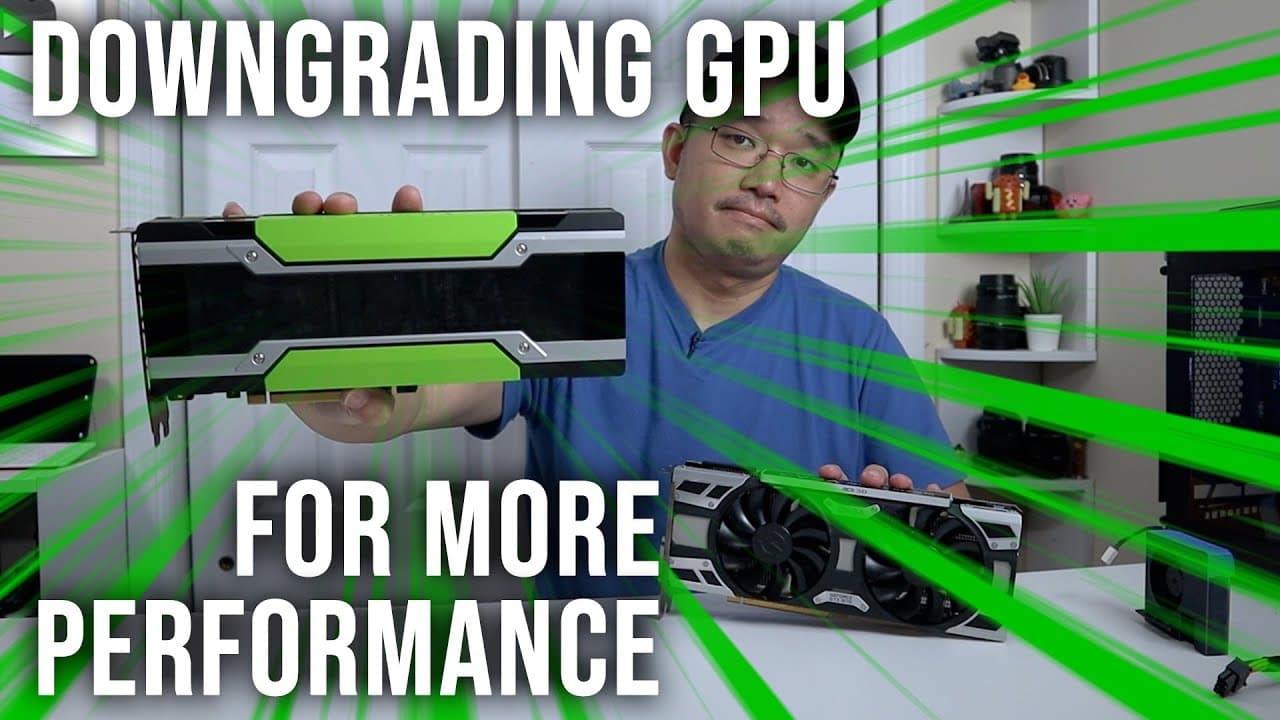
TL;DR
I downgraded to a Tesla M40 GPU to benefit from its higher CUDA core count and 24GB of VRAM, which significantly improved processing power for tasks like generative art and large language models. Although it excels in computational tasks, this model lacks essential features like HDMI output, requiring a secondary graphics card for full functionality.
Transcript
so yeah the title is right I did downgrade my graphic card for more performance so let's check it out now if you guys been watching my channel for a couple of weeks and you know that I've been into large language models like Chan GPT and also stable diffusion for generative art so anytime you have to deal with processing power having more cudas is ... Read More
Key Insights
- 🥶 The Tesla M40, although an older model, excels in computational tasks due to its high CUDA core count and 24GB of VRAM.
- 🐎 A significant speed increase was observed when generating images with stable diffusion, with the M40 providing a 30-40% improvement in processing time.
- 🎴 Users should consider card compatibility and practical installation requirements, such as extra cooling solutions and using a secondary output graphics card.
- 💯 The decision to downgrade must consider specific application needs, as not all tasks benefit equally from an increase in CUDA cores over graphical capabilities.
- 🚚 Server-grade GPUs like the M40 can deliver impressive efficiency in specialized tasks but require additional setup and modification for desktop usage.
- ❓ Future purchases should be made more cautiously, ideally selecting options that provide compatibility with modern AI models and necessary output features.
- 🙈 VRAM capacity plays a critical role in successfully performing data-intensive operations, as seen in image generation comparisons between the 1070 and M40.
Install to Summarize YouTube Videos and Get Transcripts
Explore YouTube Video Summarizer or Get YouTube Transcript Extractor
Questions & Answers
Q: Why did you choose to downgrade to the Tesla M40?
I chose to downgrade to the Tesla M40 because it provides more CUDA cores and RAM, which are crucial for computational tasks like processing generative art and large language models. The performance in computation tasks outshines the 1070, making it a better choice for my needs despite its inferior gaming performance.
Q: What limitations did you encounter with the M40 compared to newer cards?
The M40 has certain limitations, particularly regarding its architecture and lack of support for 4-bit quantization in large language models. This decision impacted my ability to run some of the newer models efficiently. If I had to redo my purchase, I would consider the P40 for its better support of these models.
Q: How does the VRAM of the M40 improve performance?
The M40's 24GB of VRAM allows for processing larger tasks without crashing due to memory overload, which occurs with the 8GB on the 1070. For instance, when generating images at higher resolutions, the M40 performs significantly better due to its capacity to handle more extensive data without hitting memory limits.
Q: What modifications did you need to make for the M40's installation?
Since the M40 is designed for server environments, it does not have any fans or HDMI outputs, meaning I had to create a custom blower fan to manage heat dissipation. Additionally, a second graphics card was needed to provide HDMI output, requiring certain adjustments to my system for compatibility.
Q: Are there any recommendations for others considering GPU upgrades?
For those starting with AI and computational tasks, I would recommend considering older Tesla cards like the P40 or M40. These can provide significant processing power at a lower cost, but ensure that you have a cooling solution and a second card for display outputs to avoid functionality issues.
Q: What could have made your experience with the M40 even better?
My experience could have been improved by choosing the P40 instead of the M40 initially, as it has better support for new models and does not lack the necessary output options. Additionally, having built-in fan support would have made installation easier and potentially improved performance stability.
Q: How does the computational power of the M40 enhance image generation tasks?
The M40 significantly reduces the time taken to generate images compared to the 1070. For instance, tasks that used to take around 15 seconds can be completed in roughly 9 seconds with the M40, showcasing how vital GPU power is in speeding up complex computation tasks involved in creating images.
Q: What are the key differences between CUDA core counts of the M40 and 1070?
The M40 has 3072 CUDA cores compared to the 1070's 1920, leading to almost a thousand more cores on the M40. This difference translates to enhanced computational capabilities for tasks requiring parallel processing, making it vital for applications in AI and generative modeling.
Summary & Key Takeaways
-
The individual opted for a Tesla M40 graphics card, prioritizing CUDA cores and VRAM over gaming performance with the more recent 1070 card. This decision was influenced by needs for efficient processing in large language models and generative art.
-
Although the M40 offers superior processing power for specific tasks like image generation, it lacks essential features for desktop use, such as HDMI output, which necessitates using an additional graphics card.
-
The transition allowed for significant reductions in processing time for tasks that require high VRAM and computational power. However, the user noted that future purchases would favor more compatible options for large language models.
Read in Other Languages (beta)
Share This Summary 📚
Summarize YouTube Videos and Get Video Transcripts with 1-Click
Try YouTube Summary with ChatGPT & Claude or YouTube Transcript Generator
Explore More Summaries from Novaspirit Tech 📚






Summarize YouTube Videos and Get Video Transcripts with 1-Click
Try YouTube Summary with ChatGPT & Claude or YouTube Transcript Generator