How to Build Beautiful Sites with Claude Design
TL;DR
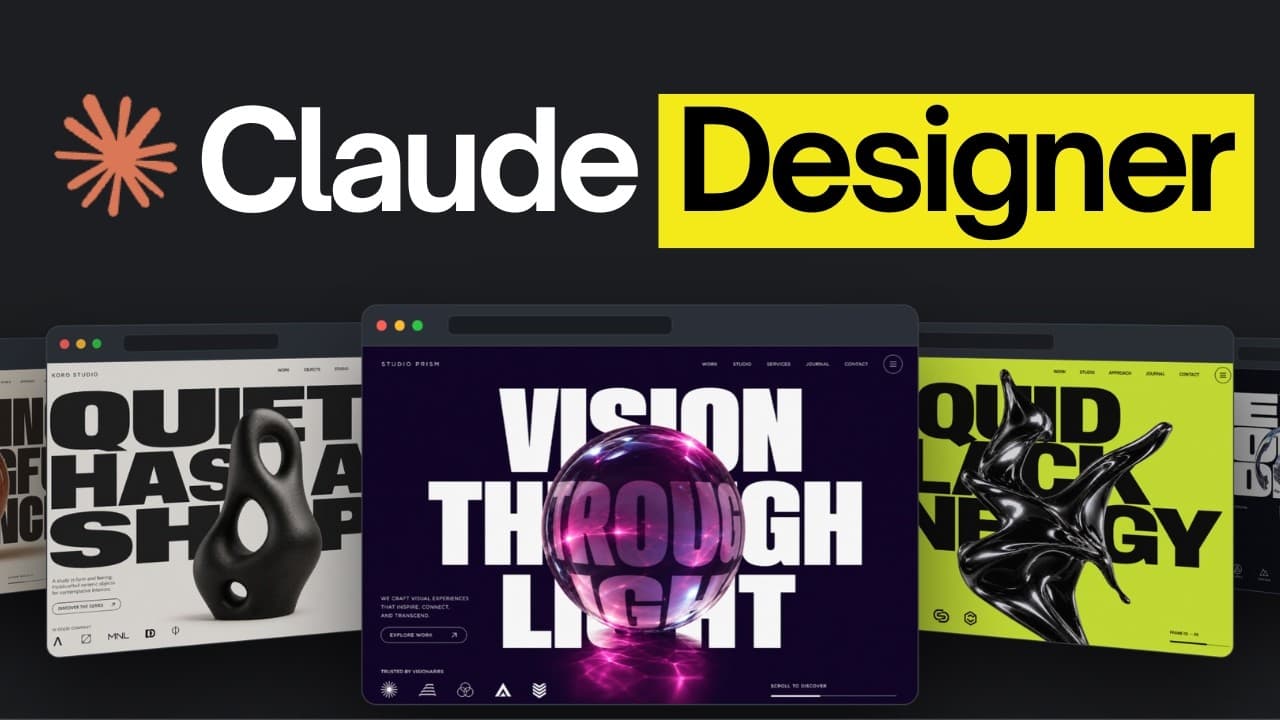
Start by defining the brand in a design.md file, visualize and verify it, then import it into Claude Design as the foundation for a consistent design system. Continue through wireframing, prototyping, and animation before handing the result to Claude Code, which reduces repeated generation, avoids generic AI styling, and helps turn the approved design into a working product.
Transcript
A good design really matters because if you want customers, your site's visuals are the first thing they judge. There are a lot of tools that help with this and Claw Design is one of the most powerful ones out right now. But a good design doesn't come from just prompting the tool. So, in this video, we're going to go through a five-stage process th... Read More
Key Insights
- Claude Design is a prompting-based tool for creating websites, slides, documents, wireframes, and animations. Its accessible interface allows nontechnical users to generate visual work, while its availability on both the Claude website and desktop app gives users more than one way to access it.
- Model selection affects both design quality and token consumption. Opus is presented as the preferred general design model but consumes many tokens, while Haiku uses fewer tokens and may require additional refinement. Effort settings control how much reasoning a selected model applies before acting.
- Claude usage is governed by a shared 5-hour window with a token cap. Design activity and other Claude tasks count toward the same allowance, so intensive use can exhaust access sooner and force the user to wait until the window finishes.
- A design.md file is the central source of visual direction for the workflow. It records brand decisions such as fonts, colors, and broader style details so an AI agent can follow explicit guidance instead of guessing whenever it creates a new screen.
- A predefined design system reduces generic AI styling. When Claude Design creates its own system without specific direction, it can fall back to familiar model defaults, while an uploaded design.md file provides controlled choices that distinguish the product from other AI-built sites.
- Consistency across multiple pages comes from using one shared design foundation. Because every page draws from the same design.md-based system, colors, typography, and interface elements remain connected and appear to belong to the same product.
- Design.md visualization prevents expensive trial-and-error generation. A viewer such as design MD.space can display the file's colors and interface elements before Claude Design generates full screens, allowing users to identify unwanted choices without spending tokens on repeated design rounds.
- The five-stage workflow moves from design.md planning to a design system, wireframes, prototypes, and animation, followed by implementation in Claude Code. This separates visual decision-making from product construction and gives the coding agent an approved design to turn into a working application.
- More videos from this channel:
- More from this channel: AI LABS
Install to Summarize YouTube Videos and Get Transcripts
Explore YouTube Video Summarizer or Get YouTube Transcript Extractor
Questions & Answers
Q: How do you build a website with Claude Design?
Begin by creating a design.md file that defines the product's colors, fonts, visual identity, and other style decisions. Visualize that file to check whether its elements work together, then upload it to Claude Design as an asset when creating a design system. Use the resulting system for wireframes, prototypes, and animations, then hand the approved design to Claude Code for implementation.
Q: What is Claude Design used for?
Claude Design is used to create visual work through simple prompts, including websites, slides, documents, wireframes, and animations. It is designed to be approachable even for people who are not technical. The tool is available through both the Claude website and desktop application, and it can incorporate skills and MCP connections to support more structured workflows and external services.
Q: Why should you create a design.md file first?
A design.md file gives the AI explicit information about the brand before it generates screens. It can specify fonts, colors, visual identity, and other style choices, preventing the model from guessing or repeatedly falling back to generic defaults. Because all pages use the same foundation, the file also helps a multi-page site maintain a consistent appearance throughout the product.
Q: How can you avoid generic AI-generated website designs?
Define the visual identity before generating the website instead of asking Claude Design to invent every choice. A detailed design.md file can supply deliberate colors, fonts, and interface rules, while anti-slop references can identify common patterns associated with AI-built sites. Importing that file into a new design system gives the model controlled direction and reduces its reliance on familiar default styles.
Q: How can you reduce token usage in Claude Design?
Plan and verify the design before generating complete screens. Claude Design shares a 5-hour token window with other Claude activity, and design work can consume the allowance quickly. Creating a design.md file, checking it in a visualization tool, and correcting unwanted colors or elements beforehand reduces the need to regenerate designs after discovering that the visual direction is wrong.
Q: Which Claude model should you use for design work?
Opus is presented as the preferred model for general design work, but it consumes substantially more tokens. Haiku uses fewer tokens, although its output may need more rounds of refinement. Users can also select an effort level, which controls how much the model thinks before acting. The demonstrated workflow balances design capability and token use by choosing a medium effort setting.
Q: How does Claude Code help with the design workflow?
Claude Code can run a planning skill that interviews the user about the proposed product and its visual identity. The skill collects decisions such as brand colors, writes the design.md file, and runs verification scripts against the referenced Google format. After Claude Design produces an approved design, Claude Code can also use that direction to build the corresponding working application.
Q: How do you preview a design.md file before generating pages?
Open the design.md file in a visualization service such as design MD.space. The service displays the chosen colors, interface elements, and relationships defined by the file, making an AI-oriented text format easier for a person to evaluate. If something looks wrong, revise the file before importing it into Claude Design, which avoids spending tokens on designs that must be discarded and regenerated.
Summary & Key Takeaways
-
Claude Design provides a prompting interface for creating websites, slides, documents, wireframes, and animations. It is available through the Claude website and desktop app on paid plans. Users can select models and effort levels, while skills and MCP connections can extend the tool with structured instructions and access to external services.
-
The workflow begins with a design.md file containing the product's colors, fonts, visual identity, and other design decisions. A planning skill in Claude Code can interview the user, generate this file, validate its structure against the referenced Google format, and consult anti-slop guidance intended to avoid common AI-generated design patterns.
-
After visualizing and refining the design.md file, the user uploads it to Claude Design to create a consistent design system. That shared foundation supports the remaining workflow of wireframing, prototyping, and animation. The finished design can then be handed to Claude Code so it can be developed into a working product.
Read in Other Languages (beta)
Share This Summary 📚
Summarize YouTube Videos and Get Video Transcripts with 1-Click
Try YouTube Summary with ChatGPT & Claude or YouTube Transcript Generator
Explore More Summaries from AI LABS 📚


Summarize YouTube Videos and Get Video Transcripts with 1-Click
Try YouTube Summary with ChatGPT & Claude or YouTube Transcript Generator