How to Make Money with Your 3D Printer
TL;DR
You can monetize your 3D printer by joining 3D Hubs, a platform that connects you with customers needing prints. Create an account, upload your design files, receive quotes from local printers, and manage print jobs. After completing a job, submit a photo for review to maintain your reputation and attract more customers.
Transcript
hey you two what's going on today we're gonna be making a new best friend no not you Wilson its Marvin well those of you who has a 3d printer that wants to make a little bit of extra money you could do so now by joining this website called 3d hubs it's a huge community of people who have 3d printers and designers so for instance if I needed somethi... Read More
Key Insights
- 🖨️ 3D Hubs allows individuals with 3D printers to monetize their equipment by providing printing services to those in need.
- 🖨️ Steps to start with 3D Hubs include account creation, selecting a print job, downloading design files, and understanding printer settings.
- ✋ The tutorial emphasizes the importance of properly preparing 3D models using slicing software to ensure high-quality prints.
- ❓ The platform fosters community within 3D printing enthusiasts, connecting designers with local printing capabilities.
- 😷 Communication with customers is crucial; users can ask questions and provide updates on their print jobs through the 3D Hubs interface.
- 👋 User engagement, such as uploading photos and providing feedback, is vital for maintaining a good standing and receiving favorable ratings.
- 👾 The tutorial illustrates the user's experience step-by-step, making it accessible for beginners in the 3D printing space.
Install to Summarize YouTube Videos and Get Transcripts
Explore YouTube Video Summarizer or Get YouTube Transcript Extractor
Questions & Answers
Q: What is 3D Hubs and how does it work?
3D Hubs is an online marketplace where individuals with 3D printers can connect with those needing items printed. Users can upload their 3D model files, receive quotes from local 3D printers, and decide between delivery or pickup options, streamlining the printing process.
Q: What steps are involved in creating an account on 3D Hubs?
To create an account, go to the 3D Hubs website, where you can sign up using your email or a social media account like Facebook. After registration, you'll be guided through making your first order, which involves uploading design files and selecting print options.
Q: What is the significance of the 'Marvin' keychain in the tutorial?
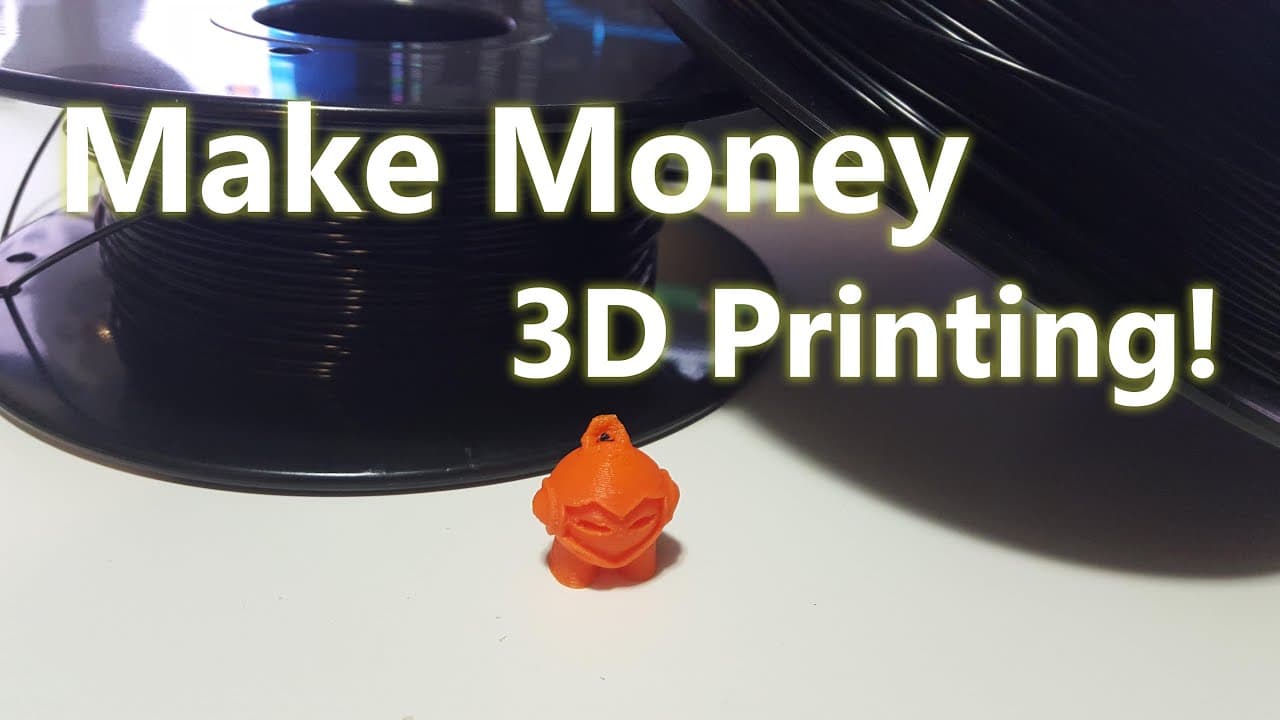
The Marvin keychain serves as an introductory project to familiarize new users with the 3D Hubs platform. By completing this project, users can learn how to upload designs, adjust settings for printing, and understand the end-to-end process of fulfilling an order.
Q: How do I prepare a 3D model for printing?
To prepare a 3D model, first download the design files from 3D Hubs, then use slicing software like Cura, which converts the model into a format that the printer can understand. Adjustments can be made within the slicing software before saving the file to an SD card for printing.
Q: What should I do after printing the item?
After printing, take a photograph of the print alongside a coin for scale, as instructed by 3D Hubs. Then, upload the image to your profile, providing evidence of your work for review, which helps in assessing quality and can influence future ratings.
Q: How does the review process work on 3D Hubs?
Once you submit your completed print along with images, the 3D Hubs team reviews it for quality. The promptness and accuracy of adding details about the print can lead to favorable reviews, impacting your reputation and future order opportunities on the platform.
Summary & Key Takeaways
-
The video introduces 3D Hubs, a platform for connecting individuals with 3D printers to those needing prints. Users can upload designs, receive quotes, and choose between shipping or local pickup.
-
The presenter provides a hands-on tutorial for beginners, detailing the steps to create an account, upload designs, and handle orders, with specific focus on printing a keychain named Marvin.
-
After printing, users must photograph their work and submit it for review to ensure quality and earn a positive rating on the platform.
Read in Other Languages (beta)
Share This Summary 📚
Summarize YouTube Videos and Get Video Transcripts with 1-Click
Try YouTube Summary with ChatGPT & Claude or YouTube Transcript Generator
Explore More Summaries from Novaspirit Tech 📚






Summarize YouTube Videos and Get Video Transcripts with 1-Click
Try YouTube Summary with ChatGPT & Claude or YouTube Transcript Generator