What Are the New Features in Elementary OS 7.1?
TL;DR
Elementary OS 7.1 includes significant improvements such as enhanced accessibility options, a refined notification system, and a user-friendly file manager featuring bulk renaming. The Pantheon desktop provides a polished experience similar to macOS while maintaining unique Linux characteristics. Additionally, support for multiple VPNs and improved application management enhance overall usability.
Transcript
hey guys what's going on it's Don here from Nova Spirit Tech and welcome back to the channel and today we are going to be checking out Elementary OS 7.1 so let's get started now Elementary OS has always been in a really good place for me I started using it since four quickly jumped over to five and I used five and six for a very long time and then ... Read More
Key Insights
- 😚 The refreshed Elementary OS 7.1 demonstrates a commitment to improving user experience through consistent bug fixes and usability enhancements.
- ♻️ The Pantheon desktop environment offers a macOS-like feel while retaining unique characteristics that set it apart from other Linux environments.
- 💪 Accessibility is a strong focus in Elementary OS, providing tailored features for users with vision impairments through customizable color schemes.
- 📁 The introduction of bulk renaming in the file manager significantly enhances productivity for users managing large quantities of files.
- 😚 Elementary OS 7.1's notification system is designed to offer clarity and organization, reducing visual clutter while keeping important updates prominent.
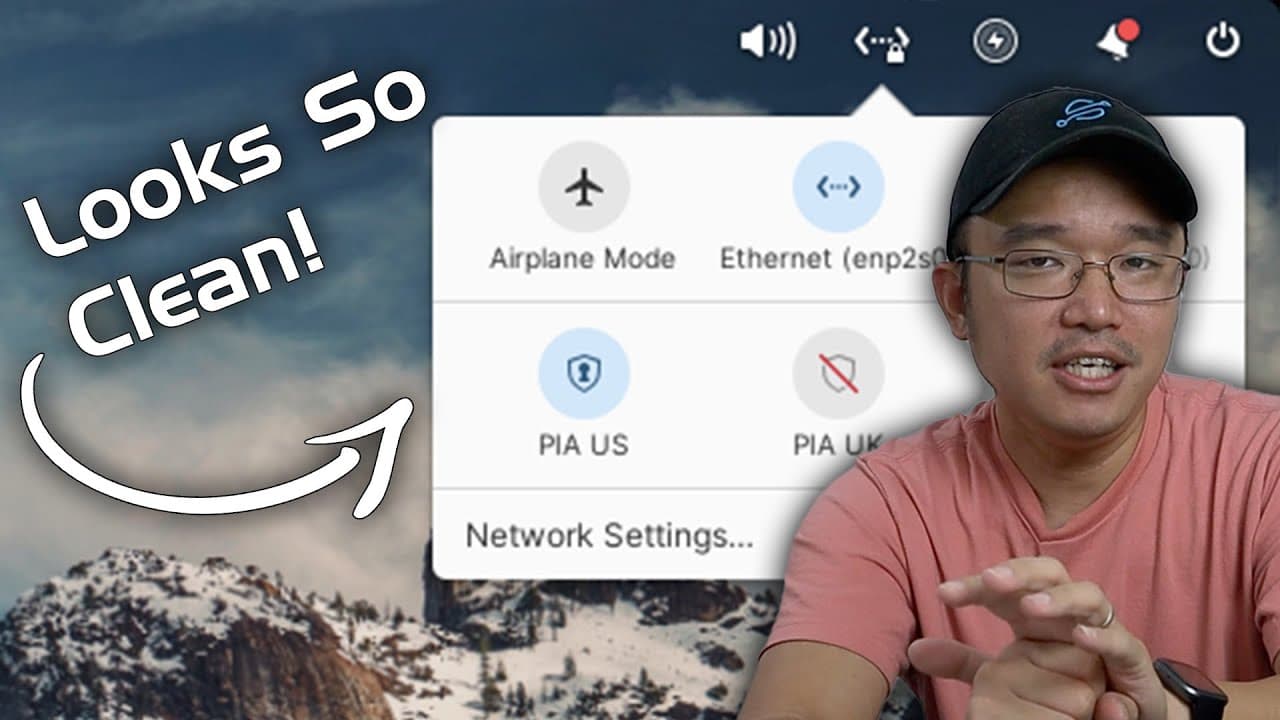
- 👤 Support for multiple VPNs enhances security and usability, catering to privacy-conscious users needing flexibility in network management.
- 🈸 The app center's support for Flatpak allows for easier installation of a wider range of applications, expanding users' software options.
Install to Summarize YouTube Videos and Get Transcripts
Explore YouTube Video Summarizer or Get YouTube Transcript Extractor
Questions & Answers
Q: What are the main improvements in Elementary OS 7.1 compared to version 7.0?
Elementary OS 7.1 introduces a host of improvements from version 7.0, primarily focusing on bug fixes and usability enhancements. Users will appreciate the refined desktop environment, added features like auto-start applications, and better file management options. The increased accessibility for visually impaired users and streamlined notifications also represents a significant step forward.
Q: How does the Pantheon desktop environment differ from other Linux desktop environments?
The Pantheon desktop environment is distinctively designed to provide a polished and user-friendly interface reminiscent of macOS but retains its unique elements. Its design philosophy focuses on simplicity and aesthetic appeal while ensuring usability. This hybrid approach allows users to enjoy a visually attractive desktop without the complexities often found in other Linux environments.
Q: Can you explain the bulk renaming feature in Elementary OS 7.1?
The bulk renaming feature allows users to rename multiple files simultaneously by applying prefixes, suffixes, or number sequences. It eliminates the time-consuming process of renaming files one by one, especially useful for users who manage various media content. This intuitive function streamlines organization and file management within the system.
Q: What accessibility features make Elementary OS a suitable choice for users with vision impairments?
Elementary OS prioritizes accessibility by offering various color schemes and display settings to cater to visually impaired users. By personalizing visual elements, such as contrast and grayscale options, it enhances readability and usability. This thoughtful consideration sets it apart from many other Linux distributions that may lack similar comprehensive features.
Q: How does the notifications system work in Elementary OS 7.1?
The notifications system has been updated to be more user-friendly and visually appealing in 7.1. Notifications are structured in sections to minimize clutter, making it easier to parse through them. As notifications accrue, older ones reduce in size to ensure that important updates remain visible without overwhelming the user experience.
Q: What new functionality has been added to the app center in Elementary OS 7.1?
The app center has introduced the capability to sideload Flatpak apps, allowing users to install applications from sources outside the official library. While the search function for Flatpak remains absent, the process of downloading and installing apps is more streamlined, enhancing flexibility for users who require specific software.
Q: Can users manage multiple VPN connections in Elementary OS 7.1?
Yes, one of the notable features in Elementary OS 7.1 allows users to activate multiple VPN connections simultaneously. This multi-VPN capability is displayed as circular icons within the network feature, enabling straightforward management of various VPNs without needing to disconnect from one to connect to another.
Q: How does Elementary OS 7.1 compare to other operating systems in terms of user experience?
Elementary OS 7.1 is designed to offer an aesthetically pleasing and comfortable user experience, often likened to macOS but distinct in its own right. The updates, enhanced accessibility, and unique features such as picture-in-picture functionality elevate the user experience, making it a compelling option compared to other operating systems.
Summary & Key Takeaways
-
The review discusses the positive updates implemented in Elementary OS 7.1, addressing previous issues seen in version 7.0 and mentioning significant bug fixes that enhance user experience.
-
Key features highlighted include a unique Pantheon desktop environment reminiscent of macOS, improved accessibility options, and enhanced file management functionalities such as bulk renaming.
-
The video also focuses on improved application features like notifications, VPN capabilities, and a refined app center, providing a more streamlined and enjoyable user interface.
Read in Other Languages (beta)
Share This Summary 📚
Summarize YouTube Videos and Get Video Transcripts with 1-Click
Try YouTube Summary with ChatGPT & Claude or YouTube Transcript Generator
Explore More Summaries from Novaspirit Tech 📚






Summarize YouTube Videos and Get Video Transcripts with 1-Click
Try YouTube Summary with ChatGPT & Claude or YouTube Transcript Generator