Is a $10 USB Soldering Iron Worth It for Beginners?
TL;DR
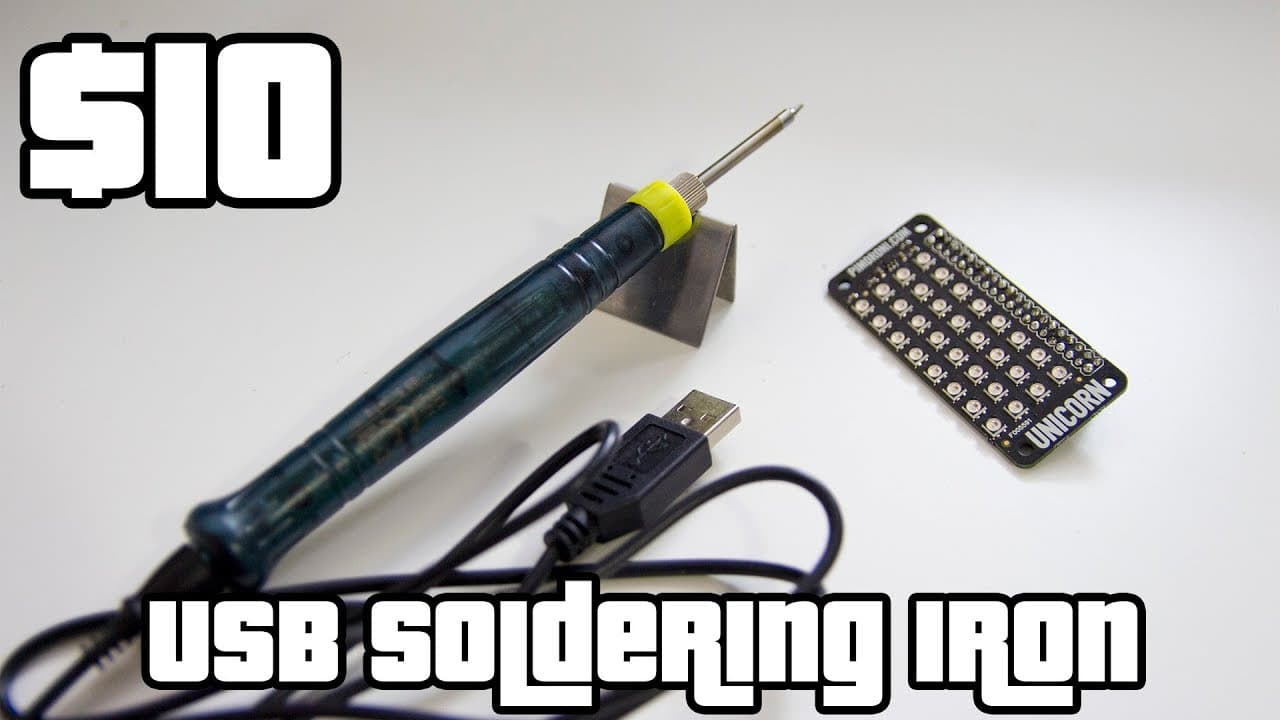
The $10 USB soldering iron heats up in just 15 seconds and performs well for basic soldering tasks, making it a great choice for beginners and DIY enthusiasts. While it lacks temperature control, its portability and effectiveness for small projects are impressive, especially considering its low price.
Transcript
hey guys going on it's down here from Nova spirit Tech and today I'm gonna show you a really cool product I just picked up from Amazon it's a $10 USB soldering iron I don't know if it's any good that's why I'm here to take a look at it now I didn't even open the packaging yet up then you know what it became it came with but yeah I'm about to do thi... Read More
Key Insights
- 🥵 The soldering iron heats up quickly in just 15 seconds, increasing efficiency for quick repairs.
- 👤 Users can charge the soldering iron via any USB outlet, enhancing portability and convenience for field use.
- 🖤 Lack of temperature control could limit the soldering iron’s effectiveness for delicate applications.
- 😘 The product's low price point makes it accessible for hobbyists and beginners in DIY electronics.
- 👤 Initial setup requires no instructions, simplifying the user experience despite some ambiguity regarding function.
- 💦 The review indicates the iron is suitable for basic soldering tasks, like working with circuit boards and small electronics.
- 💁 The tip of the soldering iron produced smoke during initial heating, which is a normal part of the process, signaling proper functioning.
Install to Summarize YouTube Videos and Get Transcripts
Explore YouTube Video Summarizer or Get YouTube Transcript Extractor
Questions & Answers
Q: What are the key features of the USB soldering iron?
The USB soldering iron comes with a convenient stand, a USB charging cable, and a surprisingly long cable length of about five feet. It heats up in approximately 15 seconds and cools down quickly, though it lacks temperature control features commonly found in more expensive models.
Q: How does the soldering iron perform during actual use?
During practical application, the soldering iron heats rapidly and delivers adequate temperature for soldering tasks. The reviewer noted that despite initial skepticism, it performed surprisingly well, allowing for efficient soldering on components like Raspberry Pi's backplane.
Q: What are the drawbacks of this soldering iron?
One major drawback is the absence of temperature control, which may limit its versatility compared to higher-end models. Additionally, the solder provided was described as "cheap" and "thick," which might affect soldering quality for precise applications.
Q: Is the soldering iron portable and convenient for fieldwork?
Yes, the soldering iron’s USB-powered design and quick charge time make it highly portable and convenient for fieldwork. Its lightweight nature allows for easy carrying in a backpack, making it an ideal tool for technicians or hobbyists who need reliable soldering on-the-go.
Q: What was the reviewer's overall impression of the product?
The reviewer was pleasantly surprised by the soldering iron's performance, considering it a good value for its low price. They appreciated its quick heating and cooling times and expressed intent to use it regularly, finding it an excellent addition to their portable tool collection.
Q: How can users find additional tips for the soldering iron?
The reviewer did not find additional tips that fit the soldering iron but suggested that users can likely purchase extra tips separately. This would allow users to adapt the tool for different soldering applications as needed.
Summary & Key Takeaways
-
The review highlights an inexpensive $10 USB soldering iron, showcasing its performance and features. The product includes a USB cable and a stand but lacks instructions.
-
Initial impressions of the soldering iron indicate it heats up quickly, taking only around 15 seconds to be ready for use, and it works effectively on various soldering tasks.
-
Despite lacking temperature control, the reviewer expresses satisfaction with the soldering iron’s functionality and notes its portability, making it a good choice for on-the-go soldering needs.
Read in Other Languages (beta)
Share This Summary 📚
Summarize YouTube Videos and Get Video Transcripts with 1-Click
Try YouTube Summary with ChatGPT & Claude or YouTube Transcript Generator
Explore More Summaries from Novaspirit Tech 📚






Summarize YouTube Videos and Get Video Transcripts with 1-Click
Try YouTube Summary with ChatGPT & Claude or YouTube Transcript Generator