How to turn a text prompt into a working app with Replit Agents
TL;DR
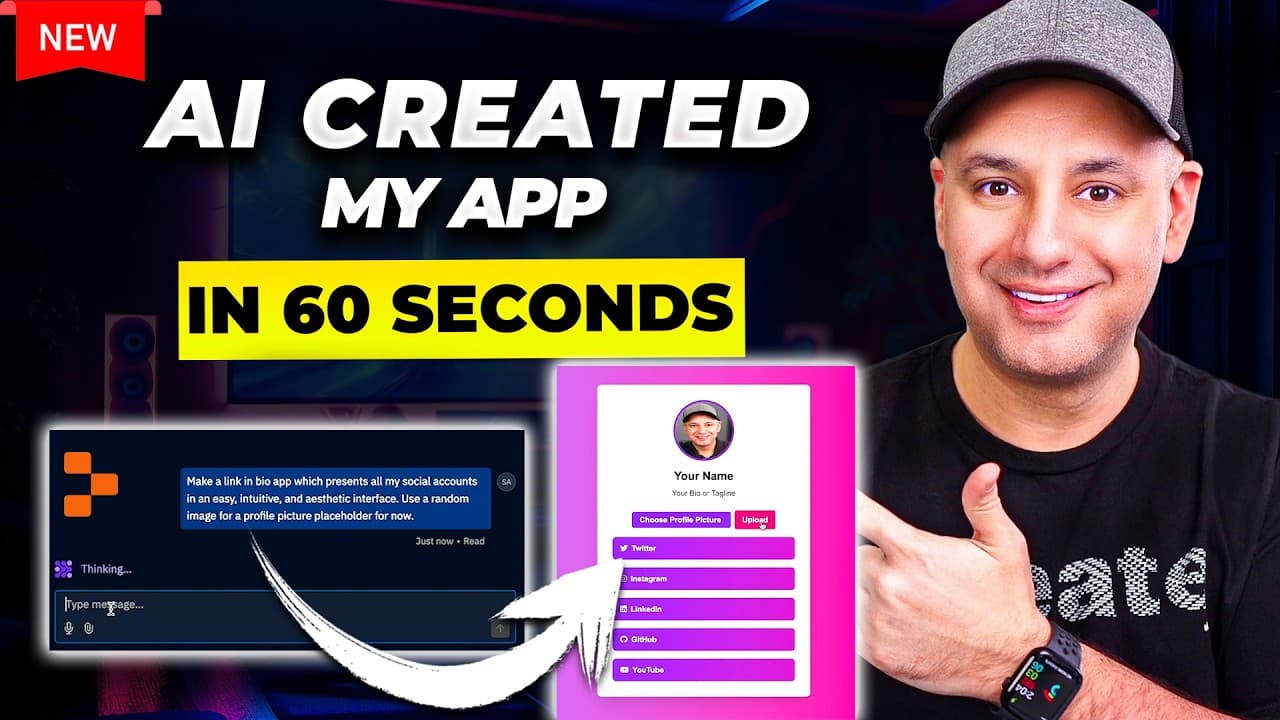
Replit Agents can turn a simple text prompt into a working web app that you can deploy and share. The tutorial demonstrates building a link in bio app, adding features, deploying to production, and customizing a domain. It highlights pricing and the potential audience for no code app creation.
Transcript
there's a brand new AI tool that could turn a single text prompt into a working application that you could publish on the web and share with anyone and in the last couple years I've tested well over a thousand AI tools and I very rarely get blown away by an AI tool but this is one of those cases okay let me show you exactly how this tool works it's... Read More
Key Insights
- Replit Agent accepts a one sentence prompt and generates a working web app prototype.
- The tool can tailor app features by responding to prompts and user selections during the build process.
- Customizing for profile pictures and changing links can be executed within the same session.
- Deployment is supported with options to publish on Replit domain or link a custom domain.
- The platform provides a live preview and mobile view checks to refine layout.
- The initial build writes all necessary files automatically, removing the need to understand folder structures.
- There is a step to view full screen or mobile to evaluate responsiveness.
- Pricing involves a Replit Core subscription and varying production deployment costs.
Install to Summarize YouTube Videos and Get Transcripts
Explore YouTube Video Summarizer or Get YouTube Transcript Extractor
Questions & Answers
Q: How can I turn a text prompt into a deployable app with Replit Agents?
You start with a one sentence prompt describing the app you want, for example a link in bio app. The agent builds an initial prototype, suggests optional features, and lets you toggle them on. After refining, you deploy to production and publish the app on a domain or a custom domain, all without coding.
Q: What kinds of features can you add to the generated app?
The tool asks for optional features during the build, such as customizing the profile picture, changing the display name, and updating links. You can respond to prompts with additional requirements, and the agent adds them to the app’s structure, writing necessary files automatically and updating UI accordingly.
Q: How does deployment work in Replit Agents?
Deployment creates a production URL for the app, with options to name the primary domain, link a custom domain, and view deployment costs. You can deploy the app to a Replit domain or a user domain, and the platform provides analytics for monitoring usage after deployment.
Q: Can you customize the app after it’s built?
Yes, you can continue to customize after the initial build by prompting changes, uploading assets like a profile picture, and adjusting text such as the name or links. The interface supports back and forth edits similar to a chat, enabling iterative refinement without coding.
Q: What is the learning curve for non developers using Replit Agents?
The workflow is designed for non developers, using a conversation style prompt to guide app creation. Users describe the desired app, confirm or adjust features through a simple UI, and preview results in real time, reducing the need to understand code structure or file systems.
Q: Is there a cost to using Replit Agents for building apps?
Access to the tool requires a Replit Core subscription, which is mentioned as a paid option in the video. The cost is associated with deploying to production and hosting on the chosen domain, with different tiers offering varied levels of resources and exposure.
Q: What kinds of users would benefit most from Replit Agents?
Entrepreneurs, marketers, and content creators can rapidly prototype and publish apps without coding expertise. The ability to customize, deploy, and share a working app supports quick testing of ideas, collecting feedback, and validating concepts in a live environment.
Q: What is shown as a practical example in the video?
The video demonstrates building a link in bio app that showcases social media profiles. It walks through adding a profile picture, updating links, and deploying to a domain. The example ends with a live domain and a shareable app, illustrating the end-to-end process from prompt to production.
Summary & Key Takeaways
-
The video demonstrates turning text prompts into deployable apps using Replit Agents, highlighting a no-code workflow from idea to published product.
-
The presenter shows incremental enhancements, including profile picture customization and link updates, illustrating how prompts guide feature inclusion.
-
The deployment process is covered, including domain linking, production deployment, and basic analytics, showcasing a practical path from concept to public access.
Read in Other Languages (beta)
Share This Summary 📚
Summarize YouTube Videos and Get Video Transcripts with 1-Click
Try YouTube Summary with ChatGPT & Claude or YouTube Transcript Generator
Explore More Summaries from Skill Leap AI 📚






Summarize YouTube Videos and Get Video Transcripts with 1-Click
Try YouTube Summary with ChatGPT & Claude or YouTube Transcript Generator