Is the Raspberry Pi 4 8GB Worth the Upgrade?
TL;DR
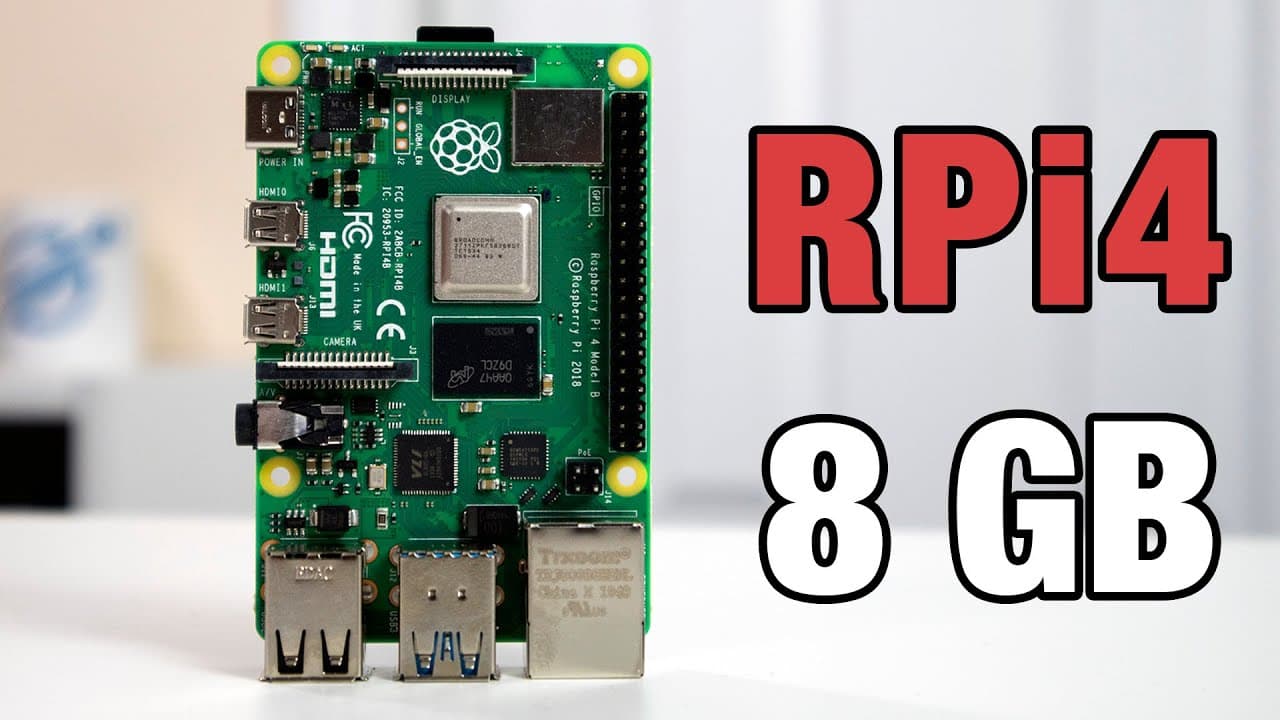
The Raspberry Pi 4's 8GB model is ideal for users needing more RAM for intensive tasks, such as compiling or running multiple applications, offering enhanced performance. However, existing 4GB users may find their model sufficient unless their needs demand more memory. The transition to Raspberry Pi OS with 64-bit support allows better utilization of the 8GB, but it's still in beta and may have bugs.
Transcript
hey guys what's going on it's not here from Nova spirit second and welcome back to the channel and today we are gonna be checking out the Raspberry Pi for 8 gigabyte so let's get started so before we begin I do want to thank micro Center for sending me over this board they've been a huge help to this channel as far as sending me components like thi... Read More
Key Insights
- ❣️ The Raspberry Pi 4’s 8GB model enhances multitasking and is ideal for heavy application needs.
- 😚 The transition from Raspbian to Raspberry Pi OS introduces 64-bit support, improving performance for compatible applications.
- ✊ Users looking for greater processing power for applications such as media servers may find significant advantages with the 8GB model.
- 😒 Current owners of the 4GB version may not feel the need to upgrade unless their use case requires more RAM.
- ♓ Compiling software directly on the 8GB Raspberry Pi is notably more efficient, as it offers more memory for resource-intensive tasks.
- 👤 The updated Raspberry Pi OS is still in beta, indicating it may have some stability issues and bugs that users should be aware of.
- 👤 The price disparity between Raspberry Pi models reflects their intended use cases and target user needs, making it easier for users to choose based on their requirements.
Install to Summarize YouTube Videos and Get Transcripts
Explore YouTube Video Summarizer or Get YouTube Transcript Extractor
Questions & Answers
Q: What is the significance of the 8GB RAM in the Raspberry Pi 4?
The 8GB RAM allows for better performance in multi-tasking and running memory-intensive applications compared to lower RAM models. Users who compile software, run Docker containers, or utilize server components will experience enhanced efficiency with the added RAM, avoiding performance bottlenecks.
Q: How does Raspberry Pi OS differ from the previous version, Raspbian?
Raspberry Pi OS is a rebranded version of Raspbian that supports 64-bit applications, although it remains in beta with mixed 32-bit support. This update means users with the 8GB model can better utilize available RAM. There are also new features like a magnifier and a bookshelf application for reading.
Q: Should existing Raspberry Pi 4 users upgrade to the 8GB model?
Upgrading to the 8GB model is generally not necessary for those already using the 4GB version, as it suffices for most lightweight applications. However, users who run demanding applications or need to execute numerous processes simultaneously might benefit from the extra RAM.
Q: What new features are included in the Raspberry Pi 4's OS update?
The updated Raspberry Pi OS includes a magnifier feature and a bookshelf application, enhancing user experience, especially for those needing accessibility options or wanting to read digital magazines. This reflects Raspberry Pi's commitment to improving user functionalities.
Summary & Key Takeaways
-
The Raspberry Pi 4 now has an 8GB model which offers enhanced capabilities, especially for users requiring more RAM for intensive tasks or projects.
-
Raspberry Pi OS is transitioning from Raspbian to a 64-bit operating system during its beta phase, allowing users to take full advantage of the 8GB of RAM.
-
While the 8GB model is a step up for Raspberry Pi 3 users, existing 4GB model owners may find it sufficient for general use unless heavy applications are required.
Read in Other Languages (beta)
Share This Summary 📚
Summarize YouTube Videos and Get Video Transcripts with 1-Click
Try YouTube Summary with ChatGPT & Claude or YouTube Transcript Generator
Explore More Summaries from Novaspirit Tech 📚






Summarize YouTube Videos and Get Video Transcripts with 1-Click
Try YouTube Summary with ChatGPT & Claude or YouTube Transcript Generator