How to Get Started with Camtasia for Video Editing
TL;DR
Camtasia is a powerful screen recording and video editing tool that simplifies media import and editing. Users can easily navigate its features to add effects, annotations, and enhance audio, making it suitable for creating engaging videos. Start experimenting with your footage to take full advantage of its capabilities.
Transcript
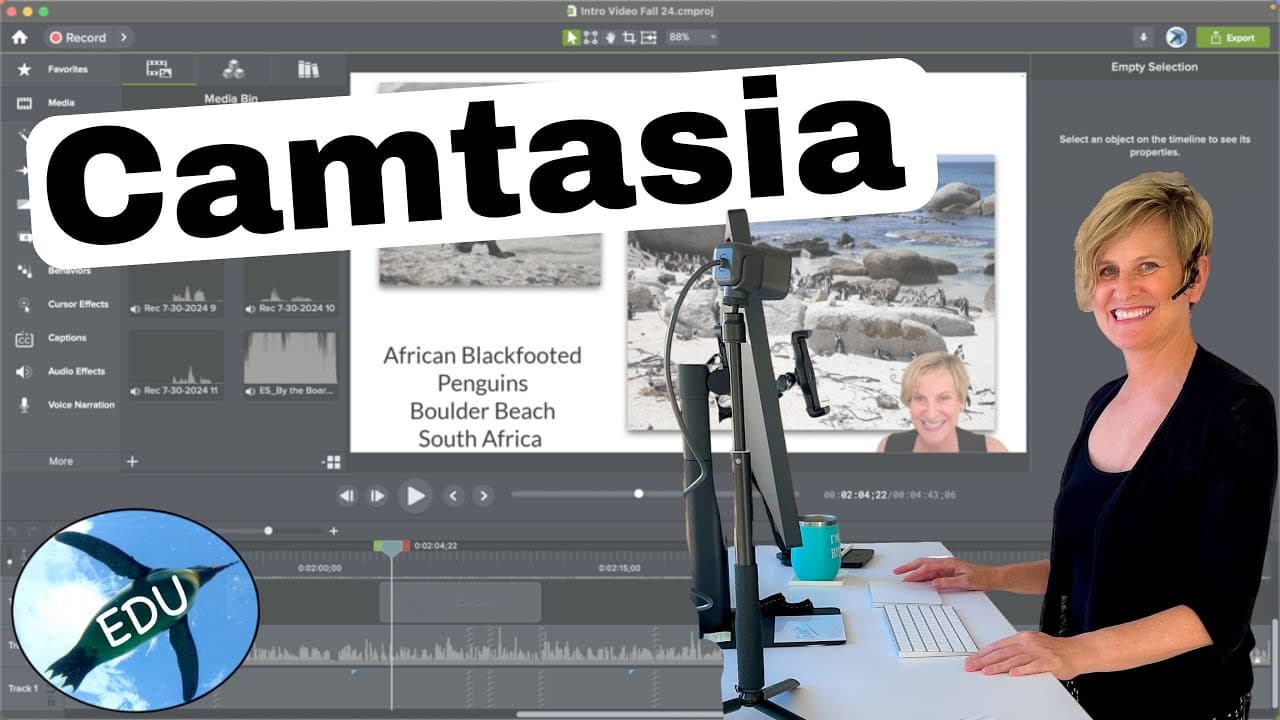
Hello and welcome to your introduction to Camtasia. Camtasia is a screen recorder as well as a very powerful video editor, and this video is going to be just an overview, lay of the land. Don't be too scared. There is a learning curve with this, but the software is extremely powerful. And once you start using it, you'll see why it's like one of ... Read More
Key Insights
- 🎮 Camtasia is a powerful video editor and screen recorder with a learning curve but offers extensive editing capabilities.
- 🫵 The software provides a main navigator, viewer, player controls, and timeline for easy navigation and editing.
- 🔉 Users can import and access their favorite media files from the library, such as backgrounds and sound effects.
- 🎮 Various editing options, such as annotations, transitions, animations, and cursor effects, help enhance and animate videos.
- 👻 Audio editing options, including voice narrations and audio effects, allow users to improve the audio quality of their videos.
- 🎮 The software also offers interactivity features for creating quizzes and interactive elements in videos.
- 🎮 Visual effects, such as adding frames, borders, and removing colors, can be applied to enhance the visual appearance of videos.
Install to Summarize YouTube Videos and Get Transcripts
Explore YouTube Video Summarizer or Get YouTube Transcript Extractor
Questions & Answers
Q: What is Camtasia and what does it offer?
Camtasia is a screen recorder and video editor that provides powerful editing features. It allows users to record their screen, import media, add effects, and edit videos.
Q: How can media be imported into Camtasia?
Media can be imported into Camtasia using the library option, where users can import their favorite backgrounds, sound effects, and other media files. These imported elements can be accessed and used in multiple projects.
Q: What are some of the editing options available in Camtasia?
Camtasia offers various editing options, such as adding annotations, shapes, labels, lines, and arrows. Users can also apply transitions, behaviors, animations, and cursor effects to enhance their videos.
Q: What audio editing options are available in Camtasia?
Users can add voice narrations to their videos, adjust audio effects like fade-in and fade-out, and modify aspects of the audio recording to improve the overall quality of the video.
Summary & Key Takeaways
-
Camtasia is a screen recorder and video editor that offers powerful editing capabilities.
-
The software includes a main navigator, viewer, player controls, and timeline for making changes to the project.
-
Users can import media, such as backgrounds and videos, and easily edit and enhance them using various tools and effects.
Read in Other Languages (beta)
Share This Summary 📚
Summarize YouTube Videos and Get Video Transcripts with 1-Click
Try YouTube Summary with ChatGPT & Claude or YouTube Transcript Generator
Explore More Summaries from ThePenguinProf 📚
Summarize YouTube Videos and Get Video Transcripts with 1-Click
Try YouTube Summary with ChatGPT & Claude or YouTube Transcript Generator