What Is BashTop and How Does It Enhance System Monitoring?
TL;DR
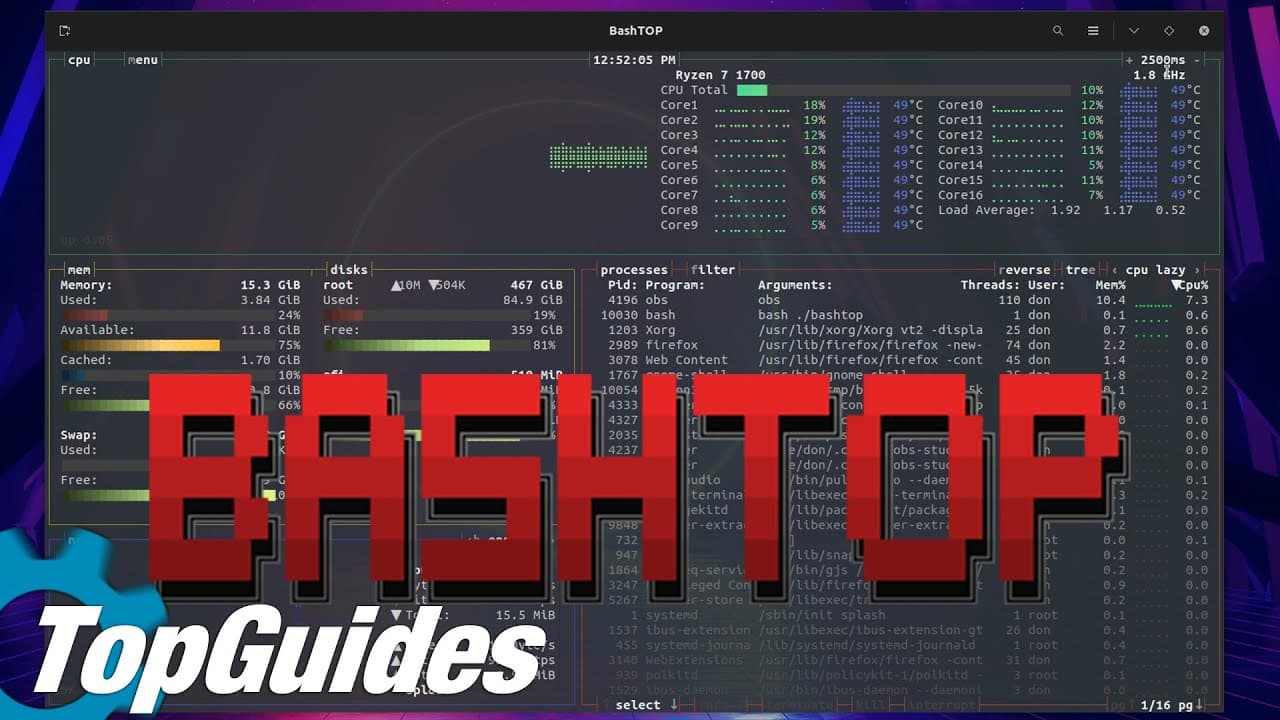
BashTop is a visually appealing CLI system monitor that combines aesthetics and functionality, offering customizable themes and real-time data on CPU, memory, and network usage. Its user-friendly design allows easy installation and efficient management of system processes, making it a flexible alternative to traditional CLI monitors.
Transcript
hey guys what's going on it's down here from Nova spirit second welcome back to the channel and today we are gonna be doing another top guides or top tweaks I still haven't thought of a name for it but today we're gonna be checking out a program called bash top solid let's get started before we begin I do want to thank my sponsor for this video whi... Read More
Key Insights
- ❓ Bash Top is an innovative CLI system monitor that prioritizes both aesthetics and functionality.
- 👻 Customization options allow users to tailor the monitor's appearance and performance metrics according to personal preferences.
- ⌛ The program provides real-time data about various system components, including CPU, memory, and network usage.
- 👤 Easy installation through commands makes Bash Top accessible for both novice and experienced users.
- 😫 Bash Top's graphical representation sets it apart from the more traditional text-based system monitors.
- 👤 Active community support, including GitHub links, facilitates updates and troubleshooting for users.
- 👤 Users can efficiently manage system processes directly within Bash Top, enhancing system administration tasks.
Install to Summarize YouTube Videos and Get Transcripts
Explore YouTube Video Summarizer or Get YouTube Transcript Extractor
Questions & Answers
Q: What are the main advantages of using Bash Top compared to other system monitors?
Bash Top stands out due to its visually appealing interface that presents system data attractively, unlike traditional options like top or htop. The program offers customization options, such as user-defined themes and easy navigation through hotkeys, making it not only functional but also enjoyable to use, especially for those who value aesthetics in command-line tools.
Q: How can users install Bash Top on their systems?
To install Bash Top, users need to ensure that they have some dependencies like bash core utilities and git. Once the dependencies are confirmed, the installation involves cloning the Bash Top GitHub repository or downloading it as a zip file and running the compile commands. The specific command for a straightforward installation entails downloading, navigating to the directory, and executing the 'make install' command.
Q: What features can users expect from Bash Top?
Users can expect a range of features from Bash Top, including real-time CPU monitoring, memory usage statistics, and attractive graphical elements to display system metrics. Customization is a key feature, allowing users to modify the appearance through theming, and the ability to check and manage network resources adds to its utility as a comprehensive monitoring tool.
Q: Is there a way to customize the appearance of Bash Top?
Yes, Bash Top allows for extensive customization. Users can press certain keys to access the theming options, enabling them to change colors and organize the displayed information to suit their preferences. This level of customization enhances user experience, making it easier to view and manage system processes effectively.
Q: Can Bash Top be used for monitoring network resources?
Yes, Bash Top includes functionalities for monitoring network usage alongside traditional CPU statistics. Users can easily view and switch between different network interfaces, such as loopback, Ethernet, and others, allowing for a comprehensive overview of both CPU and network performance.
Q: What should new users know about using Bash Top?
New users should familiarize themselves with the layout and hotkeys of Bash Top. The interface is designed to be intuitive, but understanding the available commands for terminating processes and customizing displays will enhance usability. Accessing help within the application can provide newcomers with quick guidance on navigating its features.
Summary & Key Takeaways
-
Bash Top is introduced as a visually appealing alternative to traditional CLI system monitors such as top and htop, emphasizing its user-friendly design and graphical representation of system data.
-
The host details the installation process, mentioning required dependencies and providing simple commands for downloading and executing the program, making it accessible for users.
-
Features such as CPU monitoring, customizable theming, and easy-to-use hotkeys make Bash Top a practical tool for monitoring system performance, with a focus on aesthetics and functionality.
Read in Other Languages (beta)
Share This Summary 📚
Summarize YouTube Videos and Get Video Transcripts with 1-Click
Try YouTube Summary with ChatGPT & Claude or YouTube Transcript Generator
Explore More Summaries from Novaspirit Tech 📚






Summarize YouTube Videos and Get Video Transcripts with 1-Click
Try YouTube Summary with ChatGPT & Claude or YouTube Transcript Generator