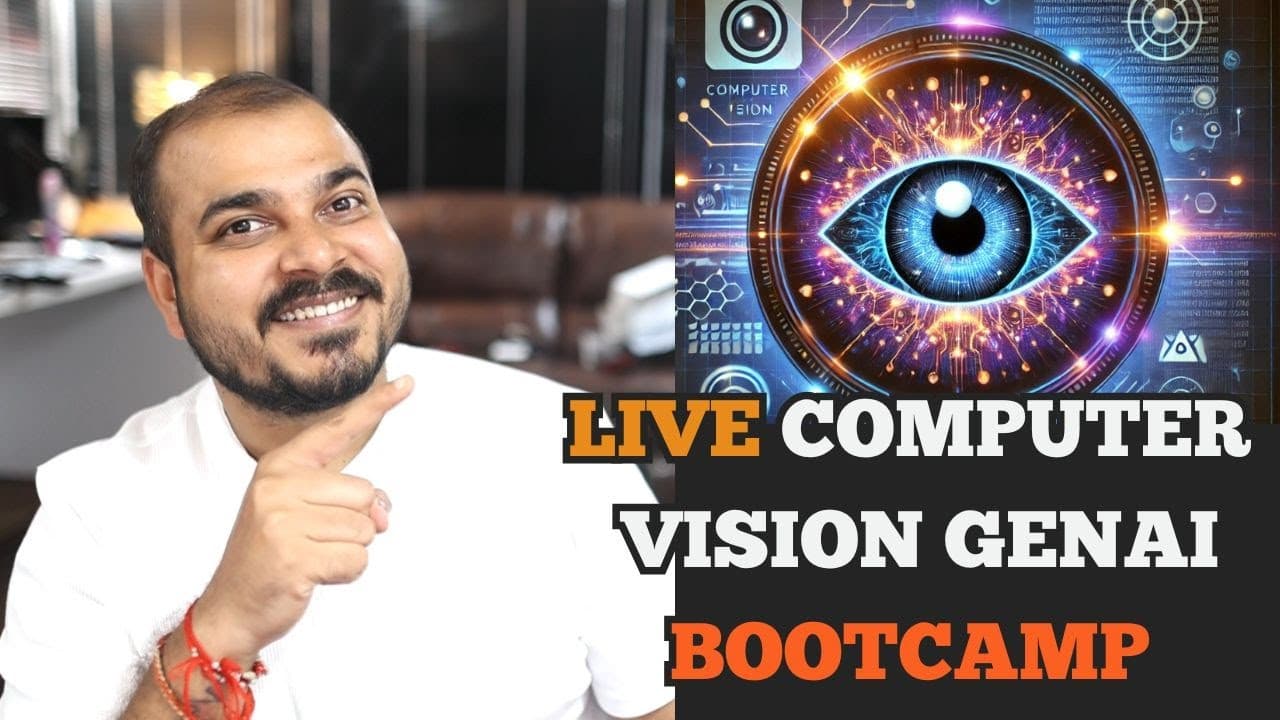
How Is Image Processing Taught in the Computer Vision With Generative AI Bootcamp Demo Lecture?
TL;DR
Image processing is taught through a live Computer Vision With Generative AI Bootcamp session that combines basic software concepts, doubt clearing, and progressively advanced topics. The four-hour session explains terminals, notebooks, scripts, and VS Code before covering color spaces such as HSV, color thresholding, contours, rotation, and shifting. Read on to understand the recommended experimentation-to-production workflow and the session’s technical agenda.
Transcript
hello all my name is Krish naak and welcome to my YouTube channel so guys uh recently as you all know uh I had actually announced two amazing live boot camps uh one was with respect to computer vision with generative Ai and one was with respect to Advanced NLP with generative AI now in this specific video many people were also asking Kish please ca... Read More
Key Insights
- A terminal is a command-based interface for navigating folders and executing programs. Examples named in the session include CMD, zsh, Git Bash, and PowerShell, while running a Python file requires both a suitable command prompt and Python installed on the system.
- A plain text editor is suitable for writing or editing programs and text files in different extensions. The session distinguishes it from development environments because it does not provide the same built-in ability to run or debug the code being edited.
- VS Code is an editor and an integrated development environment that can write, edit, run, and debug code. It also supports multiple languages and community-created extensions, allowing developers to expand its capabilities for areas such as machine learning and natural language processing.
- A Python notebook is an interactive document that runs code one cell at a time. Each cell can be tested independently while remaining connected to the Python environment installed on the system, which makes the format useful for learning and experimentation.
- A Python script runs the program as a complete unit when executed through a terminal command. Unlike a notebook, it does not depend on a person manually running individual cells, so the session presents scripts as the appropriate format for deployment.
- The notebook-to-script workflow begins with multiple experiments and ends by selecting the best-performing approach. Only the code required for the chosen application is transferred into a final Python file, while unnecessary experiments and diagnostic print statements are left behind.
- The image-processing agenda includes additional color spaces such as HSV, color thresholding, contours, and image augmentation. Rotation and shifting are specifically identified as augmentation operations to be covered before the course moves to convolutional neural networks.
- Doubt clearing is integrated into the live bootcamp session alongside instruction from basic concepts to more advanced material. The uploaded session is intended to demonstrate the teaching flow, the handling of participant questions, and the way technical topics are explained.
Install to Summarize YouTube Videos and Get Transcripts
Explore YouTube Video Summarizer or Get YouTube Transcript Extractor
Questions & Answers
Q: How should notebooks and Python scripts be used in computer vision projects?
Use a Python notebook to experiment interactively and run code one cell at a time. After selecting a successful approach, move only the required application code into a Python script so it can run as a complete program through a terminal.
Q: What does the Computer Vision With Generative AI Bootcamp demo lecture cover?
The session covers the software used during experimentation and production, followed by image-processing topics. Its agenda includes color spaces such as HSV, color thresholding, contours, and augmentation operations such as rotation and shifting.
Q: Why are Python notebooks useful for experimentation?
A notebook divides code into cells that can be executed individually. This allows learners to test each operation, inspect its result, and handle an error at the step where it occurs.
Q: Why are Python scripts more suitable for deployment than notebooks?
A Python script runs the required program as a complete unit through a terminal. A notebook normally depends on someone executing cells interactively, so the instructor recommends transferring the selected application logic into a focused script for deployment.
Q: How do you run a Python script from a terminal?
First use the terminal to move to the folder containing the Python file. Then run a command using Python and the file name; this requires both a command prompt and Python installed on the system.
Q: What is the difference between a terminal, a plain text editor, and VS Code?
A terminal accepts commands for navigating folders and executing programs, while a plain text editor can write and edit files but does not provide the same running or debugging capabilities. VS Code supports writing, editing, running, and debugging code and can also provide an integrated terminal.
Q: Which terminals are mentioned in the bootcamp session?
The session names CMD, zsh, Git Bash, and PowerShell as command-line environments. It also explains that Git Bash can provide a Linux-like command-line interface on Windows after Git is installed.
Q: What image-processing topics come before convolutional neural networks in the course?
The planned topics include deeper work with HSV and other color spaces, color thresholding, contours, and image augmentation. Rotation and shifting are specifically named, with convolutional neural networks planned for the next class after completing image processing.
Summary & Key Takeaways
-
The session begins by clarifying the software used during computer vision development. It distinguishes terminals, plain text editors, VS Code, Python notebooks, Python scripts, and installed Python environments. The instructor emphasizes how these components connect, including how VS Code can access both notebooks and the same terminal available outside the editor.
-
Python notebooks support interactive, cell-by-cell execution, making them useful for experimentation, learning, debugging individual steps, and sharing work during early development. Python scripts execute the required program as a complete unit through a terminal. The instructor recommends converting successful notebook experiments into concise scripts before using them in production or deployment.
-
The image-processing agenda includes deeper coverage of color spaces such as HSV, color thresholding, contours, and augmentation techniques including image rotation and shifting. These topics continue the earlier introduction to loading and saving images with PIL and OpenCV. The planned progression moves from image processing toward convolutional neural networks in the following class.
Read in Other Languages (beta)
Share This Summary 📚
Summarize YouTube Videos and Get Video Transcripts with 1-Click
Try YouTube Summary with ChatGPT & Claude or YouTube Transcript Generator
Explore More Summaries from Krish Naik 📚

Summarize YouTube Videos and Get Video Transcripts with 1-Click
Try YouTube Summary with ChatGPT & Claude or YouTube Transcript Generator