How to Use a Raspberry Pi Zero Dongle Case Effectively?
TL;DR
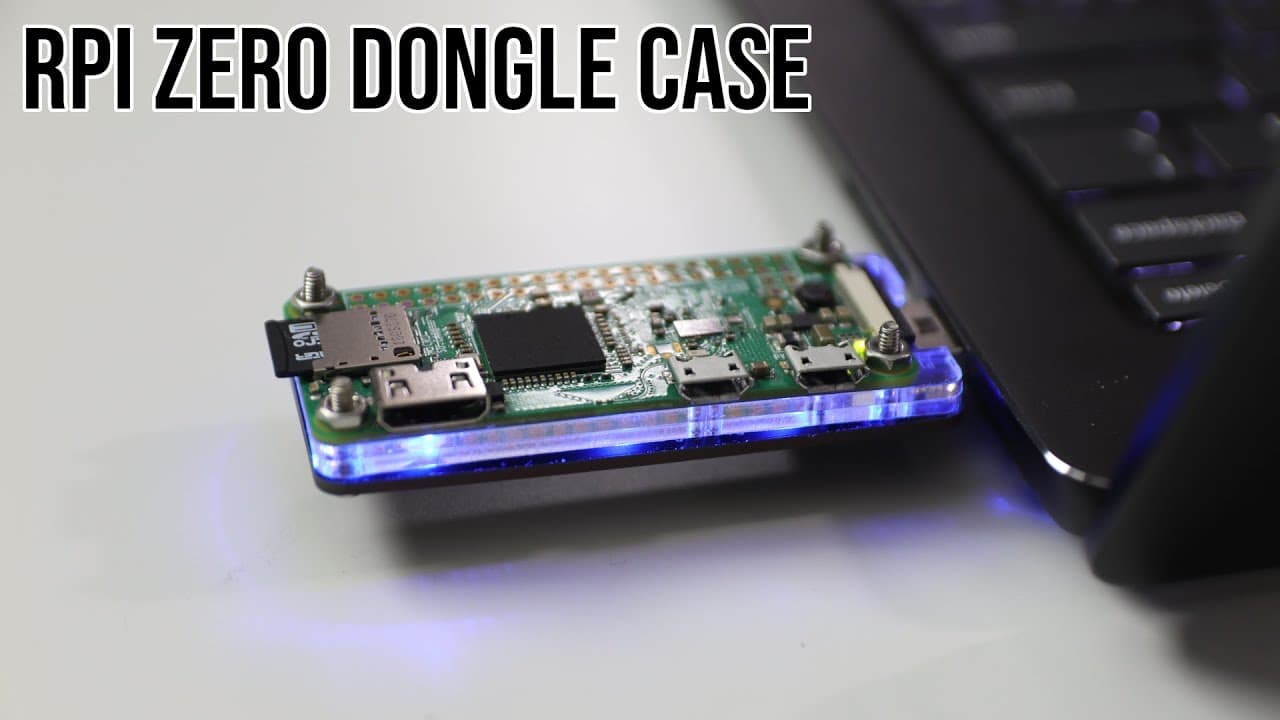
The Raspberry Pi Zero dongle case converts the device into versatile USB gadgets for various projects, such as a macro keyboard or portable KVM. Key challenges include assembly issues with incorrect parts and connectivity difficulties on Windows, particularly with device recognition and changing MAC addresses. Solutions involve adjusting drivers and modifying configuration files for more seamless operation.
Transcript
hey guys don here from nova spare tech and welcome back to the channel and today we are going to be taking a look at the raspberry pi zero dongle case so let's get started now i've actually created one of these things back in 2016 before these cases was even available where i actually soldered the connection in and put a usb dongle actually i found... Read More
Key Insights
- ♓ The presenter shares a historical perspective, revealing their initial creation of a Raspberry Pi Zero dongle setup back in 2016, highlighting the evolution of available products since then.
- 👻 Functional versatility of the Raspberry Pi Zero through the dongle case is emphasized, allowing diverse applications beyond simple connectivity.
- 🧑🦽 The need for reliable components and accurate instruction manuals emerges, as discrepancies can greatly affect usability and assembly quality.
- 👤 Changing MAC addresses during reconnections present notable challenges, necessitating user diligence in managing network configurations and connections.
- 💁 Continuous updates to Windows can significantly alter compatibility and function, showcasing the importance of staying informed about software changes.
- 💯 A single-core CPU's inherent limitations are discussed, emphasizing the need for optimization and practical expectations when utilizing the Raspberry Pi as a desktop substitute.
- 👶 By maintaining an active engagement with the Raspberry Pi community and exploring new projects, the presenter fosters a culture of sharing knowledge and troubleshooting within tech enthusiasts.
Install to Summarize YouTube Videos and Get Transcripts
Explore YouTube Video Summarizer or Get YouTube Transcript Extractor
Questions & Answers
Q: What are the key challenges faced while assembling the Raspberry Pi Zero dongle case?
The main challenge noted in the video was receiving two bottom shields instead of the necessary middle shield, leading to improper assembly. This resulted in gaps in the structure and made it visually unappealing. Recognizing that the incorrect parts hindered functionality was crucial for the presenter in evaluating the product's usefulness.
Q: How can the Raspberry Pi Zero be utilized with this dongle case?
The dongle case allows users to repurpose the Raspberry Pi Zero as various USB devices, such as USB gadget devices or network devices. This versatility enables a range of projects, allowing users to create customized solutions like macro keyboards or portable KVM setups to enhance their tech environment.
Q: What difficulties are encountered when connecting the Raspberry Pi dongle to Windows?
The video discusses challenges introduced by Windows updates since version 1903, where Raspberry Pi does not register properly as an RNDIS device, often appearing instead as a COM device. The solution involves downloading drivers and updating the COM device drivers for proper identification to enable functionalities like network sharing.
Q: What steps are involved in sharing internet with the Raspberry Pi?
When sharing internet from a desktop to the Raspberry Pi, users must navigate the fluctuating MAC address that changes upon reconnection. Users must re-establish the sharing settings each time it is unplugged unless they modify config files to set a static IP, which requires additional manual tweaks.
Q: What future projects does the presenter mention concerning the Raspberry Pi?
The presenter hints at their attempts to optimize the Raspberry Pi for use as a desktop computer. They aim to improve boot times and overall functionality, sharing their ongoing experiences with stacking SSDs and addressing the inherent limitations of the device due to its single-core CPU.
Q: Why does the presenter recommend purchasing from 52pi?
The presenter recommends 52pi due to the official case design and accurate instructions that are aligned with their products. They encountered discrepancies with the company’s parts they received, leading them to advocate for purchasing from a source that provides reliable support and quality components.
Q: What does the presenter say about the customization of the dongle setup?
The presenter outlines plans to enhance their dongle setup by integrating 3D printing to create custom parts. This includes modifying the casing to accommodate HDMI connections and making the setup more portable. They seek to balance form and functionality for an improved KVM solution.
Summary & Key Takeaways
-
The presenter shares their experience with a Raspberry Pi Zero dongle case, noting issues with receiving incorrect parts, specifically receiving duplicate bottom shields without a necessary middle shield.
-
They discuss various use cases for the dongle, including transforming a Raspberry Pi Zero into different USB devices, as well as its potential for creating portable setups like the Pi KVM setup.
-
Certain challenges related to connectivity with Windows machines are highlighted, specifically issues with device recognition and the changing MAC address during connections, along with possible solutions.
Read in Other Languages (beta)
Share This Summary 📚
Summarize YouTube Videos and Get Video Transcripts with 1-Click
Try YouTube Summary with ChatGPT & Claude or YouTube Transcript Generator
Explore More Summaries from Novaspirit Tech 📚






Summarize YouTube Videos and Get Video Transcripts with 1-Click
Try YouTube Summary with ChatGPT & Claude or YouTube Transcript Generator