How to auto post to 9 socials with a free template
TL;DR
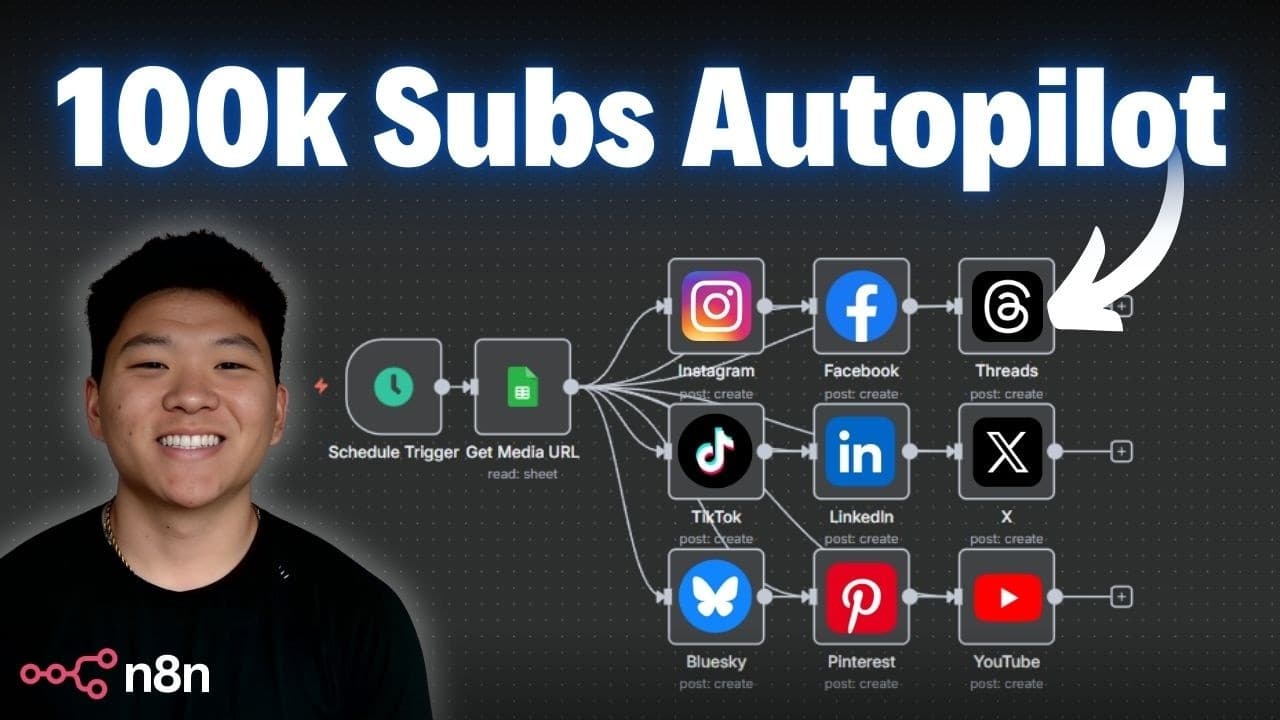
Auto posting across nine social channels is possible with a ready-to-use n8n workflow and a free Blotato-based template. The video walks through connecting accounts, generating API keys, and using a Google Sheet as the content source to publish to multiple platforms, with optional content creation automation for future posts.
Transcript
Today, I'm going to show you guys exactly how I built this system so that I can auto post content on nine different social channels. I'm also going to give you guys all the resources that you need to set this up for free so that all you'll have to do is connect your own, you know, content and media that you want to upload and then just log into you... Read More
Key Insights
- Blotato nodes enable drip feeding to multiple social platforms from a single workflow, reducing the need for separate HTTP requests across networks. This creates a centralized posting system that scales with additional channels.
- The key to seamless automation is authenticating and configuring credentials for each connected account within the workflow, so the bot can publish to all chosen platforms without manual sign-ins during execution.
- Using a Google Sheet as a source of truth for content and status allows the workflow to select the correct row and prevent duplicate posting, ensuring predictable scheduling and posting cadence.
- Setting a ready to post status in the sheet acts as a control mechanism that gates which rows get processed, enabling staged or staggered publishing across channels.
- The system supports media handling from Google Drive or direct URLs, offering flexibility in how media is sourced and passed to the posting nodes for each platform.
- Pinterest requires a board ID, which the video shows how to obtain by inspecting the page flow to extract the board ID, illustrating platform-specific quirks.
- The new verified community node feature simplifies automation by reducing setup complexity and enabling smoother posting to supported networks through the n8n ecosystem.
- Pairing automated posting with automated content creation can dramatically reduce manual effort, letting creators focus on ideation while the system handles distribution.
- More videos from this channel:
- More from this channel: Nate Herk | AI Automation
Install to Summarize YouTube Videos and Get Transcripts
Explore YouTube Video Summarizer or Get YouTube Transcript Extractor
Questions & Answers
Q: What is the main benefit of using the nine-social auto post workflow shown in the video?
The main benefit is the ability to post content automatically to nine different social platforms from a single workflow, using a free template and a Google Sheet as the content source, which eliminates the need for multiple manual HTTP requests and separate setups for each network.
Q: How does the workflow determine which content to post from the Google Sheet?
The workflow looks for rows with a ready to post status, pulls the first matching row, and uses the title, media, and caption from that row to create posts across the connected platforms, avoiding bulk posting and ensuring controlled publishing cadence.
Q: What role do Blotato and the nine social nodes play in this setup?
Blotato acts as the media handling and posting service, while the nine social nodes represent the individual platform connections within the workflow. The system uploads media to Blotato and then creates posts on each connected platform through their respective nodes.
Q: What is required to start posting to your accounts with this template?
You need to sign into the supported social profiles, generate an API key for Blotato, and paste that API key into the credentials for each of the potato nodes. Then connect the accounts in Potato and configure the respective platform settings.
Q: How can Google Drive media be used in this workflow?
If you store media in Google Drive, you extract the file ID and pass a Google Drive URL and ID into the workflow so Blotato can access and post the media to the connected platforms, otherwise you can feed a direct media URL or binary data.
Q: What is a Pinterest-specific step mentioned in the video?
Pinterest requires a board ID, which the video explains obtaining by inspecting the network activity on the Pinterest page, filtering for boards, and copying the board ID to use in the Pinterest node of the workflow.
Q: What is the suggested approach to ensure posts are not posted all at once?
The video suggests using the sheet status and a first-match rule to pull one row at a time, or scheduling multiple triggers at intervals to post groups of posts, thereby preventing a mass posting across all channels at once.
Q: What additional benefit is mentioned when pairing content creation with posting automation?
Pairing content creation with posting automation can grow an audience on autopilot by keeping channels active and fresh, while the content generation runs in the background and the posting occurs automatically across nine platforms.
Summary & Key Takeaways
-
The video explains a ready-to-use n8n automation that posts content to nine social platforms from a single workflow, using a free template and Google Sheets as the content source. It emphasizes easy setup, account connections, and avoiding manual HTTP requests. The system supports posting to multiple networks automatically once configured.
-
It demonstrates enabling verified community nodes, creating credentials for each connected platform, and ensuring posts are marked in a Google Sheet as ready to post so the workflow pulls the correct row.
-
The presenter notes the value of pairing content creation with posting to automate audience growth, while acknowledging limitations and suggesting a future-proof setup that minimizes manual intervention while maintaining control over errors and posting status.
Read in Other Languages (beta)
Share This Summary 📚
Summarize YouTube Videos and Get Video Transcripts with 1-Click
Try YouTube Summary with ChatGPT & Claude or YouTube Transcript Generator
Explore More Summaries from Nate Herk | AI Automation 📚






Summarize YouTube Videos and Get Video Transcripts with 1-Click
Try YouTube Summary with ChatGPT & Claude or YouTube Transcript Generator