How to Automate Web Work With Claude in Chrome

TL;DR
Claude’s Chrome extension can automate repeatable browser work by recording actions as shortcuts and scheduling them to run while the computer and browser remain active. It can handle customer service chats, collect recurring analytics, triage Gmail, manage calendars, organize Google Drive files, and gather information across tabs, although important outgoing messages should still receive human review.
Transcript
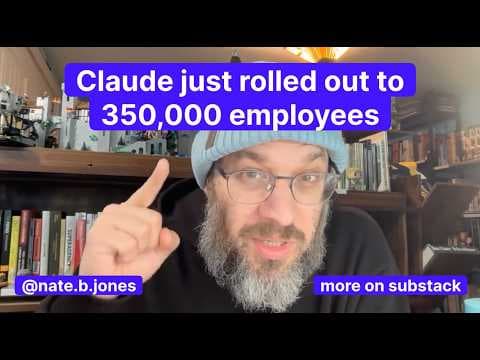
Everybody is sleeping on the claw extension for Chrome and we shouldn't be because it basically takes an LLM and it puts it inside the most popular browser on the planet where we all spend a lot of our days and it says, "Hey, do you want a free agent that can do useful work on the internet?" And it turns out if you can define something you do repea... Read More
Key Insights
- Claude’s Chrome extension is an agent embedded in a widely used browser, allowing it to perform useful internet work through the same pages people already use. It can read visible text, enter contextual responses, click controls, and navigate without requiring a separate browser.
- Customer service negotiation is a practical browser-agent use case because Claude can conduct a live chat, interpret replies, push back on an inadequate offer, and escalate politely. In the cited AT&T example, the agent negotiated a $100 credit after a recent outage.
- Browser automation can be slower than completing the same task manually, but its main benefit is reducing the human attention required. A user can let Claude pursue a valuable outcome, such as a billing credit, while avoiding the burden of personally managing every interaction.
- Recorded shortcuts turn one-time browser actions into repeatable workflows. A user records an example task, such as pulling dashboard analytics, checking competitor pricing, or extracting CRM data, then saves the demonstrated process so Claude can execute it again.
- Scheduled shortcuts can run daily, weekly, monthly, or annually while the computer is running and the browser is active. This makes them suitable for recurring reports, connection reviews, video-link collection, email filtering, restaurant searches, and other predictable personal or professional tasks.
- Claude has built-in knowledge for navigating popular platforms such as Gmail, reducing the need for detailed step-by-step instructions. It can scan an inbox, distinguish marketing messages and newsletters, and surface important emails through the extension’s sidebar while the user remains in Chrome.
- Claude can coordinate work across Google services, including Gmail, Calendar, Docs, and Drive. In a reported test, it scanned a calendar, proposed open slots, drafted an event email, organized roughly 900 loose Drive documents, created subfolders, and flagged duplicate files.
- Human review is necessary for high-value communications because automated drafting or sending can create stakeholder risk. The recommended approach is to use Claude for inbox cleanup, Drive organization, and calendar management while carefully supervising any action that might send an external message.
Install to Summarize YouTube Videos and Get Transcripts
Explore YouTube Video Summarizer or Get YouTube Transcript Extractor
Questions & Answers
Q: How can Claude automate repetitive work in Chrome?
Claude can observe a browser workflow while the user performs it, save the recorded sequence as a shortcut, and execute that shortcut again later. The workflow can include reading pages, entering information, clicking controls, navigating websites, collecting analytics, checking competitor pricing, or extracting CRM data. Saved shortcuts can also run on a daily, weekly, monthly, or annual schedule while the computer and browser remain active.
Q: How does Claude handle customer service chats?
Claude can read messages inside a browser-based customer service chat, type contextual replies, respond to resistance, and request escalation when appropriate. A cited AT&T billing-dispute example involved Claude managing the conversation about a recent outage, rejecting an initially low offer, and eventually negotiating a $100 credit. The process was not especially fast, but it spared the user from personally conducting the exchange.
Q: What browser tasks can be saved as Claude shortcuts?
Any repeatable task that can be demonstrated in the browser is a potential shortcut. Examples include pulling analytics from a dashboard, checking a competitor’s pricing page, extracting CRM information, reviewing LinkedIn invitations, collecting links to favorite YouTube videos, finding relevant emails, identifying new neighborhood restaurants, preparing weekly reports, and summarizing several online threads into a note for a workplace stakeholder.
Q: How do scheduled Claude browser workflows operate?
After recording and saving a workflow as a shortcut, the user can select the clock icon and set a daily, weekly, monthly, or annual cadence. Claude then runs the browser task automatically without a new reminder from the user, provided the computer is running and the browser is active. This setup is particularly useful for recurring work with a clear sequence and predictable timing.
Q: How can Claude help with Gmail inbox triage?
Claude can recognize Gmail through the Chrome extension and use built-in knowledge of the platform instead of requiring detailed navigation instructions. It can scan the inbox, identify marketing messages and newsletters, and surface important emails. The recommended use is inbox cleanup and prioritization, with caution around drafting or sending important replies because an automated action could reach the wrong stakeholder.
Q: How can Claude manage Google Calendar and Drive?
Claude can scan Google Calendar, identify available time slots, and draft an email to event guests. It can also organize files in Google Drive by creating a logical folder structure, sorting documents into subfolders, and flagging duplicates. In the hands-on example described, it organized roughly 900 loose documents and combined work across Calendar, Drive, Gmail, and Docs.
Q: When should a human review Claude’s browser actions?
Human review is especially important when Claude is handling high-value communications or any action that could send a message externally. Automatically drafting and sending replies to important emails may create a risk of contacting the wrong person or sending language the user has not approved. Inbox cleanup, file organization, and calendar work are presented as safer uses, while send-related actions deserve direct supervision.
Q: What is the difference between speed and value in Claude browser automation?
Claude may take longer than a human to complete some browser tasks, particularly customer service conversations that require repeated reading, typing, and waiting. Its value comes from removing the need for continuous human attention rather than finishing every action faster. A slow automated task can still be worthwhile when it produces a useful result, saves personal effort, or recovers money through a billing credit.
Summary & Key Takeaways
-
Claude’s Chrome extension places an agent inside the browser, where it can read pages, type into fields, click buttons, and navigate between screens. This makes it useful for tedious internet tasks such as handling customer service chats, checking websites, collecting dashboard metrics, extracting CRM data, and reorganizing meetings without continuous human involvement.
-
Users can record a browser workflow, save it as a shortcut, and schedule it to run daily, weekly, monthly, or annually. Potential workflows include preparing recurring reports, reviewing LinkedIn invitations, collecting YouTube links, filtering relevant email, monitoring competitors, finding neighborhood restaurants, and summarizing online threads for workplace stakeholders.
-
Claude has built-in familiarity with popular Google services, including Gmail, Calendar, Docs, and Drive. It can triage an inbox, propose calendar openings, draft event messages, create folder structures, sort documents, and flag duplicates. Human review remains important when an action could accidentally send an inappropriate message to an important stakeholder.
Read in Other Languages (beta)
Share This Summary 📚
Summarize YouTube Videos and Get Video Transcripts with 1-Click
Try YouTube Summary with ChatGPT & Claude or YouTube Transcript Generator
Explore More Summaries from AI News & Strategy Daily | Nate B Jones 📚




Summarize YouTube Videos and Get Video Transcripts with 1-Click
Try YouTube Summary with ChatGPT & Claude or YouTube Transcript Generator