How to Build a Raspberry Pi Laptop for Under $80
TL;DR
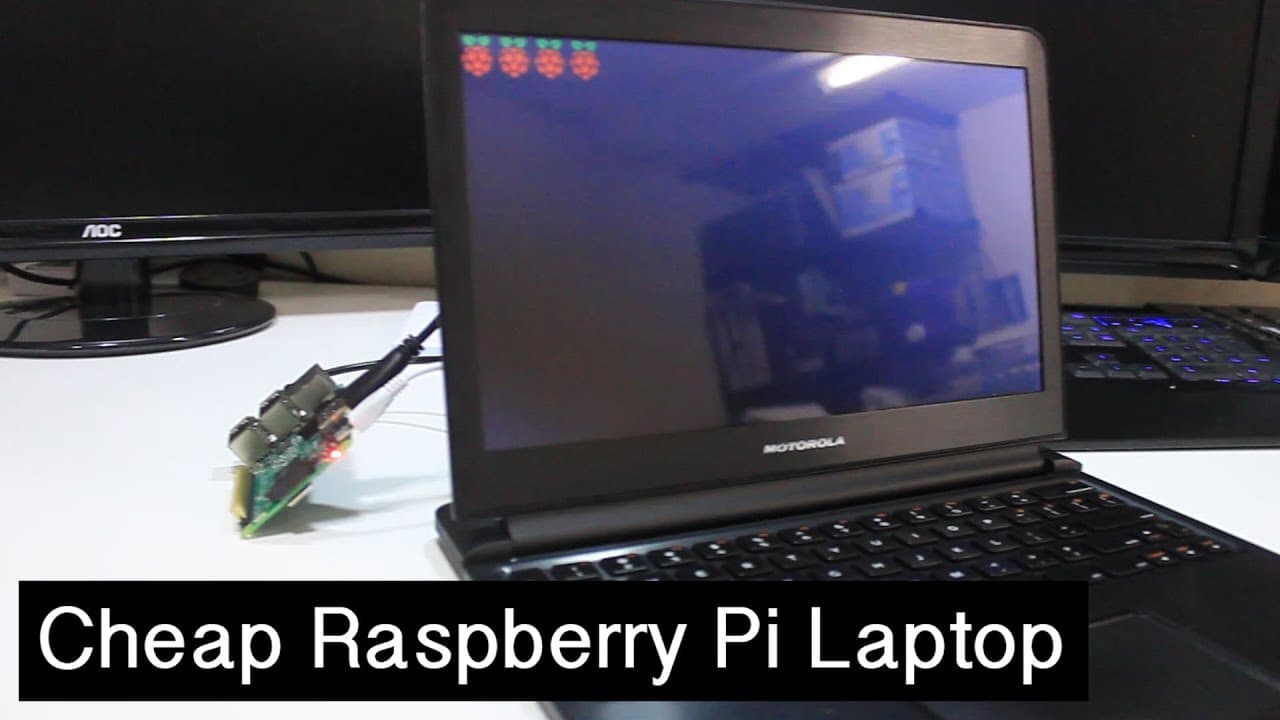
You can build a Raspberry Pi laptop for under $80 using a Motorola Atrix Lap Dock and essential cables. This lightweight solution features an 11.6-inch screen and built-in battery, making it versatile for various tasks. While it has some drawbacks like a glossy screen, it allows you to conveniently connect multiple devices.
Transcript
hey guys what's going on it's Don here from Nova Spirit Tech and today I want to show you a little project I've been working on which is the raspberry pie laptop for under $80 so let's get started so luckily for me I was able to snag one of these guys on eBay for about $30 so if you add that up it's $30 for one of these things $35 for a Raspberry P... Read More
Key Insights
- 💻 Building a Raspberry Pi laptop is an affordable alternative to traditional laptops, costing less than $80.
- 🧑💻 The Motorola Atrix Lap Dock offers a lightweight and portable solution with a built-in battery, enhancing convenience for tech enthusiasts.
- 👻 Despite some drawbacks like a glossy screen and limited touchpad functionality, the setup allows users to connect various devices easily.
- 💁 The video includes tips on sourcing components affordably via platforms like eBay through clever search techniques.
- ⌛ Battery performance is robust, with approximately 6 hours of usage, making it practical for on-the-go operations.
- 👏 The lap dock can be utilized effectively for programming, gaming, or repairing other electronic devices, showcasing its versatility.
- 😒 The project reflects a growing trend of repurposing older technology for contemporary uses, promoting sustainability.
Install to Summarize YouTube Videos and Get Transcripts
Explore YouTube Video Summarizer or Get YouTube Transcript Extractor
Questions & Answers
Q: What components do you need to build the Raspberry Pi laptop?
To create the Raspberry Pi laptop, you will need three main components: a Motorola Atrix Lap Dock, a Raspberry Pi, and two specific cables – a micro HDMI to HDMI and a micro USB female to male. The total cost is roughly under $80, and details on where to purchase them are provided in the video description.
Q: What are the pros and cons of using the Motorola Atrix Lap Dock?
The pros of the Motorola Atrix Lap Dock include its portability, built-in battery, and ease of plug-and-play with Raspberry Pi. However, the glossy screen can be difficult to view in bright light, and the trackpad lacks multi-touch support, which can be cumbersome when scrolling.
Q: How long does the battery last when using the Raspberry Pi laptop?
The battery life of the Raspberry Pi laptop is impressive, lasting around 6 hours on a single charge while running the Raspberry Pi. This makes it suitable for extended use without the need for constant recharging, adding to the utility of the product for various tech projects.
Q: What are some creative uses for the Raspberry Pi laptop?
The Raspberry Pi laptop can serve multiple purposes, such as a portable troubleshooting device for fixing computers, a monitor and keyboard setup for gaming consoles like PlayStation, or as a compact unit for other computing projects like Latte Panda installations, giving it versatility beyond just a laptop.
Q: How does one enhance their chances of finding the lap dock cheaply on eBay?
A clever technique for finding cheaper lap docks on eBay is to intentionally misspell search terms. This method increases the chance of uncovering listings that may have been overlooked by other buyers, thereby allowing you to score better deals on items like the Motorola Atrix Lap Dock.
Q: Is it necessary to install any software to get Raspberry Pi working with the lap dock?
No software installation is needed to use the Raspberry Pi with the Motorola Atrix Lap Dock. The device functions seamlessly by connecting the necessary hardware, making it a convenient solution for users who want to avoid complex setups when using the Raspberry Pi.
Summary & Key Takeaways
-
Don from Nova Spirit Tech introduces a project to build a Raspberry Pi laptop for under $80 using a Motorola Atrix Lap Dock and essential cables.
-
Key features of the lap dock include a 11.6-inch screen, built-in battery, and usability for various tasks without the need for extensive setup.
-
The video covers challenges like glossy screen reflections and limited mouse pad functionality while emphasizing the benefits of portability and convenience for tech projects.
Read in Other Languages (beta)
Share This Summary 📚
Summarize YouTube Videos and Get Video Transcripts with 1-Click
Try YouTube Summary with ChatGPT & Claude or YouTube Transcript Generator
Explore More Summaries from Novaspirit Tech 📚






Summarize YouTube Videos and Get Video Transcripts with 1-Click
Try YouTube Summary with ChatGPT & Claude or YouTube Transcript Generator