Which ChatGPT 5 Model Should You Use? 2025 GPT Models Explained
TL;DR
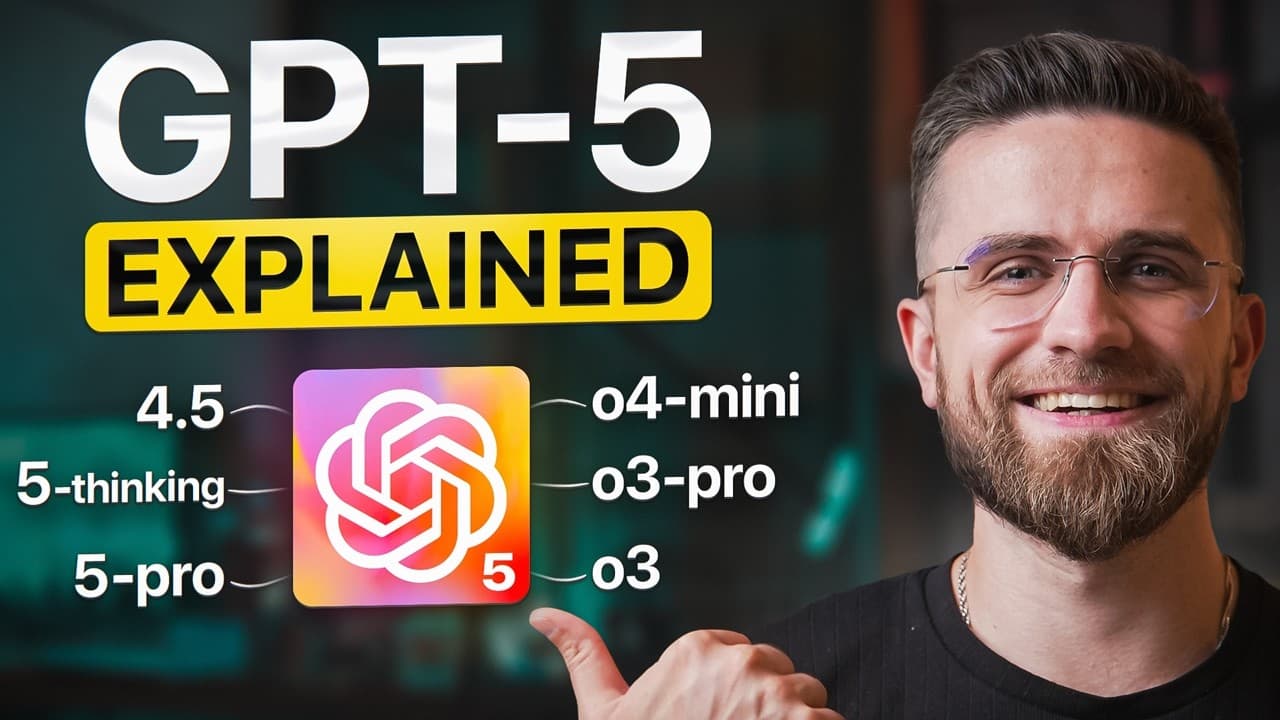
Choose default GPT-5 for most daily research, writing, planning, and light coding, GPT-5 Thinking for slower multi-step reasoning, GPT-5 Pro for heavy workloads, and GPT-4o for tasks combining text, images, audio, or voice. GPT-5 Pro supports up to 272,000 tokens, but no model eliminates hallucinations or poor routing. Read on for task-specific choices, limitations, and concrete examples.
Transcript
Chat GBT5 doesn't always give you the results you want. Sometimes it sprints when you need deep reasoning. Other times it overthinks when you just want a fast answer. That's why knowing the model lineup matters. In this video, I'll show you when to stick with the default GBT, when to switch to the GBT thinking or pro options, and when to take a ste... Read More
Key Insights
- Model choice follows task depth: The central decision is not simply which model is newest, but whether the request needs speed, sustained reasoning, heavy document capacity, or mixed media. Default GPT-5 covers broad everyday work, Thinking emphasizes methodical analysis, Pro expands capacity for heavy users, and GPT-4o remains useful when images, audio, or voice are central.
- Language models predict responses: The models are described as large neural network programs trained on large amounts of text from sources such as the internet and books. When answering, they predict text from learned patterns rather than retrieving a record from a traditional database. More advanced models generally improve question understanding and usefulness, but they still share the same basic operating principle.
- Automatic routing reduces model juggling: GPT-5 can select browsing, coding, or reasoning tools according to the request. This means the user does not have to manually coordinate multiple submodels or repeatedly choose plugins. The advantage becomes clearest when one prompt requires current information, calculations, transformation of content, and a polished final format.
- Context changes response length: The market-report example shows GPT-5 adapting both its effort and output to instructions. Given a 50-page report and a request to think carefully, it can hold the document in memory, search for current numbers, and produce five cited bullets. Asked for a quick take on the same document, it can reduce the response to two concise sentences.
- Combined prompts reveal flexibility: A single travel request can contain duration, destination, budget, live-information, conversion, and translation requirements. In the example, GPT-5 plans two days in Berlin for under €300, checks current hostel prices, adds real-time weather, converts the costs, and presents the result in Spanish. The value is completing the connected stages in one pass.
- Coding can connect to action: GPT-5 is presented as capable of reading a slow SQL query, explaining the performance problem, and rewriting the query. If Gmail is linked, it can then offer to send the correction to a teammate with a plain-English explanation. This illustrates how analysis, code improvement, communication, and an external workflow can form one request.
- Thinking trades speed for rigor: GPT-5 Thinking is deliberately slower because it consistently applies deeper reasoning and tools. Its outputs can expose intermediate steps, cite pages, and run code to verify results, which makes the process easier to audit. That tradeoff is valuable for financial models, multi-step analysis, and long legal drafts, but wasteful for elementary arithmetic.
- Pro serves sustained heavy usage: GPT-5 Pro is differentiated by capacity and access rather than by a promise of infallibility. Up to 272,000 tokens accommodates very large documents, while higher rate limits and priority speed support dozens of sessions. Early agent features can also extend work into email, calendar, or API workflows for founders, analysts, and development teams.
- New models still make mistakes: GPT-5 may choose the wrong level of effort, such as overthinking a yes-or-no question or moving too quickly through a nuanced brief. Hallucinations also remain possible. The guide specifically calls for checking sources when facts concern niche data, so automatic routing and stronger reasoning should not be mistaken for guaranteed accuracy.
- Default GPT-5 covers most work: The speaker estimates that GPT-5 is appropriate for 90% of daily research, writing, planning, and light coding. Its strength is broad competence combined with automatic decisions about speed and tools. Users mainly need another option when they require consistently deep reasoning, unusually large workloads, or inputs that favor a legacy multimedia model.
- GPT-4o unifies media inputs: GPT-4o reads and writes text, sees pictures, and listens to audio. That combination supports real-time voice conversations, image uploads, image generation, and follow-up questions that keep different media in one thread. The French conversation, photographed parking sign, and futuristic-city prompt demonstrate language, visual interpretation, and generation within the same model.
- Legacy does not mean obsolete: GPT-4o remains useful despite the arrival of GPT-5, especially when a task mixes voice notes, photographs, and written follow-ups. It also performs conventional work such as emails, outlines, code snippets, and summaries. Its tendency to organize responses with headings or bold text can produce readable results even when the user does not explicitly request formatting.
Install to Summarize YouTube Videos and Get Transcripts
Explore YouTube Video Summarizer or Get YouTube Transcript Extractor
Questions & Answers
Q: How do I choose the right ChatGPT 5 model for a task?
Use default GPT-5 for most daily research, writing, planning, and light coding because it can decide when to respond quickly and when to reason more deeply. Switch to GPT-5 Thinking for multi-step analysis, financial comparisons, or long legal drafts where visible checks and careful logic matter. Choose GPT-5 Pro when very large documents, dozens of sessions, higher limits, or early agent workflows justify its expanded capacity. Return to GPT-4o when the task primarily combines text, images, audio, voice, or image generation.
Q: What does GPT-5 automatic routing do?
GPT-5 automatically routes a request to browsing, coding, or reasoning tools according to what the task requires. This lets it handle connected steps without making the user juggle submodels or select plugins repeatedly. For example, it can check current travel prices and weather, convert costs, and translate a Berlin itinerary within one prompt. The feature matters because mixed tasks often require several capabilities before a useful final answer can be produced.
Q: When should I use GPT-5 Thinking?
Use GPT-5 Thinking when the problem requires deep, sustained reasoning rather than a fast response. The guide names rating four financial models, multi-step data analysis, and long legal drafts as suitable tasks. It can show intermediate steps, cite pages, and run code to double-check results, which makes its work more auditable. Its slower responses and daily cap make it excessive for a simple question such as calculating 12 times 9.
Q: What is GPT-5 Pro best suited for?
GPT-5 Pro is intended for heavy users such as founders, analysts, and development teams. It supports extended context of up to 272,000 tokens, higher rate limits, priority speed, and early access to agent features. Those capabilities help when users provide huge documents, run dozens of sessions per day, or build workflows involving email, calendars, or APIs. It is useful because sustained professional workloads can exceed the practical capacity offered by the standard options.
Q: Is default GPT-5 reliable enough for everyday work?
The guide recommends default GPT-5 for 90% of daily research, writing, planning, and light coding. It handles many tasks reasonably well and automatically selects tools or reasoning depth as needed. However, its router can misfire, it can overthink simple questions, and it can move too quickly through nuanced briefs. Users should verify sources, especially for niche data, because hallucinations have not disappeared.
Q: What can GPT-4o do with images, audio, and voice?
GPT-4o can process text, see uploaded pictures, listen to audio, support voice chats, and generate images. The examples include holding a real-time French conversation about the solar system, interpreting a photograph of a parking sign, and sketching a futuristic city skyline at sunset. It can also keep a voice memo, photo, and written follow-up questions in the same thread. This makes it useful when the task mix depends more on media than on extended deep reasoning.
Q: Can GPT-5 handle several requirements in one prompt?
Yes, GPT-5 is presented as especially effective when several related tasks are combined. One example asks it to create a 2-day Berlin trip, keep the budget below €300, check current hostel prices and weather, convert costs, and translate the itinerary into Spanish. Another asks it to diagnose and rewrite a slow SQL query, then offer to email the corrected version through linked Gmail. Automatic tool routing helps because each request crosses research, reasoning, transformation, and action.
Q: How are ChatGPT models different from a traditional database?
The guide describes ChatGPT models as large language models built from huge neural network programs trained on substantial collections of text. They generate responses by predicting text one word, or even one character, at a time from patterns learned in sources such as books and the internet. They are not performing a traditional database lookup whenever a user asks a question. This distinction explains why stronger models can improve understanding while still producing hallucinations that require source verification.
Summary & Key Takeaways
-
Understanding the model lineup: ChatGPT can respond too quickly when a problem needs careful reasoning, or overthink a request that only needs a fast answer. The guide frames model selection around practical tasks such as coding assistance, essay writing, difficult math, and casual conversation. Although every option is a large language model that predicts text from learned patterns rather than performing a traditional database lookup, each model differs in specialization, size, speed, reasoning depth, and supported input types.
-
Using default GPT-5 effectively: GPT-5 decides whether to answer quickly or slow down and think, while automatically routing requests to browsing, coding, or reasoning tools. It can process a 50-page market report, search for current figures, and return five bullets with page citations and links. It can also combine constraints and formats, as in planning a 2-day Berlin trip under €300, checking current hostel prices and weather, converting costs, and translating the itinerary into Spanish.
-
Switching to GPT-5 Thinking: The Thinking option uses the same underlying brain but consistently engages deeper reasoning and tool use. It is positioned for rating four financial models, conducting multi-step data analysis, or preparing long legal drafts. Responses are slower and subject to a daily cap, but the model provides work that can be audited through intermediate steps, page citations, and code used to double-check results. That rigor is unnecessary for a simple calculation such as 12 times 9.
-
Choosing GPT-5 Pro carefully: GPT-5 Pro targets founders, analysts, developers, and teams handling huge documents or dozens of daily sessions. Its benefits include extended context of up to 272,000 tokens, higher rate limits, priority speed, and early access to agent features involving email, calendars, or API workflows. Even so, GPT-5 can overthink yes-or-no questions, overlook parts of a brief, or hallucinate. The guide therefore recommends verifying sources, particularly when working with niche data.
-
Returning to legacy GPT-4o: Enabling legacy models gives users access to GPT-4o, described as an Omni upgrade introduced at the end of 2024. It handles text while also seeing images and listening to audio, making it useful for voice conversations, photo interpretation, image generation, and mixed-media threads. Examples include discussing the solar system in French, interpreting a photographed parking sign, or sketching a futuristic skyline. It also remains capable of emails, outlines, code snippets, summaries, and neatly formatted writing.
Read in Other Languages (beta)
Share This Summary 📚
Summarize YouTube Videos and Get Video Transcripts with 1-Click
Try YouTube Summary with ChatGPT & Claude or YouTube Transcript Generator
Explore More Summaries from AI Master 📚



Summarize YouTube Videos and Get Video Transcripts with 1-Click
Try YouTube Summary with ChatGPT & Claude or YouTube Transcript Generator