How to use Higgsfield API pay as you go
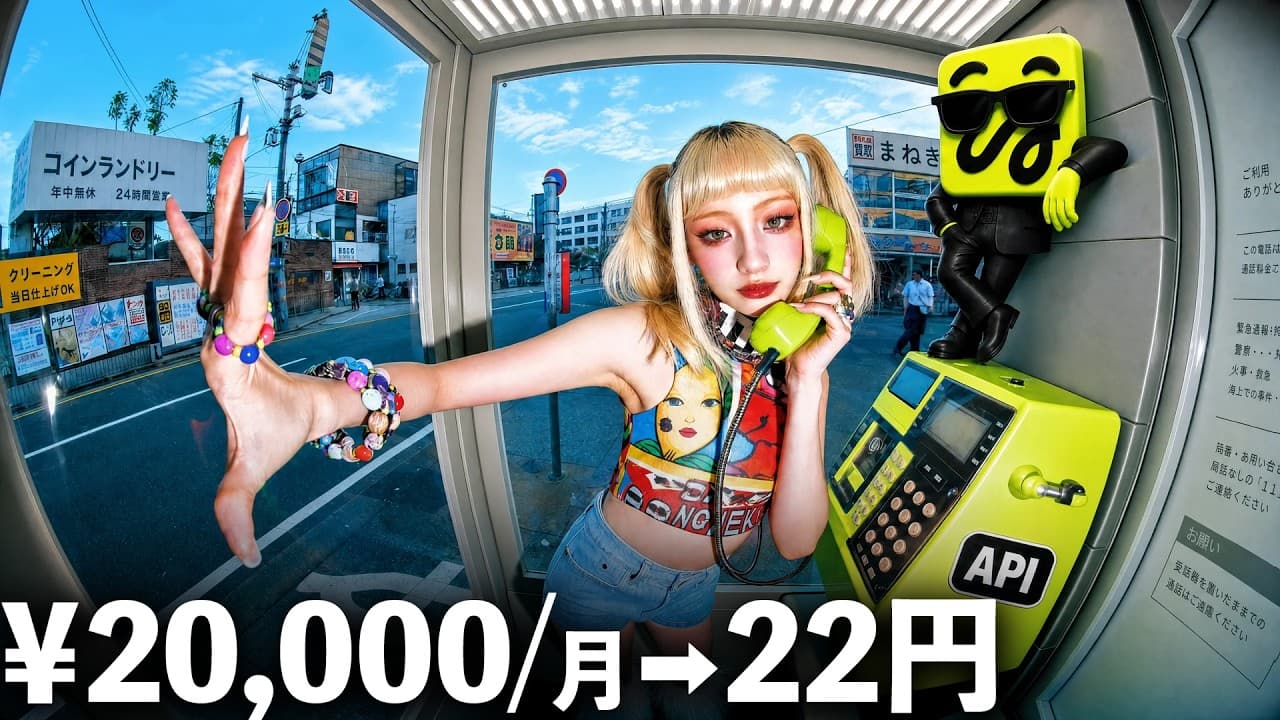
TL;DR
The video explains a shift from subscription to a pay as you go API model for Higgsfield, enabling usage based billing and easier access for light or heavy users. It highlights Flux-field image generation at 1 yen per image, setup steps to connect to ChatGPT or Claude, and a breakeven point calculation to decide between API and subscription
Transcript
I think this video will be one that clearly divides opinions. But I'm sure there are definitely people who will be happy. Until now, to use a service, you had to subscribe and pay a fixed monthly fee, but now it's changing to a system where you only pay for what you use. Pixverse, the most famous all-in-one generation tool, has released it... Read More
Key Insights
- A pay as you go API model replaces traditional subscriptions for Higgsfield services.
- Flux field image generation costs 1 yen per image under the API plan.
- The Flux model is highlighted for realistic yet non overly beautiful outputs, useful for thumbnails.
- A 700 yen initial charge is used to verify payment with a corporate email.
- The step by step setup involves selecting two video models and one photo model during a 7 day trial.
- ChatGPT and Claude can be linked via a prompt or Kickstart workflow to clone and run the repository.
- Issues can occur such as request IDs not appearing in ChatGPT, but can be worked around by retrying the generation request.
- The breakeven point helps decide whether to subscribe or use API based on monthly video generation needs
Install to Summarize YouTube Videos and Get Transcripts
Explore YouTube Video Summarizer or Get YouTube Transcript Extractor
Questions & Answers
Q: What is the main pricing change for Higgsfield services shown in the video
The main pricing change is moving from a fixed monthly subscription to a pay as you go API model where you pay only for what you use. This allows users who generate fewer images or videos to avoid a recurring fee, while those with higher volumes can tailor costs to their usage. The video explains how this model can be more economical for occasional users but requires careful tracking of monthly usage to avoid surprises.
Q: What is Flux field pricing for image generation
Flux field pricing for image generation is 1 yen per image, making large batches more affordable. The video contrasts this with the older Flux model that costs 28 yen per generation, and notes that the upgraded Flux model is cheaper while still delivering realistic images. This pricing structure is highlighted as a key advantage for cost control.
Q: How do you connect Higgsfield API to ChatGPT or Claude
To connect the Higgsfield API to ChatGPT or Claude, you can use a guided workflow such as Kickstart, paste a specific URL into the chat, and clone the skill. Then you configure the environment by obtaining the API key and secret, saving them, and running through prompts in the chat to enable generation. The video covers both Codex and Claude Code pathways.
Q: What setup challenges are mentioned for beginners
Beginners encounter several setup challenges, including initial required steps to verify payment cards and the odd behavior of initial charges, such as a negative balance when using personal emails. There are also notes about getting stuck following overseas tutorials and issues with request IDs in ChatGPT, which may require retrying the API task twice and using the dashboard to monitor progress.
Q: What is the breakeven guidance for deciding between API and subscription
The video suggests using a practical breakeven guideline based on monthly usage: if you generate more than certain numbers of videos (the exact numbers depend on the plans like Plus or Ultra), API usage becomes cheaper, whereas lower volumes may be better suited to a subscription. This helps users tailor their choice to their typical output levels.
Q: What differences between video generation and image to video generation are explained
The video explains that video generation from text is reflected in the dashboard while image to video generation depends on selecting the appropriate prompt and using references to convert photos into text to create a video. It emphasizes writing prompts precisely to control whether the output is text to video or image to video and how the first frame is determined.
Q: What advice is given about trial model selection
During the 7 day trial you must carefully choose two video generation models and one photo generation model, because these choices cannot be changed later. The video stresses that model selection affects future outputs and costs, so choosing the right balance of quality and expense is essential early on to avoid constraints as you proceed.
Q: What is the recommended user fit for the new API
The recommended user fit includes those who rarely generate content yet want access to Flux features without subscribing, and those who generate in large quantities where the API is significantly cheaper. The video notes that individuals or teams who fall between these extremes should compute monthly usage to decide whether to switch to API or keep a subscription, emphasizing a judgment based on monthly output and budget.
Summary & Key Takeaways
-
The video introduces a pay as you go API for Higgsfield, moving away from fixed monthly fees to usage based billing. It emphasizes the Flux-field image model priced at 1 yen per image, and outlines how to connect the API to ChatGPT or Claude and perform setup tasks.
-
It discusses costs and benefits for different user types, noting that light users benefit from pay as you go while heavy producers may still lean toward API usage for cost efficiency. It provides practical setup tips and early pitfalls.
-
It concludes with a practical guideline on when to switch to API versus subscribing, and suggests watching for discount windows and model selection during the trial period.
Read in Other Languages (beta)
Share This Summary 📚
Summarize YouTube Videos and Get Video Transcripts with 1-Click
Try YouTube Summary with ChatGPT & Claude or YouTube Transcript Generator
Explore More Summaries from RKJ VIDEO 【イケている動画を作りたいなら】 📚




Summarize YouTube Videos and Get Video Transcripts with 1-Click
Try YouTube Summary with ChatGPT & Claude or YouTube Transcript Generator