How Can Obsidian Updates Improve Your Workflow?
TL;DR
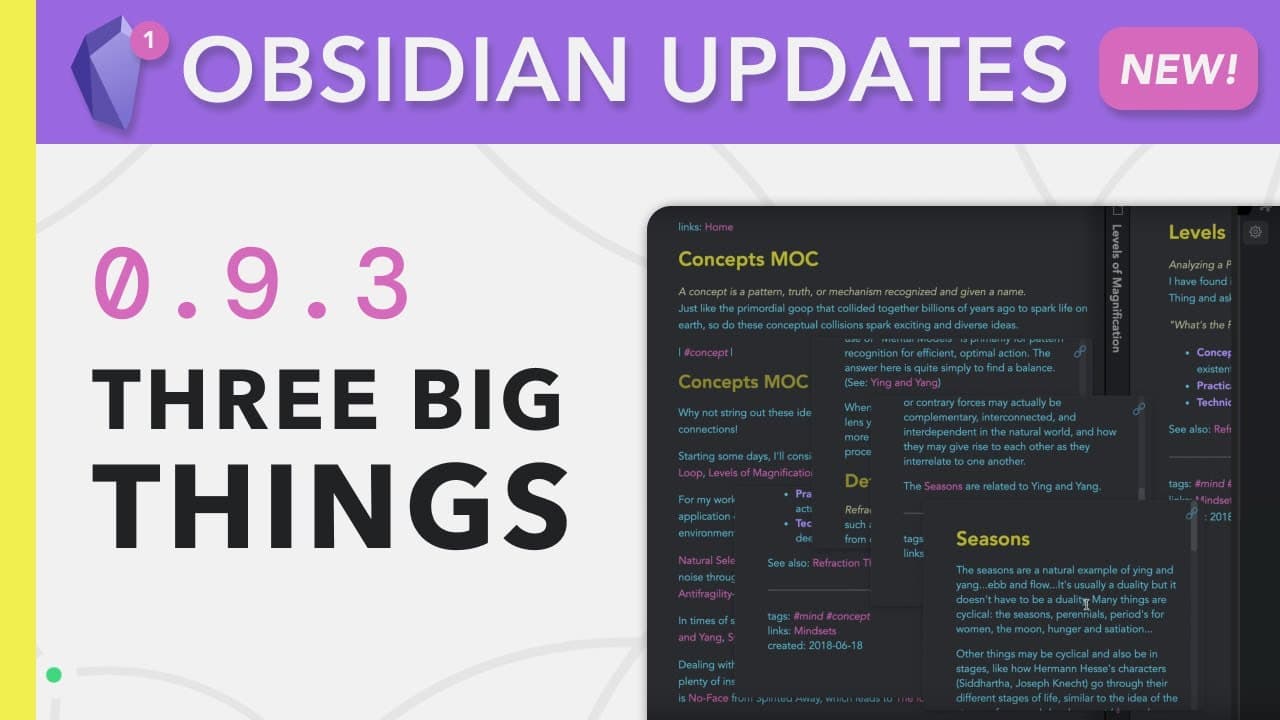
Obsidian's 0.9.3 update introduces three powerful features: saved workspaces for customizable viewing, hover preview for easy exploration of links without losing context, and copy search results to efficiently organize information across notes. These enhancements significantly boost productivity and help maintain clarity in your digital library.
Transcript
hey another week and another obsidian update these developers are crazy this is version 0.9.3 and no it's not an amazing new graph view it's not being able to publish your notes online in fact this update is just about three tiny features but interestingly enough each feature can actually subtly change your workflow and the last one which is the mo... Read More
Key Insights
- 👻 Saved workspaces allow for customizable views, enhancing focus and productivity.
- 💭 Hover preview makes it convenient to explore additional information without interrupting the main flow of thought.
- 💁 Copy search results enable seamless organization and access to relevant information across multiple notes.
- 🎵 Maintaining note organization is crucial to prevent clutter and confusion within the digital library.
- 👤 Workflow optimization should always be aligned with the purpose and goals of the user.
- 🎨 Personalized knowledge management systems in Obsidian can be designed to cater to individual needs.
- 🤔 The linking your thinking workshop offers guidance on creating personalized knowledge management systems.
Install to Summarize YouTube Videos and Get Transcripts
Explore YouTube Video Summarizer or Get YouTube Transcript Extractor
Questions & Answers
Q: How do saved workspaces in Obsidian improve workflow?
With saved workspaces, users can create different views and easily switch between them using hotkeys, promoting focus and productivity in various tasks.
Q: How does hover preview work in Obsidian?
Hover preview allows users to quickly access and explore additional information and links without navigating away from the main note, making it easier to follow related thoughts.
Q: What is the significance of the copy search results feature?
Copy search results enables users to copy search results, including note links, and paste them into other notes for organization and easy access to relevant information.
Q: What is the best practice for using the copy search results feature to maintain note organization?
To keep your notes organized, it is recommended to use a specific tag, like "workbench," for the pasted content so that it can be easily identified and cleaned up later.
Summary & Key Takeaways
-
Saved workspaces allow users to create and switch between different views, enhancing focus and productivity.
-
Hover preview enables users to quickly explore links and additional information without losing their place in the main note.
-
Copy search results feature allows easy copying of search results to paste and organize in other notes.
Read in Other Languages (beta)
Share This Summary 📚
Summarize YouTube Videos and Get Video Transcripts with 1-Click
Try YouTube Summary with ChatGPT & Claude or YouTube Transcript Generator
Explore More Summaries from Linking Your Thinking with Nick Milo 📚




Summarize YouTube Videos and Get Video Transcripts with 1-Click
Try YouTube Summary with ChatGPT & Claude or YouTube Transcript Generator