How to Build AI Agents with n8n Step by Step
TL;DR
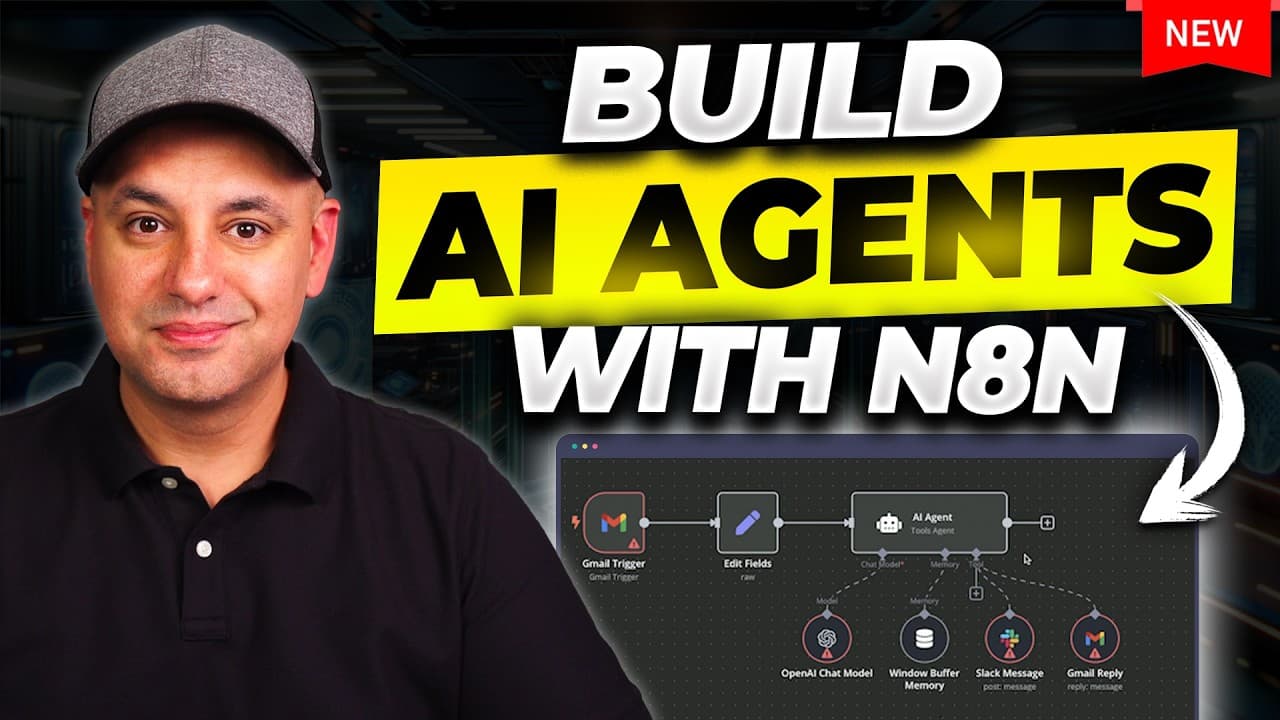
The video demonstrates building an AI agent in n8n that fetches Gmail messages, sends them to an AI model to analyze and draft replies, and saves drafts in Gmail. If urgency is detected, a Slack alert is sent to a team member for manual follow-up, with options to run self-hosted or hosted setups.
Transcript
in this video I want to show you exactly how to create AI agents that could automate tasks for you we're going to use a platform called n8n this is going completely viral right now because it's going to give you some options you've never had before with other platforms and I'm going to go very step by step there's no coding skill required to follow... Read More
Key Insights
- n8n is presented as an open source, AI native workflow automation tool that can connect apps and automate tasks.
- An AI agent workflow is built starting from a Gmail trigger to fetch incoming messages and initiate processing.
- The setup emphasizes safety by drafting Gmail replies first and requiring review before sending.
- OpenAI is used to analyze the email content and generate a draft reply.
- Slack is used to notify team members when an email needs urgent attention.
- There are three hosting options described: hosted by the platform, self-hosted locally, and using a VPS.
- Hostinger is shown as a VPS option to simplify private deployment with a discount code mentioned.
- Authentication and permissions are required to connect Gmail to the n8n workflow, with differences for hosted versus self-hosted setups.
Install to Summarize YouTube Videos and Get Transcripts
Explore YouTube Video Summarizer or Get YouTube Transcript Extractor
Questions & Answers
Q: How do you start building an AI agent in n8n from scratch?
Starting an AI agent in n8n involves creating a new workflow inside a project, then adding a Gmail trigger as the initial step. You connect your Gmail account, authorize permissions, and proceed to add subsequent actions such as calling OpenAI for analysis and crafting a draft reply in Gmail. This method keeps the process linear and easy to follow, enabling a clear, step by step build from trigger to draft.
Q: What is the role of Gmail in the AI agent workflow?
Gmail acts as the trigger and the source of content for the AI agent workflow. When a message is received, it starts the automation, and the subsequent steps fetch the email, analyze it with an AI model, generate a draft reply, and save it back to Gmail for review. This setup enables inbox based automation with human verification before sending.
Q: How does the video propose handling urgent emails?
Urgent emails are routed to a Slack channel where a team member is alerted to respond. This ensures timely attention for high priority messages, while other emails can remain in draft form for manual review. This separation helps maintain control in critical communications while automating routine responses.
Q: What hosting options are discussed for running n8n?
The video discusses three options: using the hosted n8n service, self hosting on your own computer, and running on a VPS via a provider like Hostinger. Each option has its own setup steps and trade offs in terms of ease of use, cost, and privacy, allowing users to choose the best fit.
Q: Why is n8n described as AI native in the tutorial?
n8n is described as AI native because the workflow tool is designed to incorporate AI actions directly within automations. This enables building agents that can call AI services such as OpenAI within the workflow, facilitating intelligent processing of data, analysis, and decision making without leaving the automation platform.
Q: What is the role of OpenAI in the workflow?
OpenAI is used to analyze the content of incoming emails and generate the draft replies. This integration is central to transforming raw email data into actionable, AI generated responses, which can then be reviewed and either approved or adjusted before sending to recipients.
Q: What does the video say about privacy when hosting n8n?
The video suggests private hosting options to improve privacy and control, such as self hosting or using a VPS, rather than relying solely on the platform’s hosted service. Private hosting gives you more control over data and access, with steps explained for authorizing Gmail connections in self hosted setups.
Q: What is the suggested workflow sequence for email handling?
The suggested sequence starts with a Gmail trigger for on message received, followed by connecting to the Gmail account, fetching the message, sending content to OpenAI for analysis, creating a draft reply in Gmail, and optionally sending urgent items to Slack. This linear flow keeps automation predictable and auditable.
Summary & Key Takeaways
-
This tutorial walks through creating a linear, step by step workflow in n8n to automate email handling. It emphasizes an AI native approach and contrasts hosting options like self-hosting, VPS and platform hosting. The end result is a draft generation in Gmail with optional Slack notifications for urgent messages.
-
The host demonstrates how to connect Gmail to n8n, authenticate accounts, and start a workflow with a Gmail trigger. It covers creating a project, adding a trigger, and wiring steps that call OpenAI for analysis and Draft creation in Gmail.
-
The video highlights three hosting paths and explains how to set up an AI agent from scratch using Gmail as the trigger. It also notes safety by drafting replies before sending and how Slack can be used for urgent tasks.
Read in Other Languages (beta)
Share This Summary 📚
Summarize YouTube Videos and Get Video Transcripts with 1-Click
Try YouTube Summary with ChatGPT & Claude or YouTube Transcript Generator
Explore More Summaries from Skill Leap AI 📚






Summarize YouTube Videos and Get Video Transcripts with 1-Click
Try YouTube Summary with ChatGPT & Claude or YouTube Transcript Generator