iPhone 16 & 16 Pro: What Are the First 23 Things You Should Do?
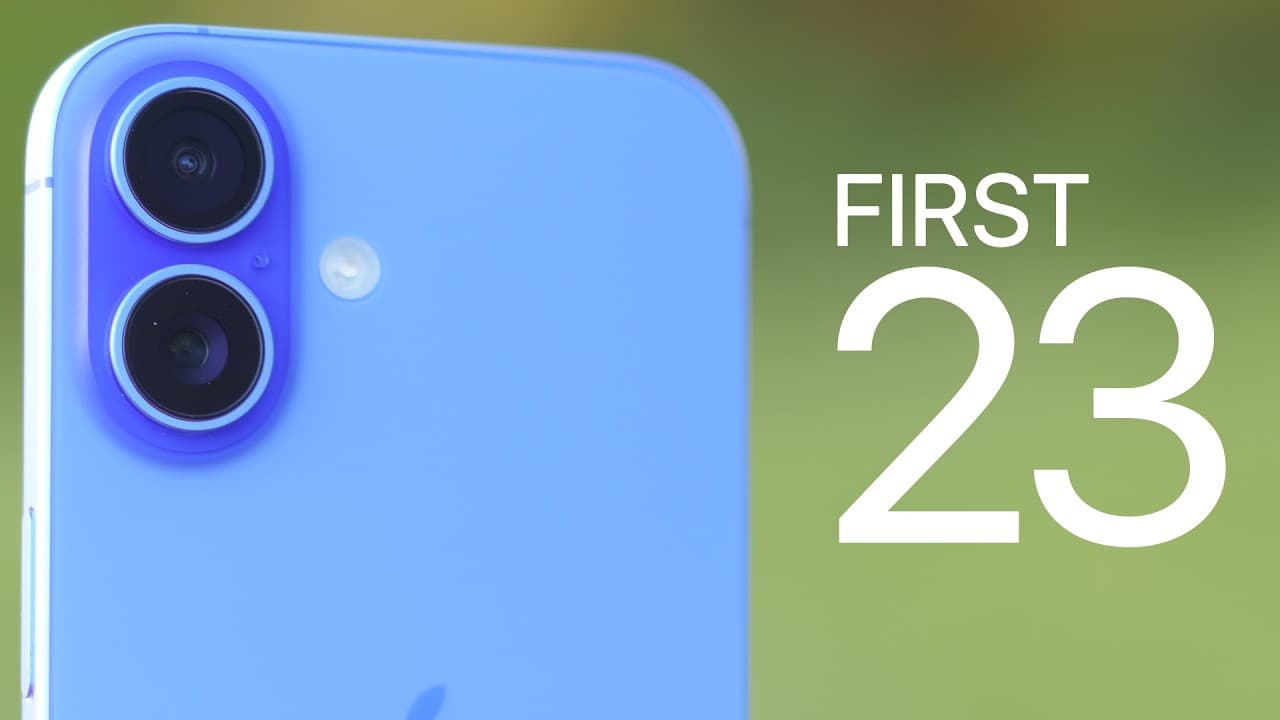
TL;DR
Start setting up an iPhone 16 or 16 Pro by confirming 100% maximum battery capacity and a low cycle count, then adjust charging, Camera Control, Photos, and the Action button to suit daily use. The presenter chooses a 90% charge limit and makes Camera Control easier to operate with lighter pressure. Read on for specific settings, gestures, and customization steps.
Transcript
so by now you've probably already unboxed and set up your brand new iPhone 16 or iPhone 16 Pro but now you might be overwhelmed and just wondering what to do next well that's what I'm here for because in this video we're going to cover the first 23 things that you should do the first settings you should change the first features you should try out ... Read More
Key Insights
- Battery Health is the first place to verify whether a newly purchased iPhone appears new. Maximum capacity should read 100%, while the cycle count should remain low for a phone obtained within the past week or so, with zero shown on the presenter’s newly acquired device.
- A charge limit is available under Battery Health and Charging. The presenter recommends keeping the lithium-ion battery between 80% and 90% for long-term health and selects a 90% ceiling, meaning the phone will stop charging before reaching 100%.
- Setting a manual charge limit disables Optimized Battery Charging. Clean Energy Charging remains a personal preference, and the presenter turns it off because he wants charging to occur whenever requested. Battery percentage can also be displayed or hidden in the status bar.
- Camera Control is a physical button rather than a simple touchpad. It requires a full press to launch the camera or capture a photograph, some pressure when sliding across controls, and a press-and-hold gesture to record a QuickTake video until the button is released.
- Camera Control reliability is adjustable through Accessibility settings. Selecting a lighter light-press force reduces the pressure required, while choosing a slow or slower double-light-press speed makes the controls menu easier to trigger than with the faster default timing.
- Camera Control can launch an application other than Apple’s default camera. The demonstrated settings allow Instagram stories to open directly, and changing the launch gesture from one click to two clicks can help prevent accidental activation, particularly for users who frequently press the button unintentionally.
- The iOS 18 Photos interface is customizable from the bottom of the application. Unwanted sections such as People and Pets, Shared Albums, Wallpaper Suggestions, Memories, and Featured Photos can be hidden, while Trips, Pinned Collections, Media Types, and Albums can be reordered.
- The Action button is available across every iPhone 16 model described in the transcript. Instead of controlling silent mode, it can activate the flashlight, recognize music, toggle controls such as dark mode, open an application, or run a shortcut when pressed and held.
Install to Summarize YouTube Videos and Get Transcripts
Explore YouTube Video Summarizer or Get YouTube Transcript Extractor
Questions & Answers
Q: How do you check whether a new iPhone 16 or 16 Pro is actually new?
Open Settings, select Battery, and then open Battery Health. Maximum capacity should show 100%, while the cycle count should be low if you received the phone within the past week or so; the presenter’s new phone showed zero cycles. He recommends returning a phone purchased within the past 14 days if its maximum capacity is already below 100%.
Q: What charge limit should you use on an iPhone 16?
The presenter recommends keeping the charge limit between 80% and 90% for long-term lithium-ion battery health and personally selects 90%. At that setting, the iPhone stops charging at 90% instead of continuing to 100%. Setting a manual limit disables Optimized Battery Charging.
Q: How does the iPhone 16 Camera Control button work?
Camera Control is a physical button, so launching the camera and taking a photo require a full press. A light double press opens controls including zoom, depth, exposure, tone, and styles, while sliding with slight pressure adjusts the selected option. Pressing and holding records a QuickTake video until the button is released.
Q: How can you make Camera Control easier and more reliable to use?
Open Settings, go to Accessibility, and select Camera Control. Change Light Press Force to Lighter so the button requires less pressure. You can also choose Slow or Slower for the double-light-press speed to make the controls menu easier to open.
Q: How do you prevent accidental Camera Control launches?
Open Settings, select Camera, and then choose Camera Control. Change the launch gesture from one click to two clicks so a single accidental press does not open the selected camera application. The presenter suggests this for people whose grip causes unintended button presses.
Q: Can Camera Control open an app other than Apple’s Camera app?
Yes. In Settings, open Camera and then Camera Control, where the application menu lets you replace the default Camera app with another available option. The demonstration selects Instagram so Camera Control opens Instagram stories directly.
Q: How can you simplify and reorganize the Photos app in iOS 18?
Scroll to the bottom of Photos and select Customize and Reorder. You can hide sections such as People and Pets, Shared Albums, Wallpaper Suggestions, Memories, and Featured Photos. Collections including Trips, Pinned Collections, Media Types, and Albums can also be moved into a more useful order.
Q: What can the Action button do on an iPhone 16?
The Action button can replace silent mode with functions such as the flashlight, music recognition, dark mode, opening an application, or running a shortcut. Configure it under Settings and Action Button, then press and hold it to activate the selected action. The demonstration configures it to open X directly.
Summary & Key Takeaways
-
Start by opening Battery Health and checking that maximum capacity is 100% and the cycle count is low. The presenter recommends returning a phone purchased within the past 14 days if its capacity is already below 100%. Charging can then be limited to 80–90%, with 90% used as the demonstrated preference.
-
Camera Control is a physical button that launches a selected camera application, captures photos, and records QuickTake video when held. A light double press opens controls such as zoom, depth, exposure, tone, and styles. Accessibility settings can reduce the required force and slow the double-light-press recognition speed for more reliable operation.
-
The Photos application can be simplified by hiding unwanted sections and reordering useful collections, while the Action button can replace silent mode with tools such as the flashlight, music recognition, dark mode, an application, or a shortcut. Camera Control can also require a double click and preserve the complete camera interface by disabling Clean Preview.
Read in Other Languages (beta)
Share This Summary 📚
Summarize YouTube Videos and Get Video Transcripts with 1-Click
Try YouTube Summary with ChatGPT & Claude or YouTube Transcript Generator
Explore More Summaries from Brandon Butch 📚

Summarize YouTube Videos and Get Video Transcripts with 1-Click
Try YouTube Summary with ChatGPT & Claude or YouTube Transcript Generator