How to Build a Powerful Mini PC Server with Geekom IT11
TL;DR
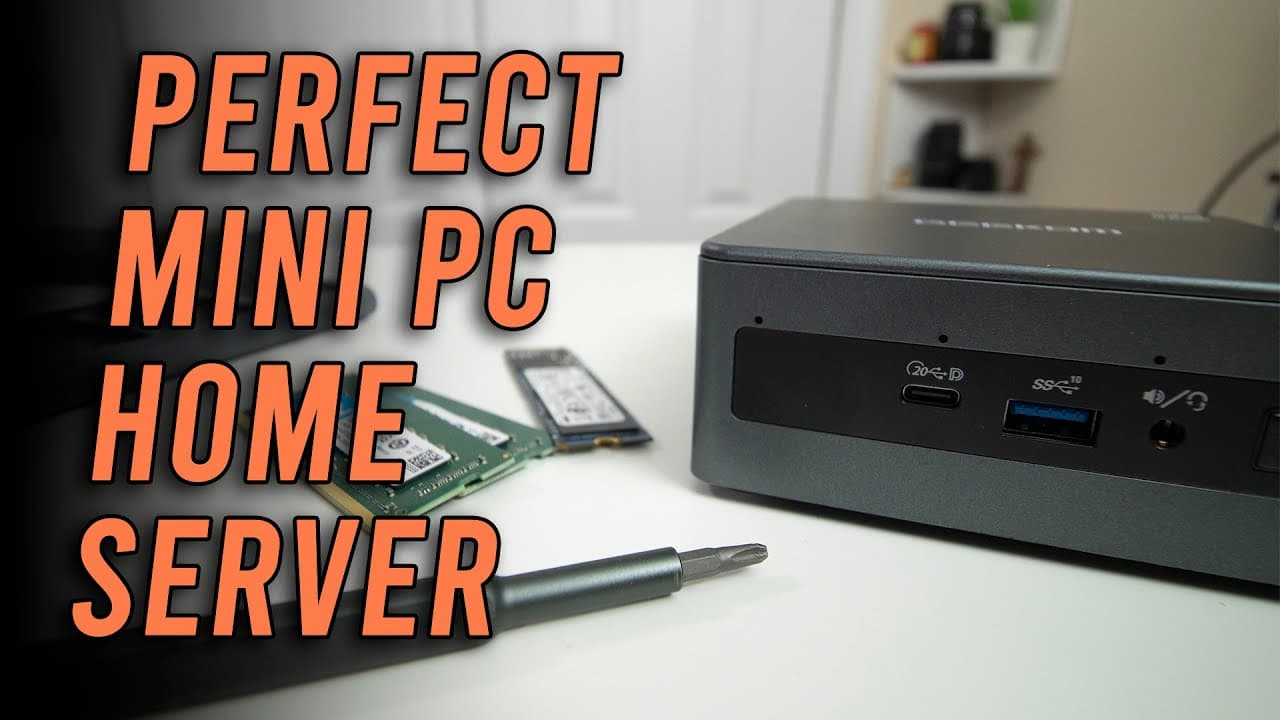
To build a powerful mini PC server, use the Geekom IT11, which offers 25-30% faster performance than the Intel Nook i5. Upgrading RAM to 32GB and adding a 1TB SSD enhances its capacity for running multiple virtual machines efficiently and quietly, with low power consumption. This setup is ideal for home lab environments and can handle advanced tasks like gaming and virtualization.
Transcript
hey guys what's going on it's Don here from Nova Spirit Tech and welcome back to our Channel and today we're going to be building ourselves the perfect home lab Mini PC server so let's get started I do want to thank econ for sponsoring this video and sending over the geekom it11 ie7 Mini PC which will actually be replacing the current build I have ... Read More
Key Insights
- 👪 The Geekom IT11 mini PC is a powerful and compact solution for home lab setups, significantly enhancing performance compared to traditional Intel Nook devices.
- 😘 Power consumption during both idle and active states is notably lower in the Geekom IT11, making it an environmentally friendly option for users seeking efficient computing.
- 🥵 Adding a 1TB SSD and upgrading to 32GB of RAM transforms the mini PC into a robust multi-VM server capable of advanced virtualization needs without extensive noise or heat.
- 🚚 Benchmark testing indicates that the IT11 delivers superior performance across different tasks, supporting the claim that it is ideal for both everyday tasks and gaming.
- 🧑💻 The design of the Geekom IT11 prioritizes user-friendliness, ensuring that hardware upgrades can be performed easily, thus making it accessible for tech enthusiasts and beginners alike.
- 👤 Proxmox is an effective choice for managing virtual machines on this hardware, providing a solid framework for users wanting to efficiently allocate system resources.
- 🏃 Virtual machine operations on the IT11 run quietly and smoothly, with minimal fan noise, making it suitable for home environments where noise reduction is desired.
Install to Summarize YouTube Videos and Get Transcripts
Explore YouTube Video Summarizer or Get YouTube Transcript Extractor
Questions & Answers
Q: What are the advantages of the Geekom IT11 over the Intel Nook i5?
The Geekom IT11 offers significant performance gains, being about 20-25% faster than the Intel Nook i5. It features improved GPU capabilities with Intel Iris XE integration, allowing better graphics processing for virtual machines, gaming, and graphic-intensive applications, which makes it a superior choice for a mini PC server setup.
Q: How does the power efficiency of the Geekom IT11 compare with larger servers?
The Geekom IT11 runs on approximately 10 watts when idle and peaks around 50-60 watts under maximum load, making it exceptionally power-efficient. This contrasts sharply with larger traditional servers, like the Dell R810, which can consume several hundred watts, thereby saving electricity and reducing heat output in a home lab environment.
Q: How easy is it to upgrade the Geekom IT11's RAM and storage?
Upgrading the Geekom IT11 is straightforward; it involves removing four screws to access the bottom plate. Users can easily swap out the RAM and install a 2.5-inch SSD by removing rubber grommets and substituting them with screws. The entire process is designed for user-friendliness, making it accessible even for those with limited technical skills.
Q: What is the optimal RAM configuration for the Geekom IT11 in a home lab?
An optimal configuration for the Geekom IT11 includes 32GB of RAM, which supports multiple virtual machines effectively without CPU bottlenecks. While it supports up to 64GB, the presenter suggests 32GB as practical because exceeding this limit could lead to underutilization of the CPU's processing capabilities in a home lab setup.
Q: What software environment is suggested for the mini PC server setup?
The video recommends using Proxmox as the virtualization platform for the mini PC server. This software enables users to run and manage multiple virtual machines efficiently. The presenter also discusses how to navigate common issues, such as subscription notices, and provides resources for further setup guidance.
Q: What gaming experiences can be expected from the Geekom IT11?
The Geekom IT11 can run games quite well, thanks to its Intel Iris XE graphics. As demonstrated using Rebel Galaxy Outlaw, the system managed up to 58 frames per second, showcasing that enough graphics power is present to handle moderately demanding games while running in a virtualized environment.
Summary & Key Takeaways
-
The video showcases the Geekom IT11 mini PC, which outperforms the Intel Nook i5 in speed and graphics capabilities, making it ideal for a home lab setup.
-
The upgrade process involves increasing the RAM to 32GB and adding a 1TB SSD, enhancing performance for running multiple virtual machines without power inefficiencies.
-
Benchmark tests reveal the IT11's superior performance compared to its competitors, with low power consumption during idle and operational phases, making it a commendable choice for users needing efficient and quiet home server solutions.
Read in Other Languages (beta)
Share This Summary 📚
Summarize YouTube Videos and Get Video Transcripts with 1-Click
Try YouTube Summary with ChatGPT & Claude or YouTube Transcript Generator
Explore More Summaries from Novaspirit Tech 📚






Summarize YouTube Videos and Get Video Transcripts with 1-Click
Try YouTube Summary with ChatGPT & Claude or YouTube Transcript Generator