How to Build No-Code Competitor Analysis AI
TL;DR
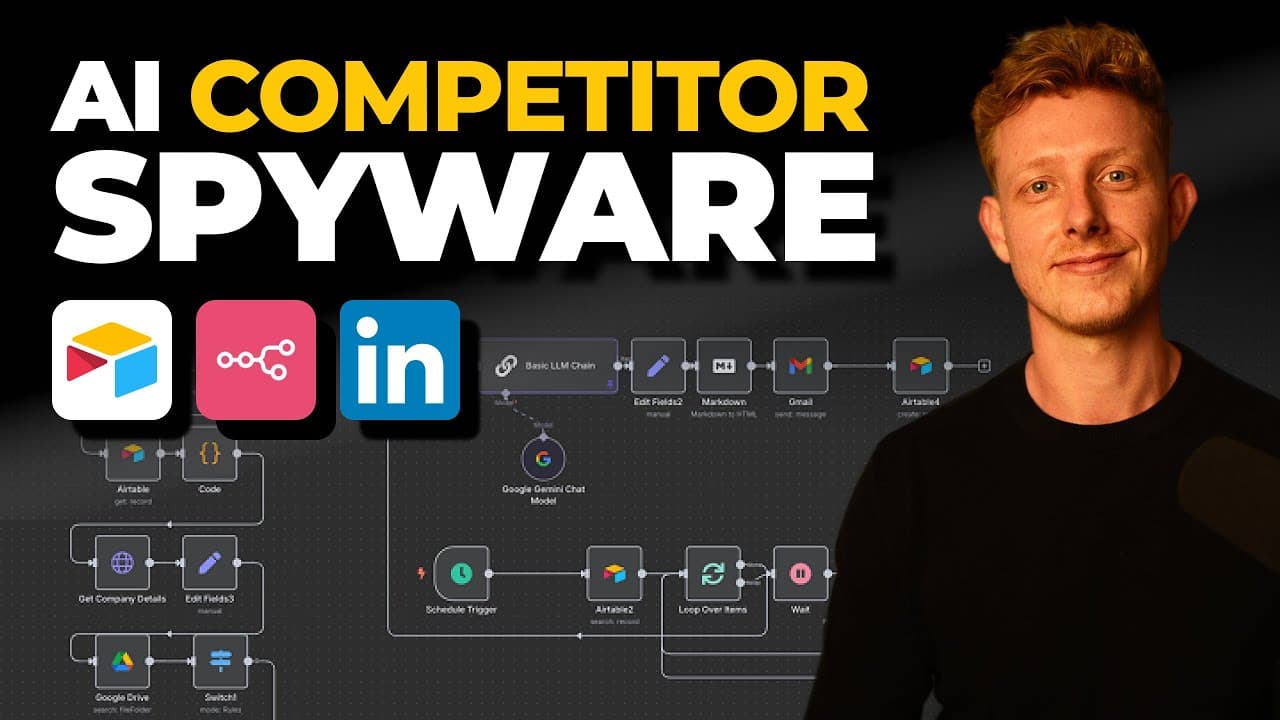
Building a no-code AI system for competitor analysis involves tracking LinkedIn job ads to gain strategic insights. The system uses Airtable and n8n to automate data collection, categorization, and report generation. Users can copy the template for their own use, enabling real-time competitor research and strategic planning.
Transcript
In this video, I'll show you how I built a simple AI system for one of our recent clients that does real-time competitor research on a weekly basis. This system tracks every LinkedIn job ad from competitors, sorts the roles by department, and converts this data into a weekly competitor strategy report. And in this video, I'll show you a demo, a ste... Read More
Key Insights
- Tracking job ads provides valuable insights into competitors' strategic moves.
- The AI system uses Airtable as the front-end and n8n as the back-end.
- Users can automate weekly competitor reports using this no-code system.
- LinkedIn job ads reveal future company strategies and departmental focuses.
- The system categorizes job postings by department and stores them in Google Drive.
- Airtable automations and webhooks trigger the data collection process.
- Uni API is used to retrieve company profiles and job postings from LinkedIn.
- The system is designed to be easily replicated and customized for various industries.
Install to Summarize YouTube Videos and Get Transcripts
Explore YouTube Video Summarizer or Get YouTube Transcript Extractor
Questions & Answers
Q: How to automate competitor analysis using AI?
Automating competitor analysis using AI involves setting up a system that tracks LinkedIn job ads to glean strategic insights. By using Airtable as the front-end and n8n as the back-end, users can automate the collection, categorization, and reporting of job postings. This system allows for real-time insights into competitors' strategic moves, making it a valuable tool for businesses.
Q: What are the benefits of tracking LinkedIn job ads?
Tracking LinkedIn job ads offers insights into the strategic future moves of companies. Job ads indicate which departments are expanding and what roles are being prioritized, revealing potential shifts in company focus. This information can be crucial for understanding competitors' strategies and planning counter-strategies. It helps businesses stay informed about industry trends and competitor activities.
Q: How does the AI system categorize job postings?
The AI system categorizes job postings by department using a prompt that classifies job descriptions into predefined categories. This classification helps in understanding the strategic focus of each department within a competitor's organization. The categorized data is then stored in Google Drive and used to generate detailed competitor strategy reports.
Q: What role does Airtable play in the AI system?
Airtable serves as the front-end interface for the AI system, where users can input competitor information and track the status of data collection and report generation. It acts as a central hub for managing the automation process, storing job postings, and linking them to the respective competitor profiles. Airtable's automations and webhooks trigger the data collection workflow.
Q: How is the Uni API utilized in the AI system?
The Uni API is used to retrieve company profiles and job postings from LinkedIn. It allows the AI system to access LinkedIn's internal API, enabling the scraping of job ads and company data. This API is crucial for obtaining the necessary information to generate competitor analysis reports, making it a key component of the system's data collection process.
Q: What customization options are available for the AI system?
The AI system is designed to be easily customized and replicated across different industries. Users can modify the template to suit their specific needs, such as changing the categorization criteria or adjusting the data collection frequency. This flexibility makes it adaptable to various business contexts, providing tailored insights based on industry-specific competitor analysis requirements.
Q: How does the AI system generate competitor reports?
The AI system generates competitor reports by aggregating categorized job postings and analyzing them using an LLM (Language Learning Model) prompt. The analysis focuses on identifying strategic trends and hiring details for each competitor. The generated report is then converted to HTML and sent via email, providing a comprehensive overview of competitors' strategic directions and hiring activities.
Q: What are the strategic insights gained from competitor reports?
Competitor reports provide insights into strategic focuses such as departmental expansions, product development priorities, and geographic market targets. By analyzing job ads, businesses can infer competitors' growth strategies, potential new offerings, and shifts in market positioning. These insights enable companies to anticipate competitive moves and adjust their strategies accordingly.
Summary & Key Takeaways
-
The AI system automates competitor analysis by tracking LinkedIn job ads, categorizing them by department, and generating weekly reports. It uses Airtable and n8n for seamless data integration and report automation.
-
Users can easily add competitors by inputting their LinkedIn URLs, and the system automatically retrieves and categorizes job postings, storing them in Google Drive for further analysis.
-
The system's no-code setup allows for easy replication and customization, making it suitable for various industries looking to gain strategic insights from competitor hiring trends.
Read in Other Languages (beta)
Share This Summary 📚
Summarize YouTube Videos and Get Video Transcripts with 1-Click
Try YouTube Summary with ChatGPT & Claude or YouTube Transcript Generator
Explore More Summaries from Ben AI 📚






Summarize YouTube Videos and Get Video Transcripts with 1-Click
Try YouTube Summary with ChatGPT & Claude or YouTube Transcript Generator