How to craft perfect DALLE 3 prompts for images
TL;DR
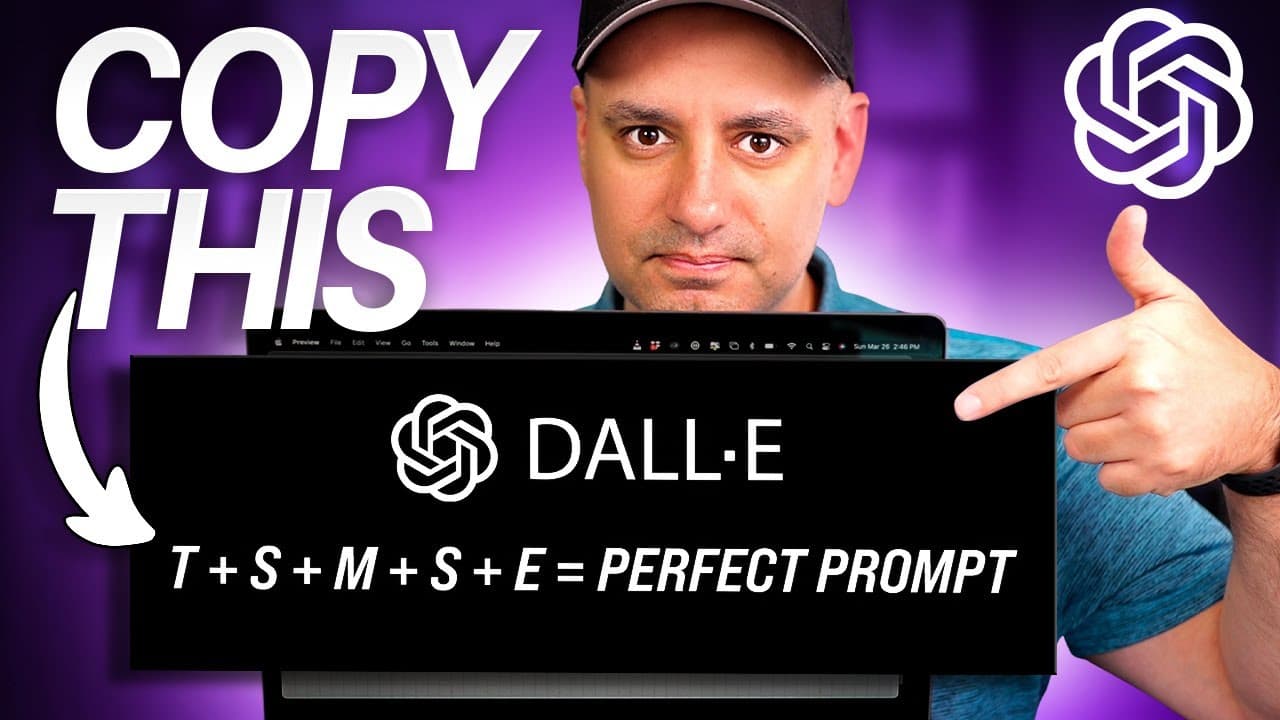
Be descriptive and precise in prompts, telling DALLE 3 exactly what to create. Include image type, subject, scene, color mood, and optional style, then emphasize key features and revise as needed inside the chat prompt flow. This yields clearer, more controlled results from DALLE 3.
Transcript
I've been using Dolly now for quite a while I started with Dolly 2 back in April of 2022 and now inside of chat GPT 4 we have access to Dolly 3 and it's a whole lot more useful couple years ago it was really hard to get anything good out of Dolly now you could get really useful things out of Dolly inside of chat gp4 but you do have to know how to p... Read More
Key Insights
- DALL·E responds best to high level of description in prompts, not vague requests
- The six part prompt formula consists of image type, subject, setting, mood or color, style, and emphasis
- Defining the primary focus helps ensure key features stand out in the final image
- Setting a clear scene involves specifying both character and environment
- Using color and mood details guides the overall atmosphere of the output
- Analogies or artist references can help convey a desired aesthetic
- Revisions within the prompt flow allow iterative improvements without redoing work
- A dedicated Dolly GPT can provide presets and aspect ratio options for faster prompts
Install to Summarize YouTube Videos and Get Transcripts
Explore YouTube Video Summarizer or Get YouTube Transcript Extractor
Questions & Answers
Q: What is the core six part prompt formula for DALLE 3 prompts
The core six part formula is: image type, subject, setting, mood or color, style, and emphasis. This structure helps the model prioritize elements in a defined order, ensuring the primary subject is clear, the scene is well defined, and the desired artistic influence or mood is applied. It also supports iterative revisions inside the chat interface for refinement.
Q: How should I start a prompt for a DALLE 3 image
Start by stating the image type you want, such as a photo or illustration, then specify the main subject who or what is in the image. This establishes the foundation for the rest of the prompt, making it easier to add details about setting, mood, color, and style in the subsequent parts.
Q: Why is specifying the setting important in prompts
Specifying the setting defines the environment around the subject, which dramatically affects composition, lighting, and storytelling. A precise setting, like a windowsill at sunset, helps the model place the subject correctly and apply context that enhances realism or mood, leading to outputs that align with user intent.
Q: What role do color and mood play in prompt design
Color and mood provide emotional and aesthetic direction for the image. Mentioning specific colors or a color palette guides the model toward a cohesive look, while mood words like warm hues or cool tones shape the atmosphere, ensuring the final image conveys the intended feeling and style.
Q: Can you give an example of emphasizing a key feature
Yes, emphasize a key feature by clearly stating it as a focal point, such as a primary subject being a bold golden eagle or green eyes on a cat. Repeating the emphasis or placing it early in the prompt helps the model prioritize that element so it remains visually dominant in the final image.
Q: What is the benefit of using analogies in prompts
Analogies help translate unfamiliar concepts into familiar references, guiding the model toward a recognizable aesthetic. For instance, describing a scene as reminiscent of Van Gogh’s style provides a clear artistic direction that can influence brushwork, color choices, and overall composition, producing outputs closer to the intended look.
Q: What is a practical use of a Dolly GPT for prompts
A Dolly GPT can offer ready made image type presets and aspect ratio options, simplifying prompt creation. It helps users quickly select a target format like square, widescreen, or vertical, and can generate initial prompts that follow the six part formula, speeding up iteration and consistency across prompts.
Q: How should prompts be revised during generation
Prompts should be revised by tweaking specifics like subject details, setting, or color, then re running the prompt in the chat. Small changes can yield substantially different results. The process supports back and forth revisions without starting from scratch, enabling gradual improvement toward the desired image.
Summary & Key Takeaways
-
A detailed six part prompt formula is presented to improve image generation with DALLE 3, emphasizing image type, subject, setting, mood, color and optional style to guide outputs
-
The speaker explains the value of being descriptive, using analogies and color detail to shape the final image while allowing for revisions within the chat prompt environment
-
Examples show applying the six part formula to photos, illustrations, and paintings, plus the role of a dedicated Dolly GPT to streamline prompt creation and offer presets
Read in Other Languages (beta)
Share This Summary 📚
Summarize YouTube Videos and Get Video Transcripts with 1-Click
Try YouTube Summary with ChatGPT & Claude or YouTube Transcript Generator
Explore More Summaries from Skill Leap AI 📚





Summarize YouTube Videos and Get Video Transcripts with 1-Click
Try YouTube Summary with ChatGPT & Claude or YouTube Transcript Generator