How to Create a Java Login System Using HashMap
TL;DR
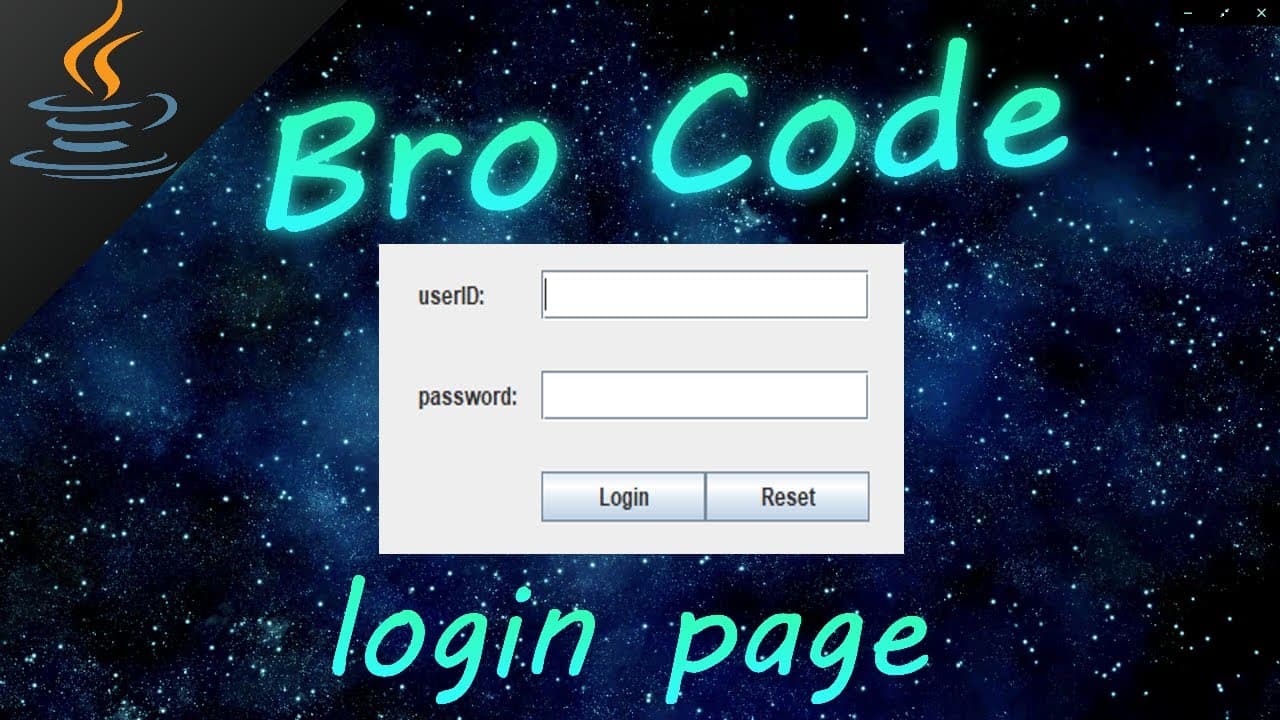
To create a Java login system using HashMap, store user IDs and passwords as key-value pairs within the HashMap. The tutorial guides you through setting up classes for managing the login process and providing user feedback, all without a database connection.
Transcript
hey how's it going everybody it's bro here hope you're doing well and in this video I'm going to be teaching you guys how we can make a login system using Java so let's get into it before you reach the end of this video make sure to LIKE comment and subscribe so that we together can challenge and defeat the mighty YouTube algorithm everyone so with... Read More
Key Insights
- ⚡️ Developing a login system using Java that stores user IDs and passwords in a HashMap within the project folder.
- 💡 The tutorial focuses on using the knowledge learned so far in the series to build the login system without connecting to databases.
- 🗄️ The login details are stored as key-value pairs in the HashMap, with the username as the key and the password as the value.
- 📚 The tutorial provides step-by-step instructions on creating four different classes: Main, IDAndPasswords, LoginPage, and WelcomePage.
- 🔒 The tutorial emphasizes the importance of data privacy by setting the getLoginInfo method in the IDAndPasswords class to a protected status.
- 💬 The login system provides feedback messages to the user, indicating whether the login was successful, unsuccessful due to a wrong password, or if the username is not found.
- ✅ The program checks the user ID and password against the stored data using HashMap's containsKey and get methods.
- 🌟 The welcome page displays a personalized greeting to the user based on their user ID and disposes of the login page upon successful login.
Install to Summarize YouTube Videos and Get Transcripts
Explore YouTube Video Summarizer or Get YouTube Transcript Extractor
Questions & Answers
Q: How does the login system store user IDs and passwords?
The login system stores user IDs and passwords in a HashMap, where the key is the username and the value is the password.
Q: Can the login system connect to databases or store data in files?
The login system shown in the tutorial does not connect to databases or store data in files, but the foundational code can be expanded upon to incorporate these functionalities.
Q: How does the login page authenticate user credentials?
The login page checks if the entered user ID exists in the HashMap and then verifies if the associated password matches the entered password.
Q: What happens after a successful login?
After a successful login, the tutorial demonstrates how to open a new window (welcome page) and display a personalized message.
Q: Is there a way to reset the entered user ID and password?
Yes, the tutorial shows how to create a "reset" button that clears the user ID and password fields.
Q: Can the login system handle incorrect user IDs or passwords?
Yes, the login system displays an error message if the entered user ID does not exist or the password is incorrect.
Q: How can I access the code used in the tutorial?
The video creator provides a link in the video description to access the code used in the tutorial.
Summary & Key Takeaways
-
The video tutorial teaches how to create a login system using Java.
-
The login system stores user IDs and passwords in a HashMap within the project folder.
-
The tutorial demonstrates the use of classes, hash maps, and GUI components to create the login system.
Read in Other Languages (beta)
Share This Summary 📚
Summarize YouTube Videos and Get Video Transcripts with 1-Click
Try YouTube Summary with ChatGPT & Claude or YouTube Transcript Generator
Explore More Summaries from Bro Code 📚


Summarize YouTube Videos and Get Video Transcripts with 1-Click
Try YouTube Summary with ChatGPT & Claude or YouTube Transcript Generator