How to Build a Raspberry Pi Server with the 52pi NAS Case
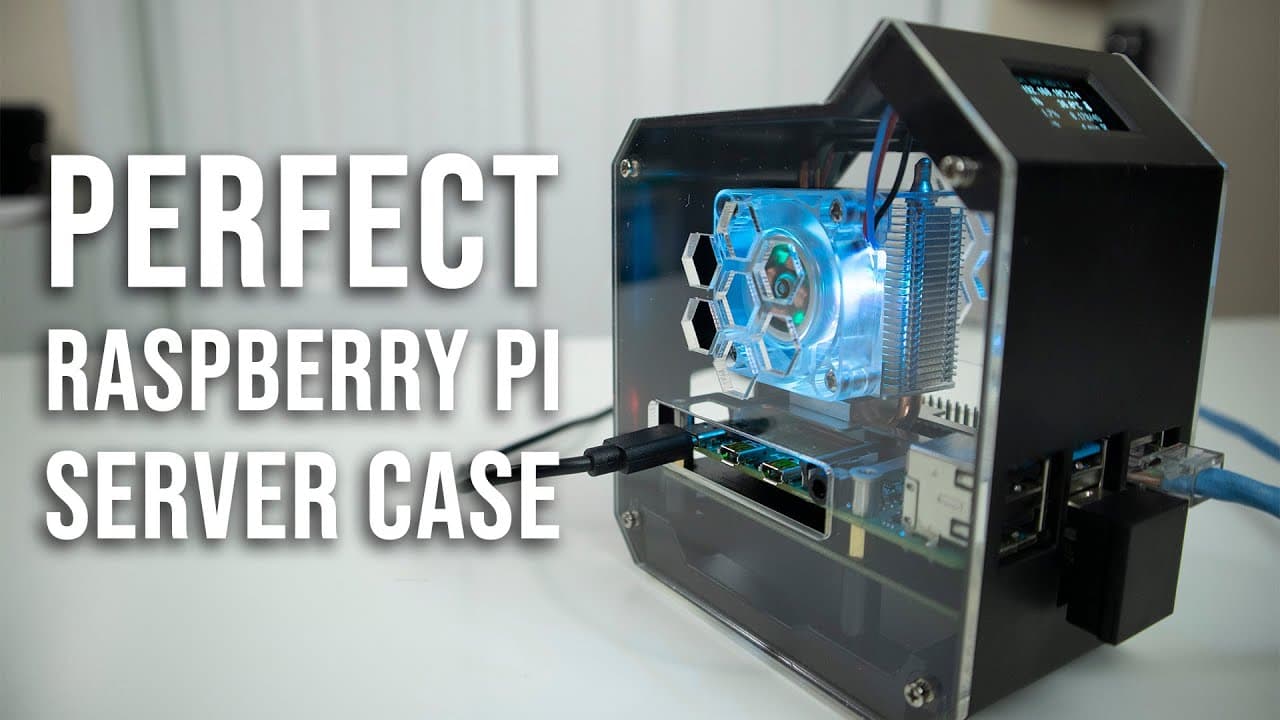
TL;DR
To build a Raspberry Pi server using the 52pi Mini Tower case, follow the simplified assembly process that allows for easy installation and customization. This case features improved ABS construction, enhanced cable management, and support for SSD booting, making it ideal for tasks like video transcoding with Docker.
Transcript
hey guys what's going on it's Don here from novas bear attack and welcome back to the channel and today we're going to be checking out the pi 52 mini tower case for the Raspberry Pi so let's get started now I do want to thank 52 Pi for sending this over to me or geek pie I actually call them either or because they're the same company but yes this i... Read More
Key Insights
- ♓ The Pi 52 Mini Tower case enhances assembly efficiency, allowing new users to set up Raspberry Pi projects faster than before.
- 🧑💻 Its ABS plastic construction provides improved durability compared to previous 3D-printed designs, reflecting a move towards better-quality materials in tech accessories.
- ❣️ The transition to an SSD-based setup for booting provides significant performance boosts, streamlining the operation of heavier applications like Docker.
- 👤 The customized scripts for the front screen and RGB lighting make user interaction more intuitive and visually engaging, showcasing community contributions to the project.
- 👤 Users can now create dedicated servers for specific tasks, such as video transcoding, maximizing the utility of Raspberry Pi systems for diverse applications.
- 🚠 The assembly process is simplified through improved design elements that enhance cable management and component connection, saving time and reducing frustration.
- 🤗 The ability to upgrade storage with larger m.2 SSDs opens new possibilities for users needing extensive media storage without sacrificing speed.
Install to Summarize YouTube Videos and Get Transcripts
Explore YouTube Video Summarizer or Get YouTube Transcript Extractor
Questions & Answers
Q: What improvements does the Pi 52 Mini Tower case have over previous models?
The Pi 52 Mini Tower case offers numerous improvements, such as easier installation with detachable components, improved cable management, and a more robust build with molded ABS plastic instead of 3D-printed material. These updates streamline assembly and enhance durability, making it a strong choice for Raspberry Pi projects.
Q: How does the new case facilitate video transcoding?
The new case setup utilizes a dedicated Raspberry Pi server configured to transcode video footage efficiently. By incorporating Docker, it allows for simultaneous processing using a GPU and CPU, thus optimizing resource usage and managing storage effectively, a critical need for users with extensive archived media.
Q: What are the benefits of using an m.2 SSD with the Raspberry Pi?
Using an m.2 SSD with the Raspberry Pi provides higher speed for data access and retrieval compared to traditional SD cards. It enhances the performance of applications and setups like the Pi server being constructed for transcoding purposes. Additionally, SSDs have greater durability, meaning fewer issues with data corruption and longer longevity.
Q: What scripts were mentioned for managing the front screen and RGB lighting?
A user from the video creator's Discord community, known as macly, developed scripts allowing users to control the front screen display and RGB lighting through a web browser. These enhancements include upgraded graphics and additional icons for better user interaction without constant manual log-ins.
Q: How long did the assembly process for the Pi 52 Mini Tower case take?
The assembly process for the Pi 52 Mini Tower case was notably quick, taking around seven to eight minutes as per the video demonstration. This efficiency can be attributed to the design improvements that made installation steps clearer and more direct compared to older models.
Q: How does the firmware update help with the boot process?
The Raspberry Pi’s bootable firmware now enables users to install and boot operating systems directly from the m.2 SSD, negating the necessity for an SD card. This streamlining simplifies the setup and enhances the efficiency of booting and running applications on the Raspberry Pi.
Q: Can the Pi 52 Mini Tower case be used for other applications besides transcoding videos?
Yes, the Pi 52 Mini Tower case is versatile enough to support various applications beyond just video transcoding. Its features and robust design make it suitable for general server use, including hosting applications, media centers, or any project requiring a compact server solution with effective cooling.
Q: What are the key features of the RGB fan included in the case?
The RGB fan included in the case can be controlled via a web browser, allowing users to customize lighting effects and colors. This adds a visually appealing element to the setup while ensuring optimal cooling during intensive tasks like transcoding, crucial for maintaining hardware performance.
Summary & Key Takeaways
-
The Pi 52 Mini Tower case features significant improvements over its predecessor, including easier component installation and better cable management, with high-quality ABS plastic construction.
-
This build aims to create a Raspberry Pi server specifically for transcoding video footage, utilizing Docker for efficiency and allowing booting from an m.2 SSD, eliminating the need for an SD card.
-
The video tutorial guides users through a straightforward assembly process, demonstrating the use of custom scripts to control the front screen and RGB lighting, enhancing the overall user experience.
Read in Other Languages (beta)
Share This Summary 📚
Summarize YouTube Videos and Get Video Transcripts with 1-Click
Try YouTube Summary with ChatGPT & Claude or YouTube Transcript Generator
Explore More Summaries from Novaspirit Tech 📚






Summarize YouTube Videos and Get Video Transcripts with 1-Click
Try YouTube Summary with ChatGPT & Claude or YouTube Transcript Generator