Products
Features
YouTube Video Summarizer
Summarize YouTube videos
Web & PDF Highlighter
Highlight web pages & PDFs
Chat with PDF
Ask any PDF questions with AI
Ask AI Clone
Chat with your highlights & memories
Audio Transcriber
Transcribe audio files to text
Glasp Reader
Read and highlight articles
Kindle Highlight Export
Export your Kindle highlights
Idea Hatch
Hatch ideas from your highlights
Integrations
Obsidian Plugin
Notion Integration
Pocket Integration
Instapaper Integration
Medium Integration
Readwise Integration
Snipd Integration
Hypothesis Integration
Apps & Extensions
Chrome Extension
Safari Extension
Edge Add-ons
Firefox Add-ons
iOS App
Android App
Discover
Discover
Ideas
Discover new ideas and insights
Articles
Curated articles and insights
Books
Book recommendations by great minds
Posts
Essays and notes from readers
Quotes
Inspiring quotes collection
Videos
Curated videos and summaries
Explore Glasp
Glasp Story
How we grew from 0 to 3 million users
Glasp Newsletter
Weekly insights and updates
Glasp Talk
Interview series with great minds
Glasp Blog
Latest news and articles
Glasp Use Cases
Learn how others use Glasp
Build & Support
Glasp API
Access Glasp's API for developers
MCP Connector
Connect Glasp to Claude & ChatGPT
Community
Glasp Reddit Community
Students
Student discount and benefits
FAQs
Frequently Asked Questions
AboutPricing
DashboardLog inSign up

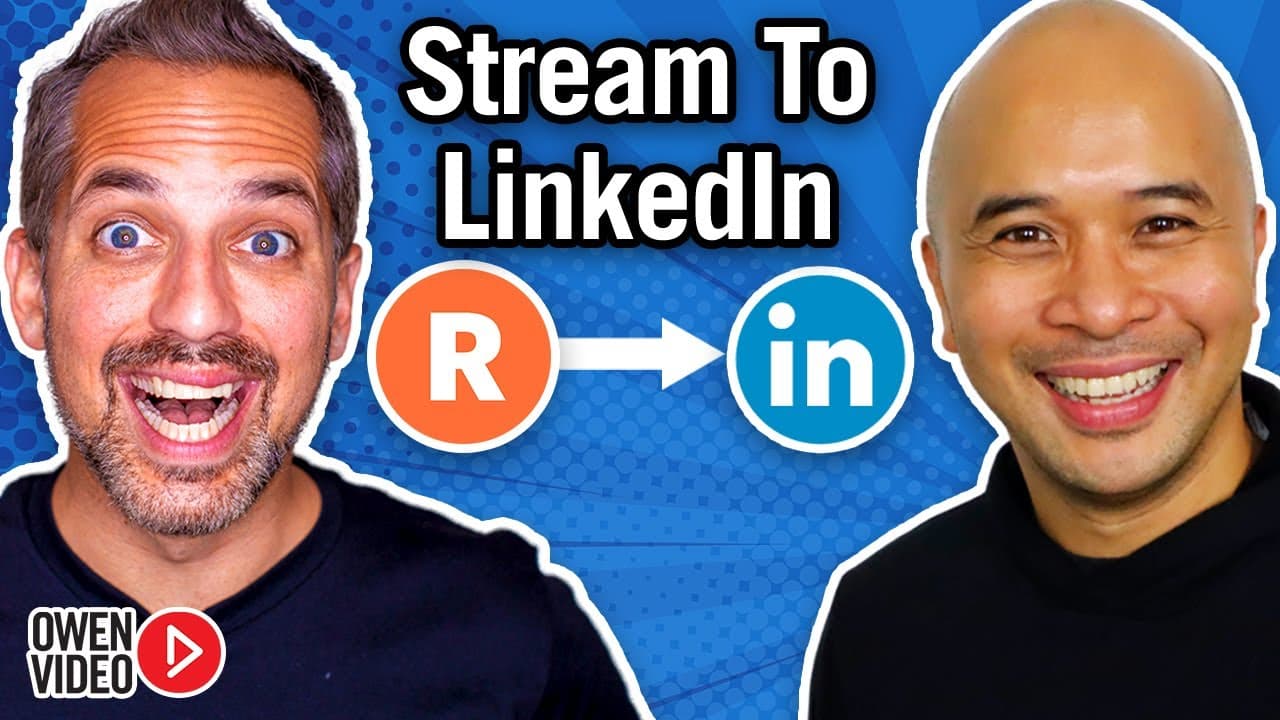
How to Live Stream on Linkedin Live with Restream (Tutorial)

October 27, 2020
by
Owen Video
YouTube video player
How to Live Stream on Linkedin Live with Restream (Tutorial)

TL;DR

Learn how to live stream on LinkedIn using Restream Live Studio, including dual casting on LinkedIn and YouTube, adding graphics and lower thirds, and optimizing your stream for professional quality.

Transcript

today i'm going to show you how to live stream onto linkedin so if you're a youtuber or a brand and you want to meet more business people you got to stay tuned for today's tutorial i'm going to go get set up at my desk stick around it's owen video hey welcome back to the channel i'm owen video founder of the video marketing school where you can acc... Read More

Key Insights

  • 👍 LinkedIn Live access requires applying and being approved by LinkedIn, which may take multiple attempts.
  • 👻 Restream Live Studio allows you to connect LinkedIn to your live streaming setup, providing professional features like captions, graphics, and overlays.
  • 💄 Guest invitations are easily sent through Restream Live Studio, and multiple guests can join, making panel interviews possible.
  • 👻 Restream Live Studio offers multi-streaming capabilities, allowing you to reach multiple channels simultaneously.

Install to Summarize YouTube Videos and Get Transcripts

Explore YouTube Video Summarizer or Get YouTube Transcript Extractor

Questions & Answers

Q: How do I apply for LinkedIn Live access?

To apply for LinkedIn Live access, go to the LinkedIn Live application page and provide your name, indicate whether you're applying as a personal account or for a business page, and share your previous live streaming experience.

Q: Can I stream on LinkedIn and YouTube simultaneously?

Yes, by using Restream Live Studio, you can connect both LinkedIn and YouTube and stream to both platforms at the same time. Simply set up your channels and go live.

Q: How do I invite a guest to join my live stream?

To invite a guest, click on the "Invite Guests" button below the preview screen in Restream Live Studio. Copy the guest link and share it with your guest, who will then appear as another video source on your dashboard.

Q: Does Restream have a built-in chat feature?

Yes, Restream Live Studio has a chat feature that pulls in comments and messages from all the channels you're streaming to. You can reply to comments directly from the chat feed.

Summary & Key Takeaways

  • This video tutorial teaches viewers how to live stream on LinkedIn for YouTubers and businesses looking to expand their reach and connect with professionals.

  • Viewers are guided through the process of applying for LinkedIn Live access, connecting LinkedIn to Restream Live Studio, and setting up a professional live stream.

  • The tutorial covers features such as adding captions, graphics, and overlays, inviting and managing guests, and multi-streaming to multiple channels simultaneously.


Read in Other Languages (beta)

English

Share This Summary 📚

Summarize YouTube Videos and Get Video Transcripts with 1-Click

Download browser extensions on:

Try YouTube Summary with ChatGPT & Claude or YouTube Transcript Generator

Explore More Summaries from Owen Video 📚

Best DIY video backdrops - DIY Home Studio for YouTube Video thumbnail
Best DIY video backdrops - DIY Home Studio for YouTube Video
Owen Video
Add Pop Up Graphics To Your Live Stream - Restream Tutorial 2022 thumbnail
Add Pop Up Graphics To Your Live Stream - Restream Tutorial 2022
Owen Video
Are YouTube’s Demands Hurting Your Creativity? thumbnail
Are YouTube’s Demands Hurting Your Creativity?
Owen Video
Subtitles Translator - How to translate YouTube Captions into any language thumbnail
Subtitles Translator - How to translate YouTube Captions into any language
Owen Video
Film PERFECT Videos In One Take - NO TELEPROMPTER thumbnail
Film PERFECT Videos In One Take - NO TELEPROMPTER
Owen Video
Simple iPhone Video Set Up - EASIEST WAY to Film YouTube Videos On any Mobile Device thumbnail
Simple iPhone Video Set Up - EASIEST WAY to Film YouTube Videos On any Mobile Device
Owen Video

Summarize YouTube Videos and Get Video Transcripts with 1-Click

Download browser extensions on:

Try YouTube Summary with ChatGPT & Claude or YouTube Transcript Generator

Apps & Extensions

  • Chrome Extension
  • Safari Extension
  • Edge Add-ons
  • Firefox Add-ons
  • iOS App
  • Android App

Key Features

  • YouTube Video Summarizer
  • Web & PDF Summarizer
  • Web & PDF Highlighter
  • Chat with PDF
  • Ask AI Clone
  • Audio Transcriber
  • Glasp Reader
  • Kindle Highlight Export
  • Idea Hatch

Integrations

  • Obsidian Plugin
  • Notion Integration
  • Pocket Integration
  • Instapaper Integration
  • Medium Integration
  • Readwise Integration
  • Snipd Integration
  • Hypothesis Integration

More Features

  • APIs
  • MCP Connector
  • Blog & Post
  • Embed Links
  • Image Highlight
  • Personality Test
  • Quote Shots

Company

  • About us
  • Our Story
  • Blog
  • Community
  • FAQs
  • Job Board
  • Newsletter
  • Pricing
Terms

•

Privacy

•

Guidelines

© 2026 Glasp Inc. All rights reserved.