How to Automate Documents with Claude Code Skills
TL;DR
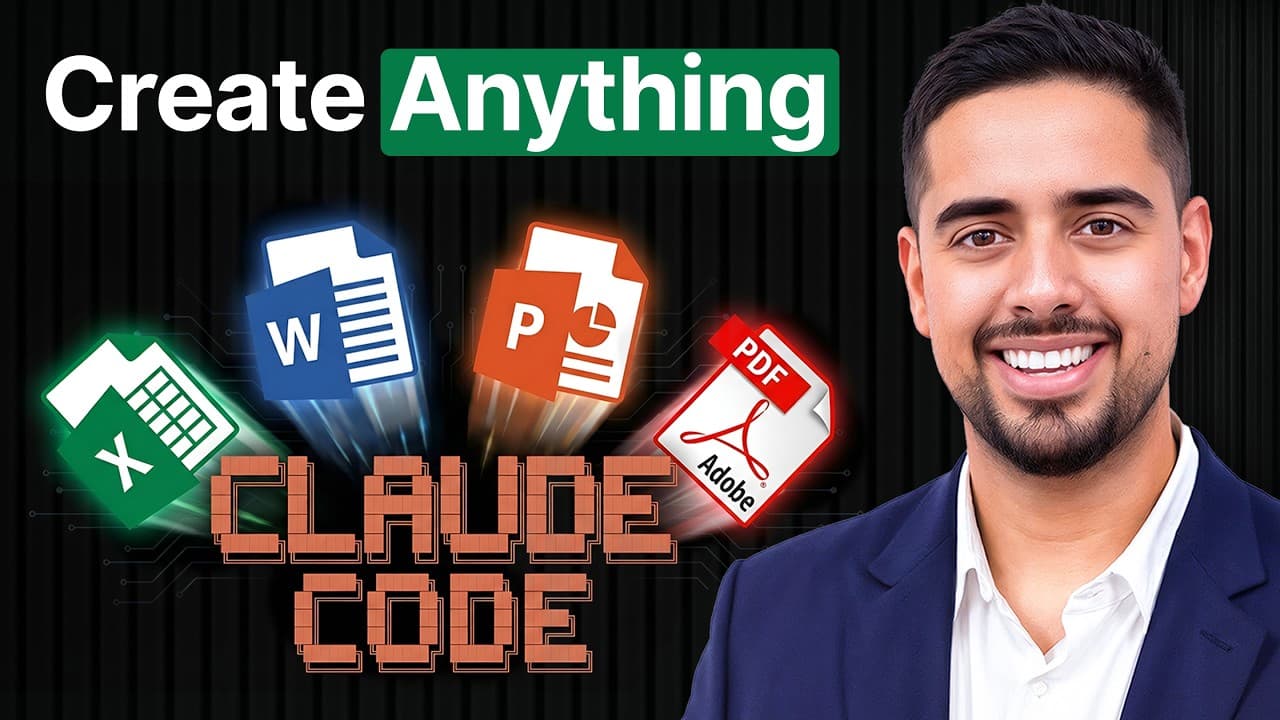
Claude Code can automate polished PDFs, Word documents, PowerPoint decks, and Excel files from natural-language prompts by using Anthropic’s reusable document skills. The quickest setup clones the skills repository from GitHub and copies its directories into Claude Code’s configuration folder; Firecrawl branding JSON can then supply colors, fonts, images, and components for redesigns. Read on for the installation, prompting, customization, and reuse workflow.
Transcript
There's a cheat code living inside Claude Code that lets you make it into a one-stop document factory. I'm talking about creating PowerPoint decks, Excel files, Word doc files, and even PDFs just from a single prompt. So, while everyone is going back and forth with Chat GBT or Claudi on the front end and having conversations collapse with minimal o... Read More
Key Insights
- Claude Code skills are reusable instruction and script packages that enable the system to create PDFs, Word documents, PowerPoint decks, and Excel files through natural-language requests while exposing the underlying programmatic workflow for repeated use.
- The quickest setup is to clone Anthropic’s skills repository from GitHub and copy its skill directories into Claude Code’s generated configuration folder, where Claude Code can reference them when a prompt requests a supported document type.
- Document generation works by executing code and using supporting libraries rather than producing only conversational text. The retained scripts make it possible to repeat a process, create multiple files, and build a centralized document-production workflow.
- Each document skill includes a skill.md file that describes its procedures and a collection of scripts for relevant operations. The PDF example includes functions for image conversion, image validation, field extraction, and final PDF conversion.
- A natural-language prompt can specify the document topic, approximate length, desired polish, and relevant skill. Claude Code can then locate the appropriate skill, run its available functions, address execution errors, request permissions when necessary, and create the requested file.
- Separate Claude Code sessions can support parallel document workflows within the same working environment. A user can continue revising a PDF in one session while opening another session to request an Excel file or another type of output.
- Website branding can be extracted as JSON through Firecrawl, including colors, fonts, typography, images, buttons, and other components. Supplying that structured information to Claude Code gives it concrete design references for planning a more polished document.
- Design inspiration can be separated from direct imitation by instructing Claude Code to preserve general qualities such as clarity, hierarchy, and structured typography while changing the colors, layout choices, and other visual elements to create an original result.
Install to Summarize YouTube Videos and Get Transcripts
Explore YouTube Video Summarizer or Get YouTube Transcript Extractor
Questions & Answers
Q: How do you install document skills in Claude Code?
Open a new folder in Claude Code, launch the terminal, clone Anthropic’s skills repository from GitHub, and copy its skill directories into Claude Code’s generated configuration folder. Claude Code may request permission while retrieving the repository and accessing the required functions.
Q: What documents can Claude Code skills create?
The demonstrated skills can create PDFs, Word DOCX files, PowerPoint decks, and Excel spreadsheets. These files are produced programmatically through reusable instructions, scripts, symbols, and supporting libraries.
Q: What is included in a Claude Code document skill?
Each document skill includes a skill.md instruction file, scripts, and supporting resources for its workflow. The PDF skill contains functions for converting PDFs to images, validating images, extracting fields from existing documents, and converting material into a PDF.
Q: How do you generate a PDF from a natural-language prompt in Claude Code?
Ask Claude Code to use the PDF skill and specify the topic, approximate length, and desired visual quality. The demonstration requests a polished document of around five pages about expectations for generative AI in 2026, after which Claude Code locates the skill and executes its functions.
Q: How can website branding be added to a Claude Code document?
Use Firecrawl to extract a website’s branding information as JSON, including colors, fonts, typography, images, buttons, and components. Supply that JSON to Claude Code so it can use the structured design references when planning and producing the document.
Q: How can you use publication-inspired design without directly copying it?
Prompt Claude Code to preserve broad qualities such as clarity, hierarchy, and structured typography while changing the palette, typography, layout, and other visual choices. The demonstrated approach takes inspiration from a publication’s structure while requiring an original result and a different color palette.
Q: Why use Claude Code as a document production workspace?
Claude Code exposes and retains the scripts used to generate each document, allowing the workflow to be repeated for many outputs instead of only one file. Multiple sessions can also support separate document workflows in the same environment, such as revising a PDF while requesting an Excel file.
Q: How can you recreate a document without cloning Anthropic’s skills repository?
Create the document through Claude’s front-end interface, then ask Claude to summarize how it built the file, including the code, structure, formulas, styling, recreation steps, and useful supporting files. Feed that material into Claude Code so it can reverse-engineer how to rebuild the document from scratch.
Summary & Key Takeaways
-
Claude Code can function as a document production workspace by using specialized skills for PDFs, Word documents, PowerPoint decks, and Excel files. Because the files are produced programmatically, users can retain the scripts, repeat the workflow across many outputs, edit existing results, and operate multiple document-generation sessions from one folder.
-
The fastest setup clones Anthropic’s skills repository and copies its skill directories into Claude Code’s configuration structure. Each skill contains instructions, scripts, and supporting functions for tasks such as generating files, converting PDF pages into images, validating output, extracting fields, and handling the programmatic steps required to produce finished documents.
-
Document design can be improved by extracting a website’s branding information with Firecrawl and supplying the resulting JSON to Claude Code. Colors, fonts, typography, images, buttons, and components can inform a redesign plan. The demonstrated workflow takes inspiration from a publication’s structure while deliberately changing its palette and avoiding direct copying.
Read in Other Languages (beta)
Share This Summary 📚
Summarize YouTube Videos and Get Video Transcripts with 1-Click
Try YouTube Summary with ChatGPT & Claude or YouTube Transcript Generator
Explore More Summaries from Mark Kashef 📚




Summarize YouTube Videos and Get Video Transcripts with 1-Click
Try YouTube Summary with ChatGPT & Claude or YouTube Transcript Generator