What Are the Best Productivity Apps for Small Businesses?
TL;DR
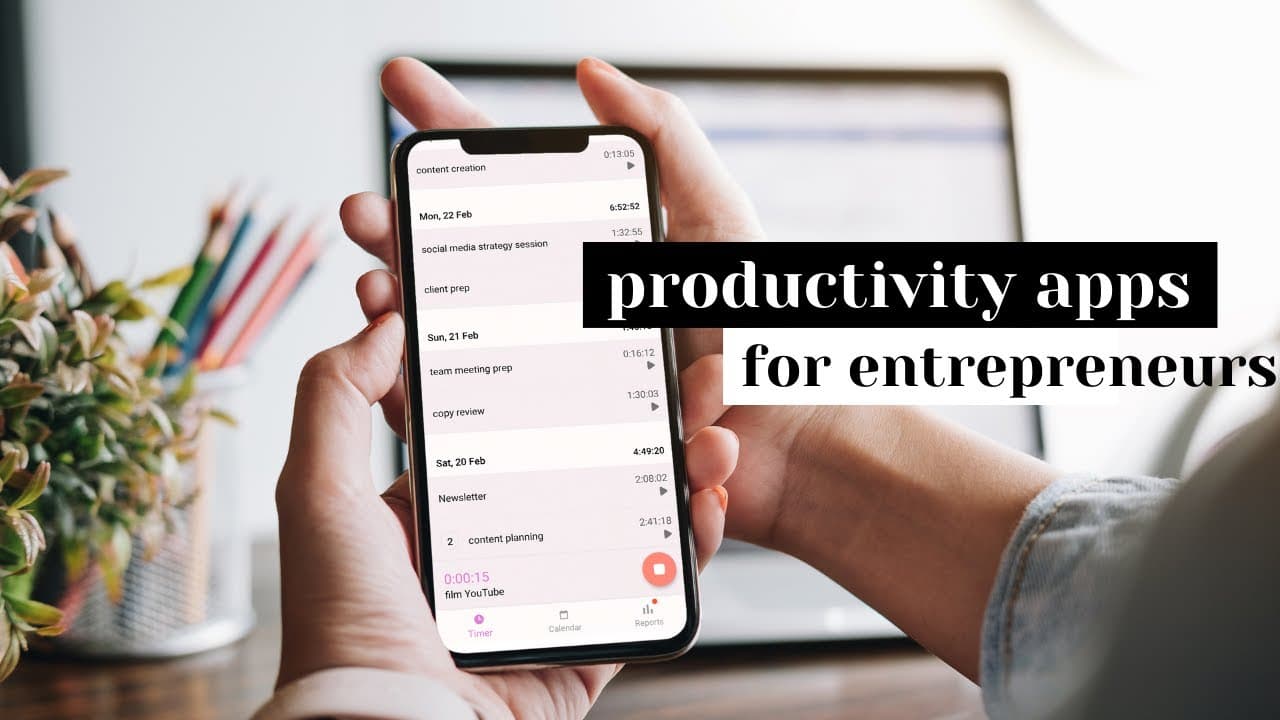
The best productivity apps for small businesses include Facebook's Creator Studio for content scheduling, Figma for flexible design, OneTab for organizing browser tabs, Miro for mind mapping, Toggle for time tracking, and Vidyard for easy video feedback. Additionally, maintaining a decision journal can enhance decision-making and reduce analysis paralysis.
Transcript
hey everyone it's vicky and today we're talking about productivity apps for small businesses that you may not have heard of this video is broken into three parts that correlate with three areas in small businesses that take way too much time one is content creation two is knowledge tracking and three is process management so let's start with the fi... Read More
Key Insights
- 🥶 Facebook's Creator Studio is a free and useful tool for scheduling and publishing posts on Facebook and Instagram.
- 🧘 Figma provides more flexibility than Canva for design purposes, including wireframing websites and editing shapes.
- 💾 OneTab saves time and improves organization by allowing users to save and restore tabs in their browser.
- 🤯 Miro is a mind mapping program that helps with knowledge tracking and brainstorming.
- ⌛ Toggle is a versatile time tracking tool that can be used by small businesses for tracking tasks and managing time.
- 😤 Vidyard is a helpful tool for recording and sharing feedback, making collaboration easier for remote teams.
- 👨💼 The decision journal can greatly benefit small business owners by improving decision-making and reducing analysis paralysis.
Install to Summarize YouTube Videos and Get Transcripts
Explore YouTube Video Summarizer or Get YouTube Transcript Extractor
Questions & Answers
Q: What are some recommended productivity apps for small businesses?
Some recommended productivity apps for small businesses discussed in the video include Facebook's Creator Studio, Figma, OneTab, Miro, Toggle, and Vidyard.
Q: How can Facebook's Creator Studio be useful for small businesses?
Facebook's Creator Studio is a free tool that allows small businesses to schedule and publish posts for both Facebook and Instagram. It also provides a calendar tool for easy management.
Q: What are the benefits of using the OneTab extension?
OneTab is useful for small businesses that open multiple tabs at once. It allows users to save and organize their tabs, making it easier to find and access important sources and ideas.
Q: How can the decision journal help small business owners?
The decision journal is a manual tool that helps improve decision-making. By recording and reviewing past decisions, small business owners can learn from their successes and failures, ultimately improving the quality and efficiency of their decision-making process.
Summary & Key Takeaways
-
The video discusses three areas in small businesses that can be time-consuming: content creation, knowledge tracking, and process management.
-
For content creation, the video recommends using Facebook's Creator Studio and Figma for more flexibility in designing.
-
For knowledge tracking, the video suggests using OneTab to save and organize tabs, and Miro for mind mapping.
-
For process management, the video mentions using Toggle for time tracking and Vidyard for recording and sharing feedback.
-
As a bonus, the video suggests using the decision journal to improve decision-making.
Read in Other Languages (beta)
Share This Summary 📚
Summarize YouTube Videos and Get Video Transcripts with 1-Click
Try YouTube Summary with ChatGPT & Claude or YouTube Transcript Generator
Explore More Summaries from Vicky Zhao [BEEAMP] 📚


Summarize YouTube Videos and Get Video Transcripts with 1-Click
Try YouTube Summary with ChatGPT & Claude or YouTube Transcript Generator