How to start Arduino for beginners with hands on projects
TL;DR
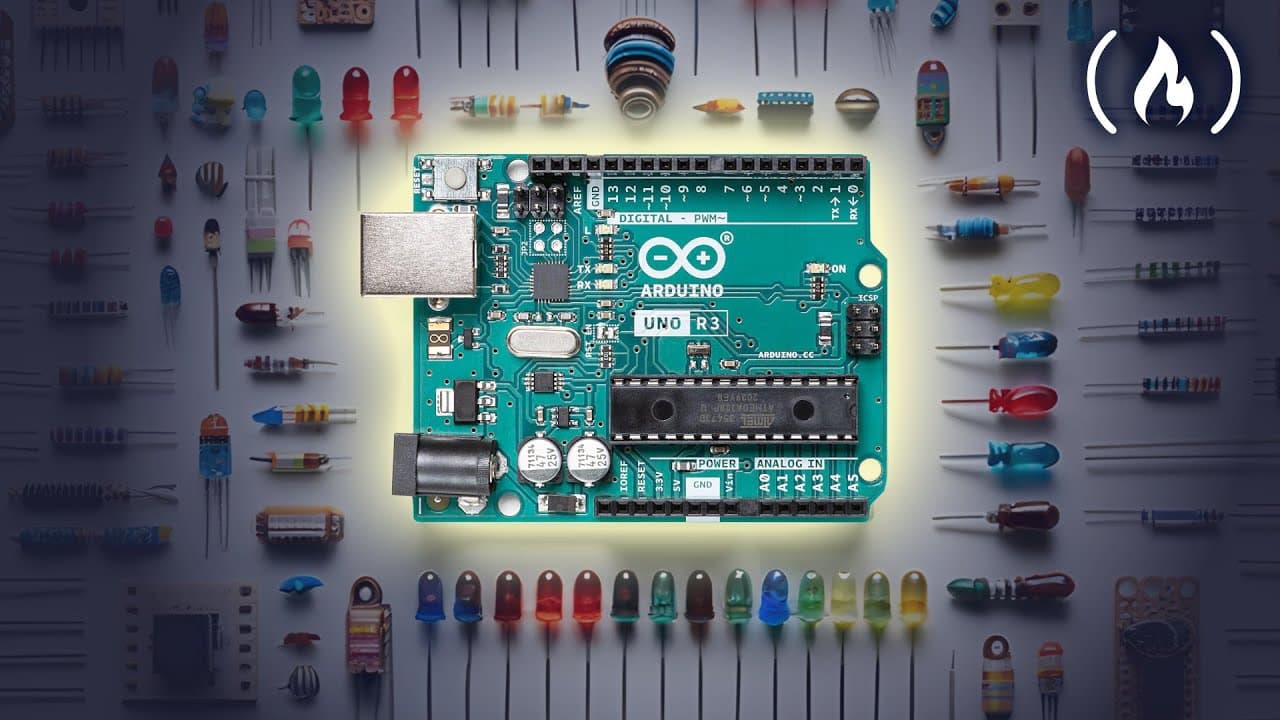
Start with a beginner friendly Arduino course that covers electronics, programming and physics concepts. The course uses both physical kits and a digital simulator via TinkerCad, guides you through breadboards, resistors and LEDs, and builds up to projects like LED blink and traffic light while explaining components and setup.
Transcript
this is an immersive Hands-On Arduino course for beginners throughout this course you'll dive deep into the world of microcontrollers learning how to create modify and optimize Arduino projects from scratch by the end you'll have the skills and confidence to bring your innovative ideas to life using the power and versatility of Arduino hello my nam... Read More
Key Insights
- Arduino fundamentals are taught starting from kit selection, including Inland starter kits and ELEGOO UNO options, to ensure accessibility for learners with varying equipment.
- A digital simulator through TinkerCAD is introduced as a parallel learning path so students can practice code and circuit design without a physical board.
- Breadboards and wiring basics are demonstrated in detail, highlighting horizontal and vertical connections and demonstrating why careful layout prevents shorts and miswiring.
- Resistors are explained as current limiters, with emphasis on protecting LEDs and other components from excessive current during build projects.
- LEDs are used as simple, tangible indicators that illuminate when circuits are correctly assembled, reinforcing understanding of current flow and polarity in circuits.
- The course progresses from a simple LED circuit to more complex projects, introducing concepts like traffic lights, variables and analog pins to expand learners’ toolkit.
- Arduino installation and setup are covered in a dedicated section to ensure learners can get the software environment ready across different systems.
- Homework and project sequencing are provided, guiding learners from basic circuits to interactive devices and sensor based experiments, promoting hands-on experimentation.
- More videos from this channel:
- More from this channel: freeCodeCamp.org
Install to Summarize YouTube Videos and Get Transcripts
Explore YouTube Video Summarizer or Get YouTube Transcript Extractor
Questions & Answers
Q: A real search query question about the video (e.g. 'How to...', 'What is...', 'Why does...', 'When should...'). Question 1
The video explains that the course is designed to be beginner friendly and uses both physical Arduino kits and the TinkerCad simulator to accommodate learners who may not have hardware. It outlines a progression from basic electronic components to more advanced projects, ensuring that students understand breadboard layout, component functions, and how to safely connect circuits. This approach helps learners build confidence by providing step by step guidance and practical examples that illustrate theory in action.
Q: Question 2
Question 2 asks about kit selection and how it affects learning. The video compares Inland starter kits and ELEGOO UNO starter kits, noting differences like extra LED matrix components and regional availability. It emphasizes choosing a kit that aligns with the learner’s location and goals, but also offers a simulator route for those without a physical board. The instruction encourages cross checking components listed on screen to ensure compatibility.
Q: Question 3
Question 3 covers how to use the TinkerCAD simulator for Arduino projects. The video describes signing into tinkercad.com, creating a circuit design, selecting components, and writing code in the included editor. Students learn to run simulations, verify LED behavior, and iterate on circuit layouts without risking hardware damage. This method helps beginners practice programming logic alongside circuit construction.
Q: Question 4
Question 4 asks about the initial practical project described in the video. The course starts with a simple LED circuit to introduce basic wiring, resistor usage, and LED polarity. Viewers learn to verify connections using visual cues and a multimeter in a theoretical demonstration, establishing a foundation for more complex builds while reinforcing best practices for safe experimentation.
Q: Question 5
Question 5 concerns breadboard fundamentals. The video explains horizontal and vertical bus connections, the importance of gaps between sections, and how to use breadboards to prototype circuits. This knowledge helps prevent miswiring and shorts, and it demonstrates how to route multiple components accurately on a single board for clean, repeatable experiments.
Q: Question 6
Question 6 deals with resistors and current control. The transcript describes resistors as devices that limit current to protect LEDs and other parts of a circuit. Learners are guided to understand how resistance affects brightness and performance, and they see practical examples in the context of LED demonstrations and project planning to prevent component damage.
Q: Question 7
Question 7 asks about progression beyond the basic LED project. The course moves from a single LED to more complex topics such as LED matrices, LEDs with brightness control, and eventually interactive projects that use analog pins, potentiometers and sensors to measure real world signals, expanding both hardware and software capabilities.
Q: Question 8
Question 8 summarizes the course structure and outcomes. It emphasizes the bundled resources, step by step project sequence, and the goal of giving students practical, confidence building experience with Arduino. Learners finish with the ability to bring ideas to life using hardware, software, and circuit design knowledge gained throughout the course.
Summary & Key Takeaways
-
The course introduces Arduino fundamentals and kit choices, emphasizing accessibility for beginners and optional simulation for those without hardware. It outlines how to verify connections with breadboards and a multimeter, and sets up the learning path from basic components to complex projects.
-
The instructor frames the course as a comprehensive, all-in-one package that includes electronics, programming and physics concepts, plus project based learning and homework to reinforce skills.
-
By the end of the sequence, viewers gain confidence to translate ideas into working Arduino projects using the provided resources and step by step guided practice.
Read in Other Languages (beta)
Share This Summary 📚
Summarize YouTube Videos and Get Video Transcripts with 1-Click
Try YouTube Summary with ChatGPT & Claude or YouTube Transcript Generator
Explore More Summaries from freeCodeCamp.org 📚






Summarize YouTube Videos and Get Video Transcripts with 1-Click
Try YouTube Summary with ChatGPT & Claude or YouTube Transcript Generator