How to Build a System That Controls Your Time
TL;DR
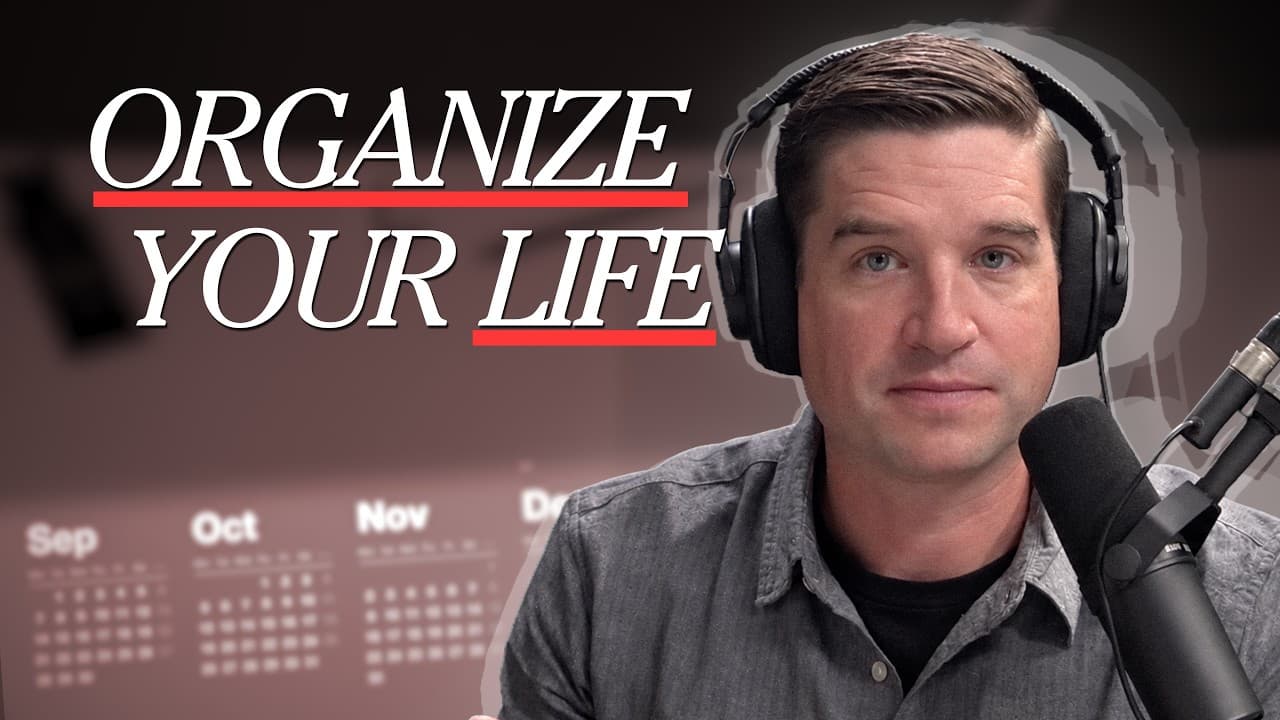
Use an intentional organizational system to decide where your time and attention go before technology decides for you. Combine a simple task manager, a time-block planner, separate calendars for appointments and logistical reminders, and a printed seasonal vision that records priorities, major projects, routines, metrics, and the tools supporting them.
Transcript
I found myself recently, as the lazy quiet of summer gave way to the noisy insistence of the fall, being more irritable than normal. I would get really annoyed about the latest blown save for the Washington Nationals, or I'd walk into a cluttered room and in a frantic fit decide I had to clean that room right away because it was intolerable the way... Read More
Key Insights
- Intentional organization is a defense against technological distraction because digital tools, work demands, and attractive diversions will otherwise determine how time and attention are spent. A personal system provides a deliberate alternative by connecting daily decisions to chosen priorities.
- Organizational systems should change when circumstances change. A sabbatical can support a lighter setup than a season containing multiple administrative or research roles, so the appropriate level of complexity depends on current responsibilities rather than a fixed productivity ideal.
- Things 3 is useful for lightweight task management because its interface makes capturing, dating, organizing, and removing tasks easy. It works across a phone and computer through synchronization, reducing the overhead required to maintain a trusted list.
- Trello is better suited to complicated roles when tasks require supporting information or attached files. Separate boards can represent major responsibilities, while a simpler task manager can remain sufficient for home matters or a season with fewer competing roles.
- A time-block planner can unite daily scheduling, task capture, shutdown routines, and metric tracking. Its paper format also provides a place to record tasks while away from a computer, keeping planning available without requiring constant access to a digital device.
- A separate logistics calendar distinguishes reminders from actual appointments. Date-specific notes and prompts remain visible alongside scheduled events, while visual separation prevents them from appearing to be commitments and allows the appointment calendar to be shared independently.
- A seasonal vision document is the root of the productivity system because it records the big-picture direction, major projects, desired practices, tools, methods, and tracked metrics. Writing these elements down closes the mental loop created by trying to remember the entire system.
- A productivity system should support human flourishing rather than optimization for its own sake. Its practical value comes from helping a person aim attention intentionally, make progress on meaningful endeavors, and prevent external technologies from silently setting the day's agenda.
Install to Summarize YouTube Videos and Get Transcripts
Explore YouTube Video Summarizer or Get YouTube Transcript Extractor
Questions & Answers
Q: How can I gain more control over my time?
Create an intentional system that tells you where commitments, tasks, reminders, and priorities belong. Use a task manager for actionable items, a calendar for date-specific information, and a time-block planner to decide how the current day will unfold. Add a written seasonal vision so daily choices remain connected to major projects, practices, and broader goals.
Q: Why is an organizational system important for managing technology?
An organizational system gives you an intentional plan for directing time and attention. The technological world presents distractions, work, and appealing objects that continually compete for both. If you do not decide how your day should be organized, those outside forces can make that decision for you. Organization therefore protects autonomy rather than merely encouraging greater output.
Q: What tools can form a simple personal productivity system?
A simple system can combine Things 3, a time-block planner, Google Calendar, and a printed vision document. Things 3 stores tasks, the planner supports daily scheduling and offline capture, and the calendar holds appointments and date-related information. The vision document ties everything together by recording priorities, major projects, practices, methods, and metrics for the season.
Q: When should I use Things 3 instead of Trello?
Things 3 fits a lighter season when tasks can be managed through straightforward lists, categories, and dates. Its simple interface keeps capture and maintenance easy. Trello becomes more useful when major roles require complicated information or files to accompany tasks. In that situation, separate boards can organize each role while Things continues handling simpler home responsibilities.
Q: How does time blocking help organize a workday?
Time blocking turns a general collection of tasks into a concrete plan for the day. A time-block planner can also capture new tasks when a computer is unavailable, support an end-of-day shutdown routine, and provide space for tracking metrics. These functions place planning, execution, reflection, and recurring practices within one consistent daily tool.
Q: Why should logistical reminders use a separate calendar?
A separate logistics calendar keeps reminders and date-linked notes distinct from genuine appointments. You can still view both calendars together, but the different calendar makes it clear which entries represent commitments and which are prompts to yourself. It also allows an appointment calendar to be shared with a spouse while personal logistical notes remain private.
Q: What should a seasonal vision document include?
A seasonal vision document should describe the broad direction for the coming season, list major projects and practices, and summarize the materials and methods of the productivity system. It should also record any metrics being tracked regularly. Printing the document and placing it somewhere frequently encountered makes it a visible reference point for the entire system.
Q: Why should productivity systems be updated periodically?
Productivity needs change with seasons, responsibilities, and workload. A system designed for several administrative or research roles may be unnecessarily complicated during a sabbatical, while a lightweight setup may be insufficient during a busier period. Periodic adjustments allow the tools and processes to match present conditions while preserving the larger purpose of directing time and attention intentionally.
Summary & Key Takeaways
-
Intentional organization protects time and attention in a technological environment filled with distractions, work, and appealing alternatives. Without a deliberate plan, technology can effectively organize the day for you. The purpose of a productivity system is therefore not constant self-optimization, but greater control over how daily effort supports a meaningful life.
-
The fall setup uses Things 3 for quick task capture, a time-block planner for daily planning and offline notes, and Google Calendar for scheduled information. A separate logistics calendar holds date-related reminders that are not appointments, keeping them visually distinct while allowing the appointment calendar to be shared without exposing personal planning notes.
-
A printed vision document serves as the root of the organizational system. It states the season's broad direction, identifies major projects and desired practices, and records the materials, methods, and metrics being used. Periodically revisiting this document and adjusting the system helps it remain aligned with changing responsibilities and seasonal demands.
Read in Other Languages (beta)
Share This Summary 📚
Summarize YouTube Videos and Get Video Transcripts with 1-Click
Try YouTube Summary with ChatGPT & Claude or YouTube Transcript Generator
Explore More Summaries from Cal Newport 📚
Summarize YouTube Videos and Get Video Transcripts with 1-Click
Try YouTube Summary with ChatGPT & Claude or YouTube Transcript Generator