How Do Figma Design Systems, Code Connect, MCP, and Make Fit Developer Workflows?
TL;DR
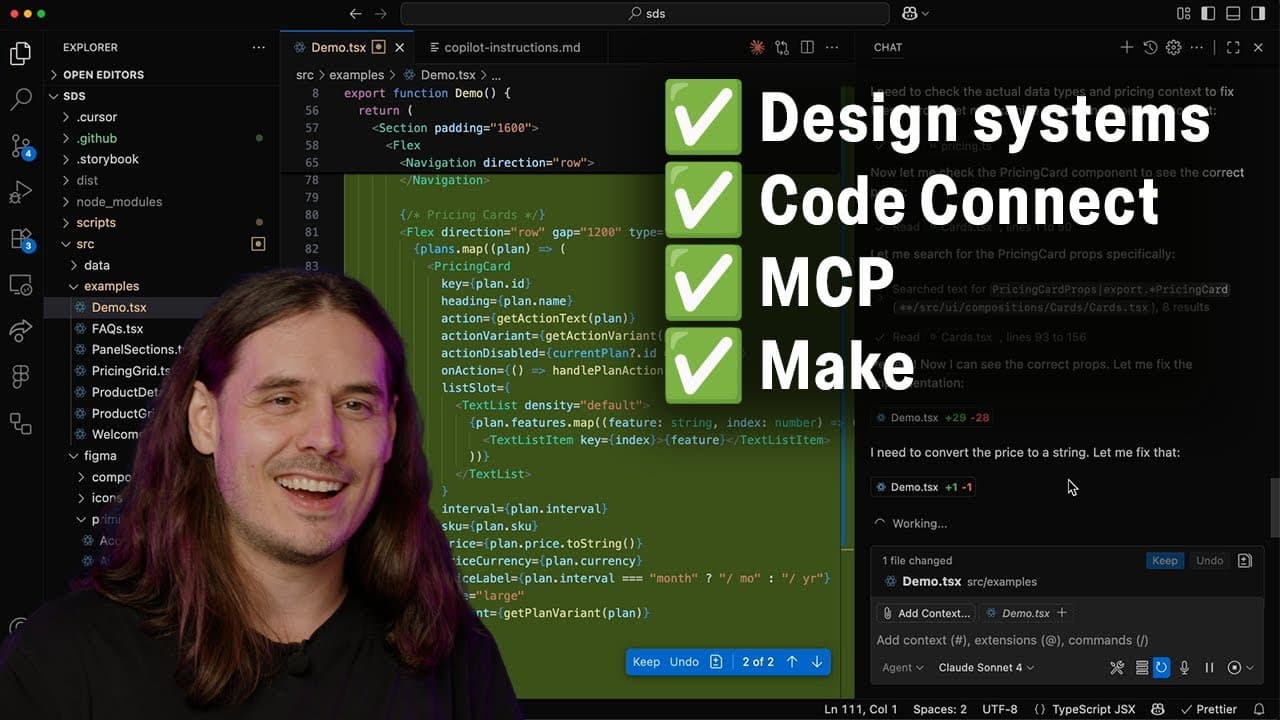
Figma integrates with developer workflows by connecting design-system abstractions to production code through Dev Mode, Code Connect, variable code syntax, and MCP. Code Connect can display production component snippets or map Figma library components to relevant codebase files, while MCP supplies this context to agentic workflows. Read on to understand how these connections preserve design intent from design through implementation.
Transcript
Hey friends, I'm Jake. I'm a developer advocate here at Figma and we are so excited that you're here. Before we really dig in, I want to take a moment to talk a little bit about design systems and how we can think of them as building blocks for efficient design informed product development. So context is everything and when we talk about developmen... Read More
Key Insights
- Design systems serve as foundational building blocks for efficient product development.
- Figma's dev mode provides a dedicated space for developers to collaborate with designers.
- Code Connect allows mapping of Figma components to codebase elements, facilitating seamless integration.
- Variable code syntax in Figma helps developers view exact code representations of design tokens.
- Annotations in Figma provide additional context, enhancing communication between designers and developers.
- The MCP server in Figma supplies LLMs with design and codebase context for accurate code generation.
- Figma's AI can detect opportunities for design improvement before handing off to developers.
- Best practices include documenting design patterns and using annotations to convey design intent.
Install to Summarize YouTube Videos and Get Transcripts
Explore YouTube Video Summarizer or Get YouTube Transcript Extractor
Questions & Answers
Q: How do you integrate Figma with developer workflows?
Use Dev Mode to connect designs with production-code context and communicate design intent to developers and their tools. Code Connect documents components with code or maps them to relevant files, variable code syntax exposes exact token representations, and MCP supplies this metadata to agentic workflows.
Q: What role do design systems play in Figma developer workflows?
Design systems provide named building blocks for design-informed product development. In Figma, these include variables, reusable components, and styles, while related engineering patterns can cover layout, content, state, data storage, and schemas.
Q: How does Figma Dev Mode support design-to-production work?
Dev Mode is a dedicated space in Figma built with the developer perspective in mind. Designers and developers use it to move ideas efficiently from design to production while associating design elements with codebase context.
Q: What does Code Connect do in Figma?
Code Connect documents Figma components with component code from the codebase. Its dynamic snippets show the production form of a designed component inside Dev Mode and can also be supplied through MCP to agentic workflows.
Q: What is the difference between Code Connect snippets and Code Connect UI mappings?
Code Connect snippets provide an in-depth, dynamic representation of a component’s production code. The lower-lift Code Connect UI instead lets teams quickly map a Figma library component to a relevant codebase file, creating a relationship that can help agentic coding workflows.
Q: How does variable code syntax help developers?
Variable code syntax lets teams store the code form of Figma variables, even when codebase naming differs from Figma naming. Teams can provide separate syntax for web, iOS, and Android so developers see the exact representation while inspecting designs.
Q: How does Figma provide design context to LLMs through MCP?
Figma’s MCP server supplies metadata such as Code Connect information and variable code syntax to LLMs. This gives agentic workflows relationships between designed components, production code, relevant files, and the code forms of design variables.
Q: Which design abstractions should teams document when connecting Figma to code?
Teams should account for variables, components, and styles in Figma, along with codebase patterns that may only be implied in the design. The transcript also identifies layout, grid systems, responsiveness, positioning, usage guidelines, naming conventions, content, state, data storage, and schemas as relevant implementation context.
Summary & Key Takeaways
-
Figma's integration with developer workflows leverages tools like Code Connect and MCP server to streamline the transition from design to production. By mapping Figma components to codebase elements, developers ensure consistency and efficiency in implementation. Annotations and AI-driven tools enhance documentation and communication of design intent.
-
Design systems in Figma act as foundational building blocks for product development, with dev mode providing a collaborative space for designers and developers. Code Connect enables seamless mapping of Figma components to codebase elements, while variable code syntax helps developers view exact representations of design tokens.
-
Figma's MCP server supplies LLMs with design and codebase context, aiding in accurate code generation. Annotations offer additional context, improving communication between teams. Best practices include documenting design patterns and leveraging annotations to effectively convey design intent to developers.
Read in Other Languages (beta)
Share This Summary 📚
Summarize YouTube Videos and Get Video Transcripts with 1-Click
Try YouTube Summary with ChatGPT & Claude or YouTube Transcript Generator
Explore More Summaries from Figma 📚




Summarize YouTube Videos and Get Video Transcripts with 1-Click
Try YouTube Summary with ChatGPT & Claude or YouTube Transcript Generator