How to Make Claude Code Learn From Every Mistake
TL;DR
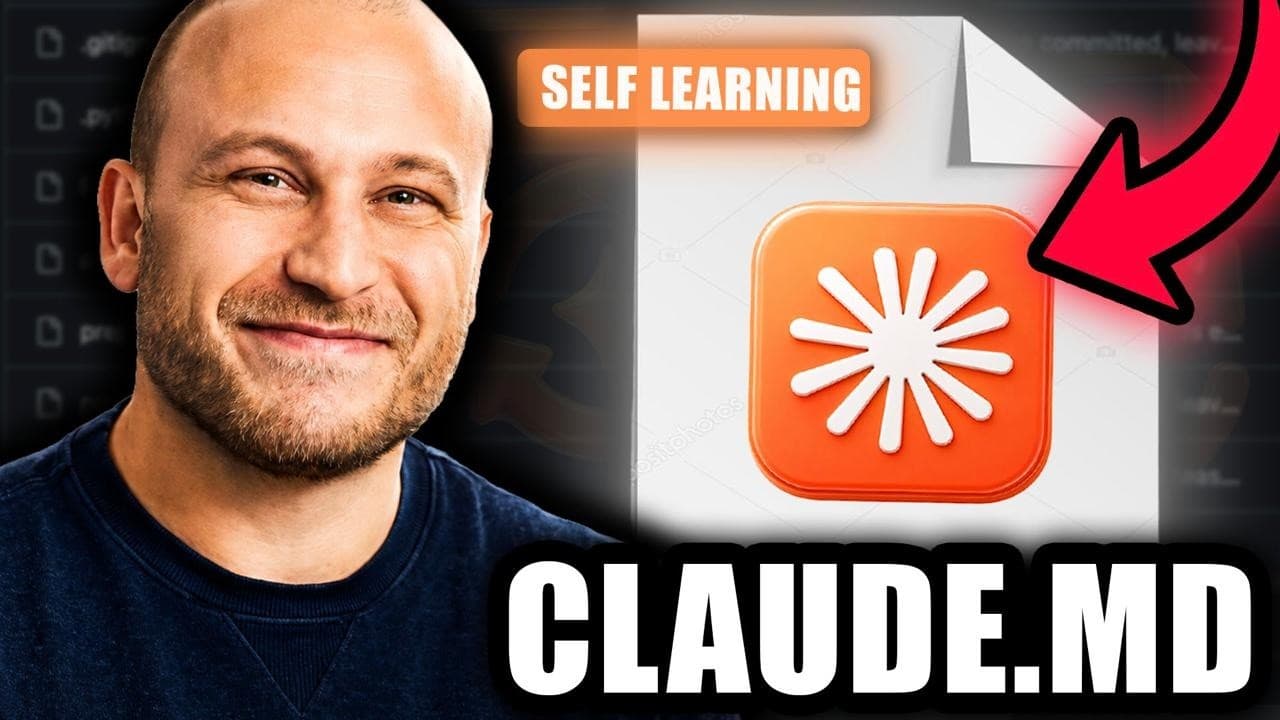
Add a self-learning instruction to your CLAUDE.md file that tells Claude to record each correction or detected mistake as a one-line rule under a Lessons section before continuing. This creates a persistent record that can improve future sessions, while the rest of the file supplies context about your preferences, style, business, mission, and workflow.
Transcript
Boris Cherney, the creator of Claude Code, has just revealed a tiny little magic snippet of text that you can paste to your Claude to make it smarter, faster, more personalized to you, a self-learning work machine. Claude will remember every single mistake it's ever made, so that it never makes it again. It'll learn your style and understand your w... Read More
Key Insights
- A CLAUDE.md file is a persistent text reference containing information such as the user’s preferences, style, tone, business, mission, vocabulary, writing rules, and workflows, allowing Claude to consult the same context across separate working sessions.
- Beginner Claude Code usage is defined by starting sessions without a CLAUDE.md file. Even when the prompt contains substantial business and offer information, the resulting work can remain generic because the model lacks reference files, brand assets, style guides, and persistent operating context.
- Intermediate Claude Code usage is based on maintaining a CLAUDE.md file that personalizes outputs across sessions. Its limitation is that corrections made during an individual session can disappear afterward unless the user deliberately adds those lessons to a persistent file.
- The self-learning instruction is: "When I correct you or you catch yourself making a mistake, before continuing, add the lesson as a one-line rule under #LESSONS so it never happens again." It directs Claude to convert feedback into persistent operating rules.
- The Lessons section is a designated area inside CLAUDE.md where Claude records concise rules derived from user corrections or its own detected mistakes. Those rules can then influence later work because they remain available after the original conversation ends.
- Boris Cherny’s stated working principle is to respond to Claude’s mistakes by having the system update CLAUDE.md, create a skill, or establish another reusable instruction. The objective is to change future behavior instead of correcting only the current output.
- The three-way sales-page test compares a beginner setup without CLAUDE.md, an intermediate setup with persistent context, and an advanced setup with the self-learning instruction. All three sessions use the same model and receive the same detailed sales-page request.
- Persistent context improves brand alignment by giving Claude access to real references. In the demonstration, the contextual setup uses the creator’s actual logo, images, offer concepts, and YouTube materials, while the setup without reference files invents a logo and produces a more generic design.
Install to Summarize YouTube Videos and Get Transcripts
Explore YouTube Video Summarizer or Get YouTube Transcript Extractor
Questions & Answers
Q: How do you make Claude Code learn from its mistakes?
Add a Lessons section to CLAUDE.md and instruct Claude to record every correction or self-detected mistake there as a one-line rule before continuing. The exact instruction shown is: "When I correct you or you catch yourself making a mistake, before continuing, add the lesson as a one-line rule under #LESSONS so it never happens again." The saved rule can guide later sessions.
Q: What is a CLAUDE.md file used for?
A CLAUDE.md file provides persistent context that Claude can reference across working sessions. It can contain the user’s preferences, voice, vocabulary, writing rules, business information, mission, content systems, workflows, and links to additional resources such as style guides. This context helps Claude produce work that is more personalized and aligned with the user’s established goals and methods.
Q: What should go in the Lessons section of CLAUDE.md?
The Lessons section should contain concise, one-line rules based on corrections the user gives Claude or mistakes Claude detects itself. Each entry should describe how to avoid repeating the problem. The demonstrated setup begins with an empty area labeled for Claude to add rules, allowing feedback from active sessions to become persistent guidance for future work.
Q: Why can Claude repeat the same mistakes in new sessions?
Claude can repeat mistakes when corrections remain only in the current conversation. An ordinary CLAUDE.md file supplies lasting background context, but feedback given during a session does not automatically become part of that file. When the session ends, those corrections can vanish, so a later session may reproduce the same misunderstanding unless the lesson was deliberately saved.
Q: What are the three levels of Claude Code users?
The video defines beginners as users who work without a CLAUDE.md file and restart without persistent context. Intermediate users maintain a CLAUDE.md file containing their preferences and business information. Advanced users add a self-learning instruction and Lessons section, directing Claude to preserve corrections and detected mistakes as reusable rules that can shape behavior in future sessions.
Q: How did CLAUDE.md affect the sales-page test?
The session without CLAUDE.md produced a clean but generic and text-heavy sales page, including an invented logo because it lacked reference assets. The contextual session produced stronger copy and incorporated the creator’s actual logo, images, YouTube references, offer concepts, and ecosystem connections. The comparison illustrates how persistent files can improve personalization and brand alignment beyond a detailed prompt alone.
Q: Does a self-learning CLAUDE.md automatically improve every output?
The instruction creates a mechanism for preserving lessons, but it depends on corrections or detected mistakes being converted into clear one-line rules. The video also shows that persistent context does not guarantee perfect design. The intermediate sales page still appears generic and too text-heavy in places, demonstrating that users must continue reviewing outputs and providing specific feedback.
Q: Can supporting files be connected to CLAUDE.md?
Yes. The demonstrated CLAUDE.md file contains links to other Markdown files, including a style guide that describes the preferred visual direction. These connected references expand the context available to Claude beyond a single file. They can supply brand assets, writing guidance, content systems, and other working information that agents repeatedly consult while completing tasks.
Summary & Key Takeaways
-
The video divides Claude Code users into three levels. Beginners start every session without a CLAUDE.md file, producing more generic results. Intermediate users provide persistent context through the file. Advanced users add a self-learning instruction that records corrections and mistakes as reusable rules for later sessions.
-
A CLAUDE.md file acts as a persistent reference containing preferences, tone, vocabulary, writing rules, business details, mission, content systems, and links to supporting files such as style guides. It helps Claude produce work that better matches the user and allows agents to repeatedly reference the same operating context.
-
The demonstration compares three Claude sessions building the same Dream Labs sales page with the same model. The session without reference files creates a clean but generic, text-heavy page. The contextual version produces stronger copy and uses real brand assets, while the self-learning version is designed to preserve subsequent corrections.
Read in Other Languages (beta)
Share This Summary 📚
Summarize YouTube Videos and Get Video Transcripts with 1-Click
Try YouTube Summary with ChatGPT & Claude or YouTube Transcript Generator
Explore More Summaries from Dream Labs AI 📚



Summarize YouTube Videos and Get Video Transcripts with 1-Click
Try YouTube Summary with ChatGPT & Claude or YouTube Transcript Generator