How to Organize Notes with Obsidian Bases
TL;DR
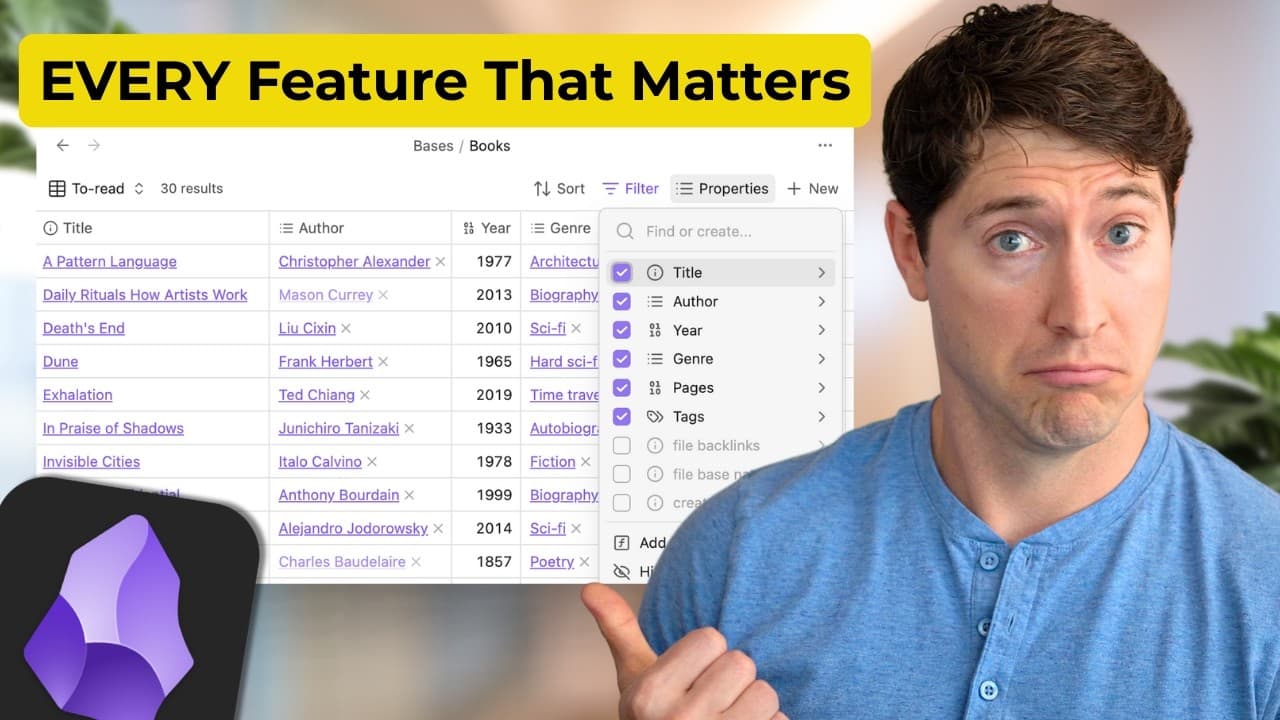
Obsidian Bases turns selected notes into fast, editable database views by using note properties and filters. Create a base from the command palette, define a global file set, duplicate a well-designed main view, and add view-specific filters for books, shows, projects, or other collections. Table and card layouts provide different presentations of the same underlying notes.
Transcript
Obsidian Bases is now public and it's a really big deal. I didn't quite understand why until last night I figured it out and it blew my mind. Let's go. Oh, and I forgot. While I can't give you all of the bases, I'm going to give you the project's base. You'll be able to download it and use it immediately in your system. I hope that's helpful. In th... Read More
Key Insights
- Obsidian Bases is a core plugin that turns a chosen set of notes into a database, allowing users to organize projects, travel plans, reading lists, sources, and other note collections without separating the displayed information from the underlying files.
- Speed is one of the main strengths of Bases, with instantaneous base creation and optimized scrolling for large tables. The presenter reports smooth performance in his own vault, while Obsidian's CEO says the feature handles a vault containing tens of thousands of files.
- A single base can contain multiple views of the same underlying notes, including separate presentations for books and shows. Each category can be displayed as either a table or cards without requiring a different base for every layout.
- Live editing allows property values to be changed directly inside a base, with autocomplete available during entry. A new rating or author value is written immediately, and a sorted view can reposition the edited note as soon as its property changes.
- Properties are metadata stored within notes and provide the information that makes Bases useful. A book note can contain details such as year, rating, and author, while a daily or journal note may contain only a created date.
- Filters determine which files appear in a base or an individual view. A global filter can restrict every view to a sources folder, while a view-specific folder filter can narrow one duplicated view to books and reduce the displayed results accordingly.
- Duplicating a main view is the recommended workflow for creating additional views because it preserves thoughtfully arranged columns. The duplicated view can then be renamed, repositioned, filtered, sorted, and assigned a different layout without rebuilding its basic configuration.
- Created and modified dates are suggested as practical starting properties for notes. Related links, an upward organizational link, and a collection property can add more context by showing connected notes, broader categories, or the collection to which an item belongs.
Install to Summarize YouTube Videos and Get Transcripts
Explore YouTube Video Summarizer or Get YouTube Transcript Extractor
Questions & Answers
Q: What is Obsidian Bases and what does it do?
Obsidian Bases is a core plugin that turns any selected set of notes into a database-style presentation. It helps users filter, organize, summarize, and navigate files that meet chosen parameters. The same capability can support projects, travel plans, reading lists, source collections, and similar groups while continuing to use properties stored in the underlying notes.
Q: How do you create a new base in Obsidian?
Open the command palette by pressing Command P on a Mac or Control P on Windows, then begin typing “bases.” Select the command to create a new base and give the base a name. The command palette also contains an option to insert a new base, although the transcript focuses first on creating and naming a standalone base.
Q: How does an Obsidian base collect information from notes?
A base reads metadata properties stored inside individual notes and can also use global file information supplied by Obsidian. Those properties become available as fields or columns in the base. Users can display relevant values, rearrange columns, and sort records by fields such as year or rating while every listed item remains an underlying note.
Q: How do multiple views work in one Obsidian base?
Multiple views present different subsets or layouts of the same underlying note collection. For example, one sources base can include separate views for books and shows, and each category can have both table and card presentations. The views share the base's broad scope, but each view can apply its own filter, sorting choices, visible properties, and layout.
Q: How do you filter a specific view without changing every view?
Set a broad filter in the “all views” area to define the files available throughout the base, such as every file in a sources folder. Then open the filter settings for one particular view and add another condition, such as requiring the file to be inside the books folder. The added condition narrows only that selected view.
Q: Why should you duplicate an existing view in Obsidian Bases?
Duplicating an existing main view preserves the columns and other structural choices that have already been arranged thoughtfully. After duplication, the copied view can be renamed, moved, and given a more specific filter. This approach avoids rebuilding the same configuration whenever a user wants another category, presentation, or subset within the same base.
Q: How does live editing work in Obsidian Bases?
Live editing lets users enter or change property values directly within a base, with autocomplete assisting the entry process. The changed value is applied immediately to the note's displayed metadata. If the view is sorted by that property, an edited item can move to its new position at once, as demonstrated when a rating was added to a book.
Q: Which note properties should beginners use with Obsidian Bases?
Created and modified dates are suggested as useful starting properties because they can support basic organization without requiring extensive metadata. Users can later add related links, an “up” property for a broader note or category, and a collection property. More specialized notes, such as book notes, can also hold values including author, year, and rating.
Summary & Key Takeaways
-
Obsidian Bases is a core plugin that presents any selected set of notes as a database. Its principal strengths are fast performance, multiple views within one base, and live editing with autocomplete. The presenter reports smooth scrolling across a vault containing many files and immediate updates after property values are changed.
-
A base works by reading properties stored inside individual notes, along with global file information supplied by Obsidian. Those properties can appear as columns, control sorting, and provide context such as year, rating, author, creation date, modification date, relationships, or collections. Notes can contain only the properties relevant to them.
-
Views provide different filtered presentations of the same base. A global filter can limit every view to a broad folder, while an additional filter narrows one view to a category such as books or shows. Duplicating a carefully configured main view preserves its columns before more specific filters and layouts are applied.
Read in Other Languages (beta)
Share This Summary 📚
Summarize YouTube Videos and Get Video Transcripts with 1-Click
Try YouTube Summary with ChatGPT & Claude or YouTube Transcript Generator
Explore More Summaries from Linking Your Thinking with Nick Milo 📚






Summarize YouTube Videos and Get Video Transcripts with 1-Click
Try YouTube Summary with ChatGPT & Claude or YouTube Transcript Generator