What Are Defensive Techniques in Computer Security?
TL;DR
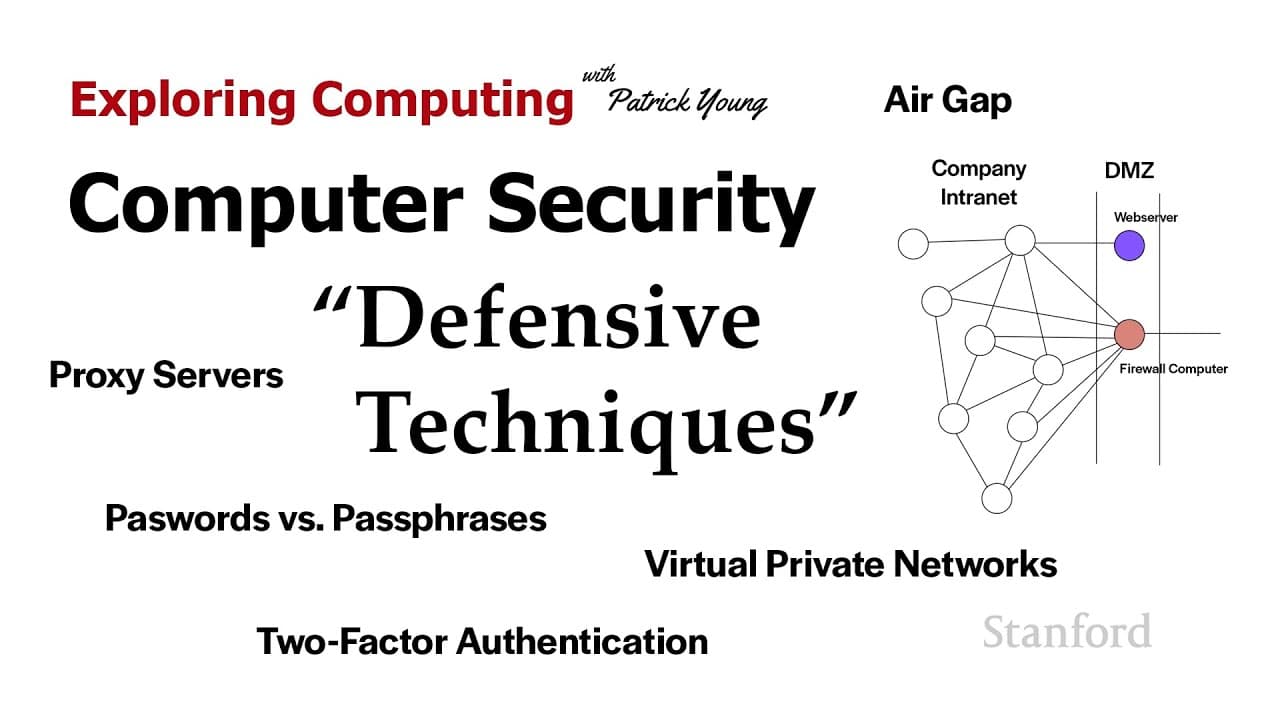
Defensive techniques in computer security involve using firewalls, proxy servers, and VPNs to protect against threats. Firewalls filter incoming and outgoing traffic to prevent attacks, while proxy servers allow secure access to restricted resources. VPNs encrypt data, ensuring privacy and anonymity while browsing the internet.
Transcript
welcome to exploring computing today's video is computer security defensive techniques so in the last video we saw lots of ways your computer can get attacked what sort of things can we do to protect ourselves so that's what this video is all about so the first thing i want to talk about is firewalls we'll talk about corporate firewalls first and t... Read More
Key Insights
- 🧑🏭 Firewalls act as a barrier to protect corporate networks from external threats and regulate internal traffic.
- 👤 Proxy servers enable users to access restricted resources and bypass regional restrictions.
- 🪜 VPNs provide secure connections, encrypting data and adding anonymity, especially when accessing public networks.
- 💌 Secure email systems offer confidentiality and authentication, protecting sensitive information from unauthorized access.
- 🔑 Strong passwords, multi-factor authentication, and password managers are crucial for personal account security, minimizing the risk of unauthorized access.
- 🧑🏭 Personal firewalls act as intermediaries between computers and the internet, controlling incoming and outgoing traffic.
- 👊 Password managers can prevent phishing attacks by recognizing legitimate websites and autofilling login information.
Install to Summarize YouTube Videos and Get Transcripts
Explore YouTube Video Summarizer or Get YouTube Transcript Extractor
Questions & Answers
Q: What is the purpose of firewalls?
Firewalls serve to protect company networks by blocking malicious traffic and preventing unauthorized access to internal systems. They can also regulate access to specific applications and scan for suspicious activity.
Q: How do personal firewalls work?
Personal firewalls act as a middleman between a user's computer and the internet, allowing or blocking traffic based on predefined rules. They provide an added layer of protection by monitoring and controlling all incoming and outgoing network traffic.
Q: What is the function of a proxy server?
A proxy server allows users to access restricted resources by acting as an intermediary between the user and the resource. It can hide the user's identity and location, providing anonymity and bypassing regional restrictions.
Q: How do virtual private networks (VPNs) enhance security?
VPNs create secure connections over public networks, encrypting data to protect it from unauthorized access. They also provide anonymity by masking users' IP addresses and allowing them to simulate being in different locations.
Q: Why are strong passwords and multi-factor authentication important?
Strong passwords, combined with additional factors such as biometrics or authenticator apps, make it difficult for attackers to gain unauthorized access. Multi-factor authentication adds an extra layer of security by requiring more than just a password to access sensitive accounts.
Q: How do password managers help improve security?
Password managers securely store and generate unique, complex passwords for different accounts. They eliminate the need to remember multiple passwords and protect users from phishing attacks by ensuring they only input login information on legitimate websites.
Summary & Key Takeaways
-
Firewalls serve as a protective barrier between a corporate intranet and the wider internet, preventing malicious traffic and information from entering or leaving the company.
-
Personal firewalls act as intermediaries between a computer and the internet, allowing or blocking traffic based on specified rules.
-
Proxy servers allow access to restricted resources by acting as intermediaries between the user and the resource, hiding the user's identity and location.
-
Virtual private networks (VPNs) create secure connections between networks or computers, encrypting data and providing anonymity.
-
Secure email systems offer confidentiality and authentication, ensuring that only intended recipients can access and decrypt the messages.
-
Strong passwords, multi-factor authentication, and password managers are essential for enhancing the security of personal accounts.
Read in Other Languages (beta)
Share This Summary 📚
Summarize YouTube Videos and Get Video Transcripts with 1-Click
Try YouTube Summary with ChatGPT & Claude or YouTube Transcript Generator
Explore More Summaries from Stanford Online 📚




Summarize YouTube Videos and Get Video Transcripts with 1-Click
Try YouTube Summary with ChatGPT & Claude or YouTube Transcript Generator