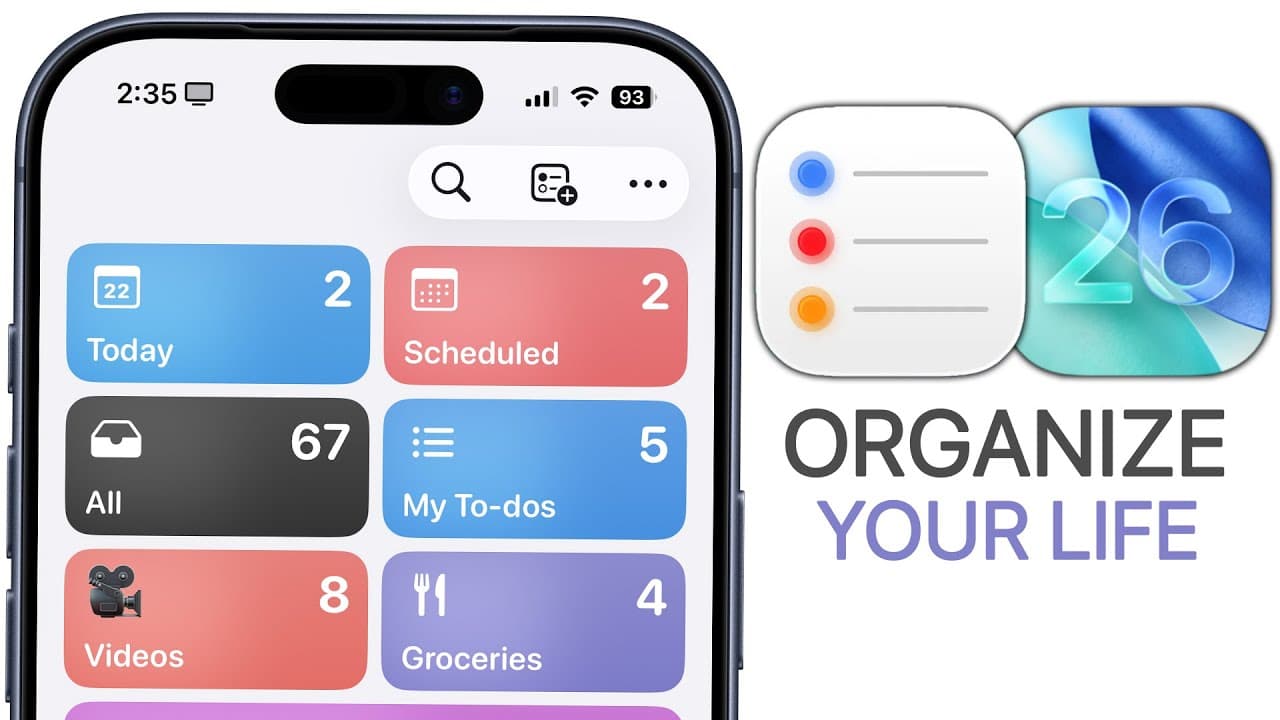
How to Use Apple Reminders in iOS 26 Effectively
TL;DR
Apple Reminders in iOS 26 adds an urgent tab with alarms, plus control center integration and an action button workflow. You can autocategorize lists, set call back reminders, and customize time zones to stay organized across devices. These features together create a streamlined, proactive reminder system for daily tasks and business workflows.
Transcript
Apple's reminders app is so much more complex than you think. And it's evolved even further with iOS 26. So much so that I no longer even use any other task management application. So in this video, we're going to do a deep dive into the Apple reminders application. I'm going to show you all the new features in iOS 26, some hidden tricks, and how I... Read More
Key Insights
- Reminders now feature an urgent tab to trigger alarms on the primary device, making high priority tasks hard to miss and reinforcing accountability.
- The alarm system includes a slide to stop and a snooze option, with a reschedule path that returns users to the reminder for easy adjustment.
- You can complete a reminder from the alarm screen, providing a faster way to mark tasks done without navigating the app.
- Control Center integration lets users create reminders quickly from the lock screen or via the dynamic island, reducing friction in adding tasks.
- An action button can be configured to set reminders with a single press, creating a fast, hands free workflow for critical tasks.
- Autocategorize uses Apple intelligence to group to dos into categories like following up, gifts, or household chores, helping to reduce clutter and improve focus.
- Reminders support time zone customization, allowing users to fix a preferred time zone such as EST to avoid confusion when traveling.
- Messaging based reminders trigger while conversing in messages, enabling context sensitive prompts that reduce forgetfulness in conversations and follow ups.
Install to Summarize YouTube Videos and Get Transcripts
Explore YouTube Video Summarizer or Get YouTube Transcript Extractor
Questions & Answers
Q: What is the new urgent reminder feature and how does it work?
The urgent reminder feature adds a priority option that triggers an alarm on the main device when activated. This makes urgent tasks more noticeable and the user can interact with the notification to snooze, reschedule, or mark complete from the alarm screen. This capability helps ensure critical tasks are seen and acted on promptly, improving adherence to time sensitive items.
Q: How can I access reminders quickly from the lock screen or control center?
Reminders can be created from the Control Center by enabling a new reminder toggle, which presents a quick pop out for reminders from the dynamic island. This enables adding reminders without opening the app. Additionally, you can set reminders via the action button by configuring it in Settings, Controls, and choosing reminders, which provides a hands free quick entry path.
Q: What is autocategorize and how does it affect organizing reminders?
Autocategorize is a feature that uses Apple intelligence to automatically assign to dos into predefined categories such as follow ups, gifts, and household chores. This helps reduce clutter by grouping related tasks, allows quicker navigation of lists, and makes it easier to maintain a clean and efficient reminder system across multiple lists.
Q: What is the purpose of the call back reminder and how is it used?
The call back reminder lets you set a reminder when you interact with a contact, prompting you to return a call later. It shows up in the scheduled section and can be marked urgent if the call is time sensitive. This feature improves follow up habits and ensures important conversations are not overlooked.
Q: How do time zones affect reminders and how can I set a preferred zone?
Reminders can automatically use the current device time zone, but you can manually set a preferred time zone in Settings > Time Zone to keep reminders aligned with a chosen zone such as EST. This helps maintain consistent reminder timing when traveling or working across different regions.
Q: What is the difference between lists and reminders, and how should I structure them?
A list acts as a category container for reminders, similar to folders, with examples like groceries or activities to do. Reminders are individual tasks that live inside lists, which can be customized with dates, times, notes, URLs, and priorities. Structuring with lists improves organization and makes it easier to locate and manage tasks.
Q: What are some practical workflow tips for using reminders in business?
Practical tips include pinning frequently used lists for quick access, using templates to create new lists rapidly, leveraging templates for recurring project needs, and using the revisit features such as early reminders or location based prompts. Pairing control center quick entry with the action button creates a streamlined, repeatable workflow that saves time and enhances accountability.
Q: Can you trigger reminders based on messaging and location, and how does that work?
Yes, reminders can trigger when you are messaging a specific contact or when you arrive at or leave a destination. The messaging trigger prompts reminders during chats, while location based triggers use GPS to trigger notifications at a set destination. These features ensure prompts occur in relevant contexts, increasing the likelihood of timely responses and task completion.
Summary & Key Takeaways
-
A practical overview of the new iOS 26 reminders features, including urgent reminders, alarm behavior, and the role of control center integration, aimed at improving daily task management.
-
A closer look at organizational tools like autocategorize, pins, templates, and list versus reminder structure to help users design a scalable reminder system.
-
A review of workflow tips such as call back reminders, time zone settings, location based and messaging triggered reminders that boost accountability and consistency in task execution.
Read in Other Languages (beta)
Share This Summary 📚
Summarize YouTube Videos and Get Video Transcripts with 1-Click
Try YouTube Summary with ChatGPT & Claude or YouTube Transcript Generator
Explore More Summaries from Brandon Butch 📚
Summarize YouTube Videos and Get Video Transcripts with 1-Click
Try YouTube Summary with ChatGPT & Claude or YouTube Transcript Generator